TL;DR

Get school and study supplies delivered free — and shop member deals
- Fast, free delivery on millions of items
- Access to Prime Big Deal Days deals on October 6–7
- Prime Video, Amazon Music and more included
A Thorsten Meyer AI report says the old rule that building an AI workstation is cheaper no longer holds in every case in 2026. Component shortages and price spikes have made prebuilts more competitive, while DIY still offers more control for buyers with time and hardware skill.
AI workstation buyers can no longer assume that building a system from parts will be cheaper than buying a prebuilt machine, according to 2026 guidance from Thorsten Meyer AI, a shift that matters for developers, small labs and companies trying to control hardware costs while deploying local AI workloads.
The report says shortages and price spikes affecting GPUs, RAM and SSDs have weakened the long-standing cost advantage of DIY workstations. It says some vendors may now match or beat self-built pricing because they buy components in bulk or stocked inventory before later price increases.
Thorsten Meyer AI frames the decision around speed, control, thermal reliability and long-term ownership. Prebuilt systems are described as ready-to-run machines with selected GPUs, cooling, BIOS tuning, fan curves, software setup, warranty coverage and vendor support. DIY systems still give buyers more control over parts selection, security choices, upgrade paths and repair decisions.
The report cites vendor practices such as 24- to 48-hour burn-in testing, water-cooling options, multi-GPU validation and warranties of up to five years. Those details are vendor-specific and can change by configuration, so the report advises buyers to quote the exact machine they need rather than rely on older assumptions about DIY savings.
Why It Matters
The shift affects buyers who need local compute for model training, fine-tuning, inference, data privacy, media generation or engineering work. A workstation that throttles under sustained GPU load can slow jobs, raise power and cooling costs, or force teams back to cloud compute.
For businesses, the decision is no longer only a parts bill. Downtime, staff time, support coverage, compliance, repair handling and future upgrades can change the total cost. A prebuilt system may reduce setup risk, while a custom build may still be the better fit when buyers need exact components or want direct control over every hardware and software layer.
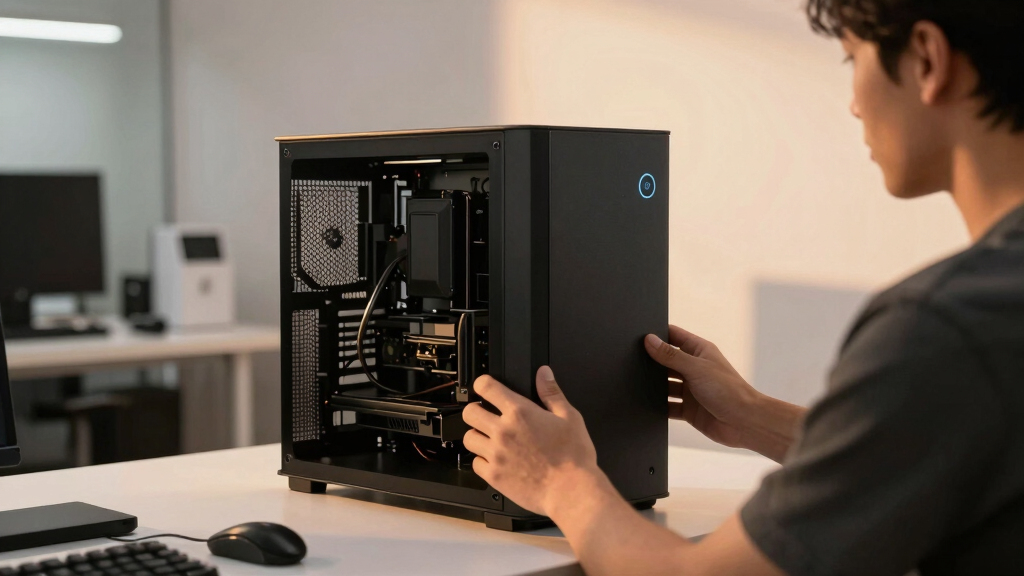
prebuilt AI workstation with GPU
As an affiliate, we earn on qualifying purchases.
As an affiliate, we earn on qualifying purchases.
Background
For years, DIY desktop builds were widely treated as the budget path for high-performance systems. The 2026 AI hardware market has complicated that pattern because demand for GPUs and memory has risen with local AI workloads and generative AI development.
Thorsten Meyer AI describes the build-versus-buy question as a choice over who handles the engineering work needed for sustained performance: undervolting the GPU, matching the cooler, fixing airflow, tuning fans and placing the system where heat and noise can be managed. In a prebuilt system, the vendor handles much of that work before shipping.
“Building is no longer automatically cheaper”
— Thorsten Meyer AI
“Price both, today, for your exact config.”
— Thorsten Meyer AI
“There’s no universal winner — only a best fit.”
— Thorsten Meyer AI
custom AI workstation components
As an affiliate, we earn on qualifying purchases.
As an affiliate, we earn on qualifying purchases.
What Remains Unclear
Current pricing is still moving, and the report does not establish one fixed winner across all GPU, memory and storage configurations. Vendor claims about burn-in testing, noise reduction, cooling performance and warranty terms also depend on the specific seller and system ordered. Buyers still need to verify quotes, support terms, lead times and return policies before purchasing.
As an affiliate, we earn on qualifying purchases.
What’s Next
The next step for buyers is to compare a DIY parts list and a prebuilt quote for the same target workload, including GPU count, memory, storage, cooling, warranty, setup time and expected maintenance. For teams running production workloads, the report points toward total cost of ownership rather than sticker price alone.
enterprise AI workstation prebuilt
As an affiliate, we earn on qualifying purchases.
As an affiliate, we earn on qualifying purchases.
Key Questions
Is building an AI workstation still cheaper in 2026?
Sometimes, but the Thorsten Meyer AI report says it is no longer a safe default assumption. GPU, RAM and SSD price moves mean buyers should price a DIY build and a comparable prebuilt at the same time.
Why would a prebuilt AI workstation cost less than DIY?
The report says vendors may benefit from bulk buying, earlier inventory purchases and validated system designs. That can offset the labor and support costs included in a prebuilt system.
When does building still make sense?
Building still fits buyers who need exact components, want maximum upgrade control, have hardware experience, or view setup and tuning as part of the value. It also helps buyers understand how their machine handles heat, noise and sustained GPU load.
When does buying prebuilt make sense?
A prebuilt system is stronger for buyers who need fast deployment, vendor support, factory-tested thermals, quieter operation or warranty coverage across the whole system rather than separate part-by-part support.
What should buyers compare before deciding?
Buyers should compare total cost, delivery time, GPU and memory specs, cooling design, burn-in testing, noise claims, warranty length, repair process, software setup and future upgrade options.
Source: Thorsten Meyer AI
Halloween Picks
halloween
As an affiliate, we earn on qualifying purchases.