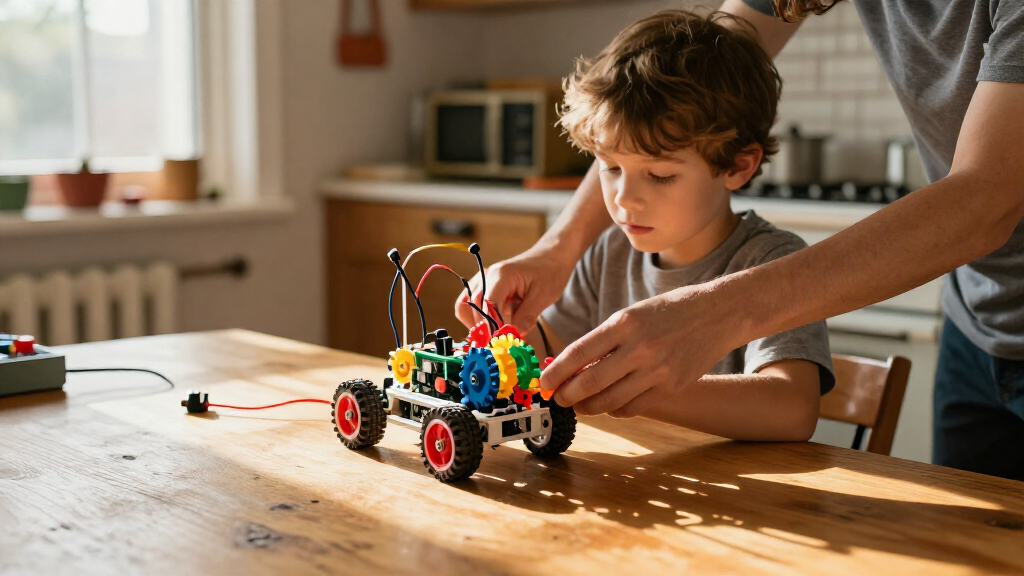

For a versatile first choice, I’d start with the Makeblock mBot, which combines a programmable robot car with a clear path into coding. The Thames & Kosmos My Robotic Pet Coding Chameleon suits kids drawn to a themed, guided build, while the ELEGOO UNO R3 Smart Robot Car Kit V4 with Camera offers more room to explore electronics and programming. The main tradeoff is between easy, focused builds and kits that offer more projects but ask for more patience, troubleshooting, or adult help. Age guidance matters, but a child’s interest in coding, construction, or hands-on mechanisms matters just as much. Read on for how all 12 kits differ and which one fits your child.

Get school and study supplies delivered free — and shop member deals
- Fast, free delivery on millions of items
- Access to Prime Big Deal Days deals on October 6–7
- Prime Video, Amazon Music and more included
Key Takeaways
- The Makeblock mBot is my best overall pick because it links a tangible robot car with coding, making it a stronger all-round starting point than kits focused on a single mechanical build.
- Themed and guided projects can be a better first step than a high project count. The My Robotic Pet Coding Chameleon gives the build a clear focus, while multi-build kits such as Butterfly EduFields’ 40-in-1 offer breadth that may demand more patience.
- Mechanical kits teach a different kind of robotics. The Smartivity Robotic Mechanical Hand, Thames & Kosmos Mega Cyborg Hand, TEACH TECH Hydrobot Arm, and ANNISOKA wooden arm emphasize movement and mechanisms rather than coding.
- Robot cars vary in how much technical exploration they invite. The two EggTailz kits offer a car-centered route, while the ELEGOO camera-equipped kit and mBot are stronger fits for families prioritizing coding and electronics exploration.
- Solar and multi-project kits trade a focused learning path for variety. Sillbird’s 12-in-1 solar kit and the 10-in-1 and 40-in-1 Butterfly EduFields kits make sense for children who enjoy rebuilding, but project count alone does not tell you how much guidance or adult support a child will need.
| Thames & Kosmos My Robotic Pet Coding Chameleon STEM Building & Experiment Kit |  | Best for Screen-Free Coding | Age range: 8–12 years | Robot length: 15 inches | Play modes: Coding, Wild, Pet | VIEW LATEST PRICE | See Our Full Breakdown |
| Smartivity Robotic Mechanical Hand STEM Toy for Kids Ages 8–14 |  | Best for Anatomy and Mechanical Movement | Brand: Smartivity | Model: SMRT1135 | Age range: 8–14 years | VIEW LATEST PRICE | See Our Full Breakdown |
| EggTailz Smart Robot Car Kit for Kids Ages 8-16 |  | Best for Autonomous Driving Play | Brand: EggTailz | Model number: 265-A | Age recommendation: 8–16 years | VIEW LATEST PRICE | See Our Full Breakdown |
| Butterfly EduFields 10-in-1 STEM Robotics Kit for Kids |  | Best for Exploring Multiple Electronics Projects | Brand: Butterfly EduFields | Model number: 506 | Projects: 10 | VIEW LATEST PRICE | See Our Full Breakdown |
| Sillbird 12-in-1 Solar Robot Building Kit, 190 Pieces |  | Best for Solar-Powered Model Variety | Brand: Sillbird | Model: US-SB-SolarRobot | Number of models: 12 | VIEW LATEST PRICE | See Our Full Breakdown |
| EggTailz Smart Robot Car Kit for Kids Ages 8+ |  | Best for Interactive Robot-Car Play | Recommended age: 8 years and up | Drive: 2WD | Control modes: Autonomous and remote control | VIEW LATEST PRICE | See Our Full Breakdown |
| Butterfly EduFields 40-in-1 STEM Robotics Kit for Kids |  | Best for Project Variety | Age range: 8–17 years | Projects: 40+ | Components: 100+ | VIEW LATEST PRICE | See Our Full Breakdown |
| Thames & Kosmos Mega Cyborg Hand STEM Experiment Kit |  | Best Wearable Robotics Build | Age recommendation: 7 years and up | Pieces: Over 200 | Configurations: Left hand, right hand, or claw-like | VIEW LATEST PRICE | See Our Full Breakdown |
| TEACH TECH Hydrobot Arm STEM Hydraulic Building Toy for Kids Ages 12+ |  | Best for Older Builders | Recommended age: 12 years and up | Power: Water-powered hydraulics; no batteries required | Axes: 6 | VIEW LATEST PRICE | See Our Full Breakdown |
| ANNISOKA DIY Wooden Robotic Arm Kit |  | Best for Circuit Basics | Age range: 8 years and up | Material: Wood | Included components: Robot arm kit | VIEW LATEST PRICE | See Our Full Breakdown |
| Makeblock mBot STEM Coding Toys Robotics for Kids Ages 8-12 |  | Best for Younger Coding Beginners | Recommended age: 8–12 years | Material: Metal and plastic | Build time: Approximately 15 minutes | VIEW LATEST PRICE | See Our Full Breakdown |
| ELEGOO UNO R3 Smart Robot Car Kit V4 with Camera |  | Best for Advanced Robot-Car Projects | Recommended age: 12 years and up | Controller: UNO R3 | Camera and Wi-Fi module: ESP32-WROVER-based | VIEW LATEST PRICE | See Our Full Breakdown |
More Details on Our Top Picks
Thames & Kosmos My Robotic Pet Coding Chameleon STEM Building & Experiment Kit
The 15-inch robotic chameleon combines a build project with physical-card coding, so kids can try sequencing actions without needing a screen. Its color changes, gesture responses, and tongue-firing feature make the code visible in play, while the Coding, Wild, and Pet modes offer more variety than a single-purpose build. Compared with the Smartivity Robotic Mechanical Hand, this kit focuses more on programming and sensor-driven behavior than on anatomy and mechanical movement. A 48-page guide adds explanations of engineering and biomimicry, which gives curious builders more context than play alone. The tradeoff is assembly complexity: younger children may need adult help, and its age guidance starts at eight, so it is not a simple first toy for preschoolers.
Pros:- Physical action cards introduce coding sequences without a screen.
- Color, gesture, and tongue actions make the robot’s responses engaging and observable.
- Three play modes provide more than one way to interact after assembly.
- The 48-page guide connects the build to engineering and biomimicry.
Cons:- Assembly may require adult assistance, especially for younger builders.
- Its age range makes it less suitable for children under eight.
- The animal-specific design offers less variety of build forms than multi-model kits such as the Sillbird 12-in-1 Solar Robot Kit.
Best for: Children ages 8 and up who want a screen-free introduction to coding, sensors, and animal-inspired engineering.
Not ideal for: Younger children or families seeking a quick, low-assistance build; assembly can be complex and the kit is aimed at ages 8 and up.
- Age range:8–12 years
- Robot length:15 inches
- Play modes:Coding, Wild, Pet
- Coding method:Physical action cards
- Sensors:Color sensor and infrared sensor
- Lighting:RGB LEDs
- Guide:48 pages
- Unit count:1
Our verdict“Choose this for an 8+ child who wants tactile, screen-free coding and a characterful robot, rather than a kit focused on multiple builds.”
Smartivity Robotic Mechanical Hand STEM Toy for Kids Ages 8–14
The Smartivity Robotic Mechanical Hand is a focused build for children curious about how fingers and hand movement work. Its engineered-wood parts and illustrated, step-by-step guide make the project a tactile alternative to electronic robotics kits, and the screen-free assembly keeps attention on mechanisms rather than programming. Compared with the Thames & Kosmos My Robotic Pet Coding Chameleon, this kit offers less sensor-based interaction but puts anatomy and mechanical motion at the center. That narrower focus can suit a child who wants to understand a hand-like mechanism, though it does not provide multiple robot builds or the chameleon’s coding modes. Replacement parts support continued use if pieces go missing, but the kit still requires assembly, and the product data does not specify powered or programmable functions.
Pros:- Engineered-wood construction gives the build a distinct, tactile feel.
- Illustrated step-by-step instructions support independent assembly.
- The hand theme links robotics-style mechanisms with anatomy.
- Replacement parts are included for continued play.
Cons:- Assembly is required before the mechanical hand can be used.
- The focused hand design offers less build variety than the Sillbird 12-in-1 Solar Robot Kit.
- No programmable or sensor-based features are specified.
Best for: Ages 8–14 who enjoy hands-on construction and want a screen-free project centered on hand anatomy and mechanical movement.
Not ideal for: Children looking for a programmable robot, multiple model options, or an electronic project with sensors and autonomous behavior.
- Brand:Smartivity
- Model:SMRT1135
- Age range:8–14 years
- Material:Engineered wood
- Theme:Robotics and anatomy
- Included parts:All parts included
- Replacement parts:Lifetime replacement parts
- Item dimensions:11.81 × 9.8 inches
Our verdict“Pick this for a child interested in anatomy and mechanical construction, not for one seeking coding or a fleet of robot builds.”
EggTailz Smart Robot Car Kit for Kids Ages 8-16
The EggTailz Smart Robot Car gives kids two distinct ways to use a completed build: steer it by remote or let its ultrasonic radar guide obstacle avoidance. Its self-balancing 2WD design and 360-degree rotation make it more movement-focused than the Thames & Kosmos My Robotic Pet Coding Chameleon, whose appeal centers on screen-free action-card coding and animal responses. The autonomous mode can help children see how a sensor changes a robot’s behavior, while remote control keeps the car enjoyable when they are not experimenting. A tutorial guide supports assembly, but younger builders may need adult help. The rechargeable car battery is described as providing up to four hours of play, though actual use is stated as 1–4 hours per charge; the remote also needs separate AA batteries.
Pros:- Ultrasonic radar enables autonomous obstacle avoidance.
- Remote-control and autonomous modes offer different styles of play.
- Self-balancing 2WD construction is designed to stay upright during operation.
- Headlights, taillights, and a ring light add visible driving effects.
Cons:- The remote requires separate AA batteries.
- Assembly may be challenging for younger children without adult assistance.
- The rechargeable battery provides a stated 1–4 hours of play per charge.
Best for: Ages 8–16 who want a buildable robot car that can switch between remote driving and sensor-guided obstacle avoidance.
Not ideal for: Families wanting a screen-free coding toy, multiple model builds, or a car that avoids battery management and adult help during assembly.
- Brand:EggTailz
- Model number:265-A
- Age recommendation:8–16 years
- Drive design:Self-balancing 2WD
- Navigation sensor:Ultrasonic radar
- Play modes:Autonomous navigation and remote control
- Remote:Includes remote; remote uses AA batteries
- Car battery play time:Stated as 1–4 hours per charge
Our verdict“Choose this for a child who wants a sensor-driven car with manual control as a backup, rather than a card-coded or multi-model robotics kit.”
Butterfly EduFields 10-in-1 STEM Robotics Kit for Kids
With 10 projects and more than 100 components, the Butterfly EduFields kit is the broadest electronics-oriented option in this group. It gives children room to move between builds instead of concentrating on one character or vehicle, and its robot adds line-following and obstacle avoidance for hands-on sensor play. Compared with the Sillbird 12-in-1 Solar Robot Kit, this set puts more emphasis on robotics and electronics, while Sillbird offers more models and a clear solar-power theme. Step-by-step instructions help organize the project choices, but a larger parts assortment can mean more assembly time and more chances that younger builders will need guidance. The stated age information differs between the description and specs, so families should check the supplied kit guidance before choosing for a child outside the listed 8–12 range.
Pros:- More than 100 components support 10 different projects.
- The included robot can follow lines and avoid obstacles.
- Step-by-step illustrated instructions guide the builds.
- Project variety supports continued exploration beyond one finished model.
Cons:- Some projects can take time to assemble and may need adult guidance.
- The description gives an 8–12 age range, while the specs state 8–17.
- Its project variety may feel less focused than the EggTailz robot car’s paired driving modes.
Best for: Children who like switching among robotics and electronics builds, especially those ready to follow illustrated instructions with some adult support.
Not ideal for: Families seeking a single quick build, a strongly specified age fit, or a compact project with minimal assembly time.
- Brand:Butterfly EduFields
- Model number:506
- Projects:10
- Components:100+
- Recommended age in specs:8–17 years
- Age range in description:8–12 years
- Skills:Robotics, electronics, engineering, and mechanics
- Robot functions:Line-following and obstacle avoidance
Our verdict“Choose this for a child who wants several robotics and electronics projects to work through, rather than one polished, ready-to-play robot.”
Sillbird 12-in-1 Solar Robot Building Kit, 190 Pieces
The Sillbird kit stands out for pairing 12 build options with a lesson in solar power. Its 190 ABS pieces can become robots, vehicles, and other models, giving builders more shape variety than the single chameleon in the Thames & Kosmos kit or the one hand-focused Smartivity build. The sunlight or strong artificial-light power source adds a practical energy concept, but it also limits when the models can run: dim rooms may not provide enough light. Step-by-step instructions support construction, though the recommended age starts at 10 and assembly may be challenging for younger children. Compared with Butterfly EduFields’ 10-project electronics kit, Sillbird offers more models and a clearer renewable-energy focus, but its appeal depends more directly on having suitable light.
Pros:- Twelve model options give the kit strong rebuild variety.
- Solar and strong artificial light introduce renewable-energy concepts.
- The 190-piece set supports hands-on construction across different forms.
- Step-by-step instructions guide assembly.
Cons:- Solar operation depends on access to sufficiently strong light.
- Assembly may challenge children younger than the recommended age.
- It focuses on model building and solar power rather than the sensors and navigation features of the EggTailz Smart Robot Car.
Best for: Children age 10 and up who enjoy rebuilding models and want to explore how solar power can operate a small robot.
Not ideal for: Younger builders or families who need reliable operation in low-light rooms or want sensor-driven coding features.
- Brand:Sillbird
- Model:US-SB-SolarRobot
- Number of models:12
- Number of pieces:190
- Power source:Sunlight or strong artificial light
- Material:ABS
- Recommended age:10 years and up
- Item dimensions:10.24 × 7.87 × 2.56 inches
Our verdict“Pick this for an age-10+ builder who values repeated model changes and solar-power learning, provided bright light is available.”
EggTailz Smart Robot Car Kit for Kids Ages 8+
For kids who want a robot that moves around after the build, the EggTailz Smart Robot Car offers a more active payoff than the Thames & Kosmos Mega Cyborg Hand, which focuses on wearable hydraulics. Its ultrasonic obstacle avoidance gives autonomous mode a practical robotics hook, while remote control lets a child steer the 2WD car directly. Self-balancing and lights add variety, though the supplied details do not explain how those features work or how much setup they need.
The rechargeable battery supports 1–4 hours of play after a two-hour charge, but that wide range makes runtime hard to predict. Beginners may need adult help during assembly, and the remote needs two AA batteries. Choose this over a multi-project sensor kit when a moving car is the main attraction; skip it if the priority is broad electronics experimentation.
Pros:- Assembly introduces basic robotics and electronics through a moving vehicle.
- Autonomous and remote-control modes offer different ways to play.
- Ultrasonic obstacle avoidance gives the car a clear robotics function.
- Rechargeable battery avoids relying on disposable batteries for the car.
Cons:- Assembly may need adult help for beginners.
- Remote control requires two AA batteries.
- Playtime varies from 1 to 4 hours, making runtime difficult to predict.
Best for: Children aged 8 and up who want to assemble a robot car and switch between autonomous movement and hands-on remote steering.
Not ideal for: Families seeking a broad set of reusable electronics projects or a build that a first-time builder can complete without adult help.
- Recommended age:8 years and up
- Drive:2WD
- Control modes:Autonomous and remote control
- Obstacle avoidance:Ultrasonic radar
- Battery:Rechargeable; 2-hour charge
- Playtime:1–4 hours
- Remote batteries:2 AA batteries, included
- Model number:265-A
Our verdict“Choose this for an 8+ builder who wants an interactive robot car, not a kit centered on a wide range of electronics experiments.”
Butterfly EduFields 40-in-1 STEM Robotics Kit for Kids
The Butterfly EduFields 40-in-1 kit is the broadest project-based choice in this group: more than 100 components and reusable sensors support over 40 builds, including robots and home-automation gadgets. That range makes it a stronger fit for a child who wants to keep changing projects than the EggTailz Smart Robot Car, which centers on one vehicle. Plug-and-play assembly and the included concept manuals lower the entry barrier, and no soldering or coding knowledge is required.
The tradeoff is that this is a parts-and-project kit, not a single polished robot ready for repeated driving. It uses AA batteries, which are not stated as included, and Duracell batteries are incompatible with its holder. At 0.8 kg, it also involves managing a substantial collection of components. Pick it for variety and guided experimentation; choose the car kit instead for a simpler focus on movement and remote control.
Pros:- More than 40 projects offer variety beyond a single robot build.
- Over 100 components and reusable sensors support repeated experimentation.
- Plug-and-play assembly requires no soldering or prior coding knowledge.
- Instructions and concept manuals support guided learning.
Cons:- AA batteries are required and are not stated as included.
- Duracell batteries are incompatible with the included battery holder.
- Many components may be less appealing to children who want one ready-to-operate robot.
Best for: Builders aged 8–17 who enjoy following project instructions and want to reuse sensors and components across many robotics and home-automation builds.
Not ideal for: Children who want one finished robot to drive, or families who prefer not to source compatible AA batteries and keep track of many parts.
- Age range:8–17 years
- Projects:40+
- Components:100+
- Sensors:IR, flame, touch, LDR, and others
- Assembly:Plug-and-play; no soldering required
- Battery requirement:AA batteries; Duracell batteries are not compatible
- Dimensions:8 x 5 x 1 inches
- Weight:0.8 kg
Our verdict“Choose this for a child who values many guided builds and reusable electronics more than a single robot-car experience.”
Thames & Kosmos Mega Cyborg Hand STEM Experiment Kit
The Mega Cyborg Hand makes mechanical movement tangible: children wear the finished hand and use their own fingers to operate its water-filled hydraulic pistons. That direct connection gives it a different appeal from the TEACH TECH Hydrobot Arm, where levers control a separate, tabletop arm. It can grip and lift objects, adjusts to different hand sizes, and can be configured as a left hand, right hand, or claw, so the finished build is also a hands-on demonstration of fluid power.
A 40-page illustrated manual introduces hydraulics, pneumatics, and robotics, but the build involves over 200 pieces and the pistons need filling with water. It has no motors or batteries, which keeps the mechanism focused on hydraulics but rules out powered or programmable movement. Pick it for a younger builder drawn to wearable mechanisms; older kids seeking a more articulated workbench arm may prefer the Hydrobot.
Pros:- Wearable design connects hand movement directly to the mechanical fingers.
- Can grip and lift objects, giving the finished build a practical demonstration.
- Adjusts to different hand sizes and offers three configurations.
- Illustrated 40-page manual introduces hydraulics, pneumatics, and robotics.
Cons:- Assembly involves more than 200 pieces.
- Hydraulic pistons must be filled with water.
- No motors or batteries, so it does not provide powered or programmable movement.
Best for: Children aged 7 and up who learn by building a wearable mechanism and want to see hydraulic movement respond directly to their fingers.
Not ideal for: Builders who want a motorized, programmable robot or who may lose interest in assembling many small pieces and filling hydraulic pistons.
- Age recommendation:7 years and up
- Pieces:Over 200
- Configurations:Left hand, right hand, or claw-like
- Power:Water-powered hydraulics; no motors or batteries
- Manual:40-page, full-color illustrated manual
- Included components:Plastic building pieces, metal springs, flexible tubing, screws, and manual
- Model number:620501
- Warranty:1 year against manufacturer defects
Our verdict“Choose this for a child who wants a wearable hydraulic mechanism rather than a motorized robot or tabletop arm.”
TEACH TECH Hydrobot Arm STEM Hydraulic Building Toy for Kids Ages 12+
For older kids ready for a substantial mechanical project, the TEACH TECH Hydrobot Arm offers more articulated control than the wearable Thames & Kosmos Mega Cyborg Hand. Its water-powered arm has six axes, a 270-degree base rotation, and lever-operated controls; the gripper can be swapped for suction components. The braking system on the levers is intended to support finer movements, making this a better match for picking up and placing objects than for quick, free-running robot play.
This is a multi-hour assembly project aimed at ages 12 and up, not a quick build. Hydraulics remove the need for batteries, but careful assembly matters to getting the arm to work as intended. The listed 50 g lifting capacity and suction use limited to smooth surfaces also define what it can handle. Choose it over the Mega Cyborg Hand for a tabletop arm with more control; choose a car kit for simpler mobile play.
Pros:- Six-axis hydraulic arm provides several kinds of movement.
- Base rotates up to 270 degrees, with lever controls for operation.
- Gripper can be replaced with suction components for smooth objects.
- Water-powered operation requires no batteries.
Cons:- Assembly is a multi-hour project and calls for careful, step-by-step work.
- The 50 g lifting capacity limits the size of objects it can handle.
- Suction components are intended for smooth surfaces.
Best for: Builders aged 12 and up who want a challenging, multi-hour assembly project with a controllable hydraulic arm for picking up and moving small objects.
Not ideal for: Younger children, families seeking a quick build, or anyone expecting a battery-powered or programmable robot with a high lifting capacity.
- Recommended age:12 years and up
- Power:Water-powered hydraulics; no batteries required
- Axes:6
- Maximum base rotation:270 degrees
- Gripper gap:47 mm (1.89 inches)
- Vertical reach:16.35 inches
- Horizontal reach:12.42 inches
- Lifting capacity:50 g
- Assembly time:Multiple hours
Our verdict“Choose this for a patient builder aged 12 or older who wants a detailed hydraulic arm project rather than a simpler wearable or mobile robot.”
ANNISOKA DIY Wooden Robotic Arm Kit
The ANNISOKA DIY Wooden Robotic Arm suits children who want a build that connects mechanical parts with basic electronics. Its motors, microcontroller board, and wiring make the assembly a different kind of learning project from the water-powered TEACH TECH Hydrobot Arm, which focuses on hydraulic movement and lever control. No soldering is required, giving young builders a way to work with circuits without taking on soldering tasks.
The available details do not specify the arm’s range of motion, controls, or lifting ability, so buyers should not assume it offers the Hydrobot’s defined multi-axis movement. Assembly may also challenge some builders, and six AA batteries are not included. Its wood construction and small listed dimensions make it a compact kit, but they do not replace the need to check that a child is ready for hands-on wiring and assembly. Choose it for circuit-focused building; look elsewhere for documented movement capabilities.
Pros:- Combines a mechanical arm build with motors and circuit components.
- Includes a microcontroller board and wiring for hands-on electronics work.
- No soldering is required.
- Wood construction offers a different build experience from the plastic hydraulic arms.
Cons:- Requires six AA batteries, which are not included.
- Assembly may be challenging for some builders.
- Available details do not specify the arm’s range of motion or lifting capacity.
Best for: Children aged 8 and up who want to assemble a wooden arm while working with motors, a microcontroller board, and wiring without soldering.
Not ideal for: Families who want clear specifications for range of motion or lifting, or who prefer a kit that includes its required batteries.
- Age range:8 years and up
- Material:Wood
- Included components:Robot arm kit
- Battery requirement:6 AA batteries, not included
- Soldering:Not required
- Dimensions:6.8 x 4.48 x 4.3 inches
- Manufacturer part number:A-48
- Electronics:Motors, microcontroller board, and wiring
Our verdict“Choose this for a child interested in circuits and a wooden arm build, but favor the TEACH TECH Hydrobot if defined motion and reach matter more.”
Makeblock mBot STEM Coding Toys Robotics for Kids Ages 8-12
The Makeblock mBot is a strong starting point for children ready to move from building to basic robot programming. Its stated build time of about 15 minutes keeps setup more approachable than the ELEGOO UNO R3 car, whose assembly and Arduino programming call for more patience and often adult help. Once built, mBot can follow lines, avoid obstacles, and act as a remote-control car, giving kids several ways to explore how code changes a robot’s behavior. Scratch-to-Arduino learning, coding cards, and app-based activities offer a path from visual programming toward more advanced work. The tradeoff is that it needs four AA batteries, and its listed remote requires a separate CR2025 battery. It is also less suited to older learners seeking camera-based projects or a rechargeable platform like ELEGOO’s.
Pros:- Quick, approximately 15-minute build lowers the barrier for first-time robot makers.
- Scratch and Arduino learning offer a progression from visual coding to text-based projects.
- Line-following, obstacle avoidance, and remote-control play give kids practical ways to experiment.
- Coding cards, lessons, and multiple Makeblock apps provide structured activities.
Cons:- Four AA batteries for the robot and a CR2025 for the remote are not included.
- No camera or live video features, unlike the ELEGOO UNO R3 Smart Robot Car Kit.
- The listed age range may make it less engaging for older learners seeking more demanding projects.
Best for: Families with children around ages 8–12 who want a relatively quick first robot build with guided, visual coding and room to progress toward Arduino.
Not ideal for: Older kids focused on live video, rechargeable operation, or more involved Arduino projects; this kit has no listed camera and requires separately supplied batteries.
- Recommended age:8–12 years
- Material:Metal and plastic
- Build time:Approximately 15 minutes
- Programming:Scratch and Arduino
- Robot functions:Line following, obstacle avoidance, and remote control
- Robot batteries:4 AA batteries, not included
- Remote battery:CR2025, not included
- Dimensions:6.69 × 3.54 × 7.87 inches
- Weight:0.93 kg
Our verdict“Choose mBot for a younger beginner who wants a fast first build and guided coding, but pick the ELEGOO kit for camera-based projects and rechargeable power.”
ELEGOO UNO R3 Smart Robot Car Kit V4 with Camera
For older kids who want a robot car to build and program rather than mainly drive, the ELEGOO UNO R3 V4 offers the more involved project in this pair. Its Arduino-compatible UNO R3 controller, ESP32-based camera and Wi-Fi module, line tracking, and ultrasonic obstacle sensing combine into experiments that go beyond the Makeblock mBot’s more approachable Scratch-to-Arduino starting path. App and IR controls give beginners a way to operate the car before they are ready to write programs, while guided instructions and example code help connect assembly with coding. That breadth comes with a real learning curve: assembly and Arduino work take time, and first-time builders may need adult support. The rechargeable 2000 mAh battery is convenient, but this kit’s recommended age starts at 12, making it a less suitable first robot for younger children.
Pros:- Camera and Wi-Fi module add live FPV video experiments beyond the mBot’s listed features.
- Line tracking and ultrasonic obstacle sensing support practical programming projects.
- App and IR remote controls let learners operate the car before writing code.
- Rechargeable 2000 mAh battery avoids the separate AA and remote batteries required by mBot.
Cons:- Assembly and Arduino programming require more time and effort than mBot’s short build and beginner-oriented coding path.
- First-time builders may need adult guidance.
- Its recommended age of 12 and up limits its fit for younger robotics beginners.
Best for: Learners aged 12 and up who want to assemble an Arduino-compatible car, experiment with camera-based FPV, and work through guided coding examples.
Not ideal for: Younger children or families seeking a quick, low-support first build; the assembly and Arduino programming can require adult guidance and sustained effort.
- Recommended age:12 years and up
- Controller:UNO R3
- Camera and Wi-Fi module:ESP32-WROVER-based
- Battery:2000 mAh rechargeable lithium-ion
- Sensors:Line-tracking and ultrasonic
- Control:App and IR remote
- Programming:Arduino IDE
- Dimensions:8 × 7 × 6 inches
- Weight:1.23 kg
Our verdict“Choose the ELEGOO kit for an older learner ready for Arduino, FPV, and a substantial robot-car build; choose mBot for a younger or less experienced beginner.”
How We Picked
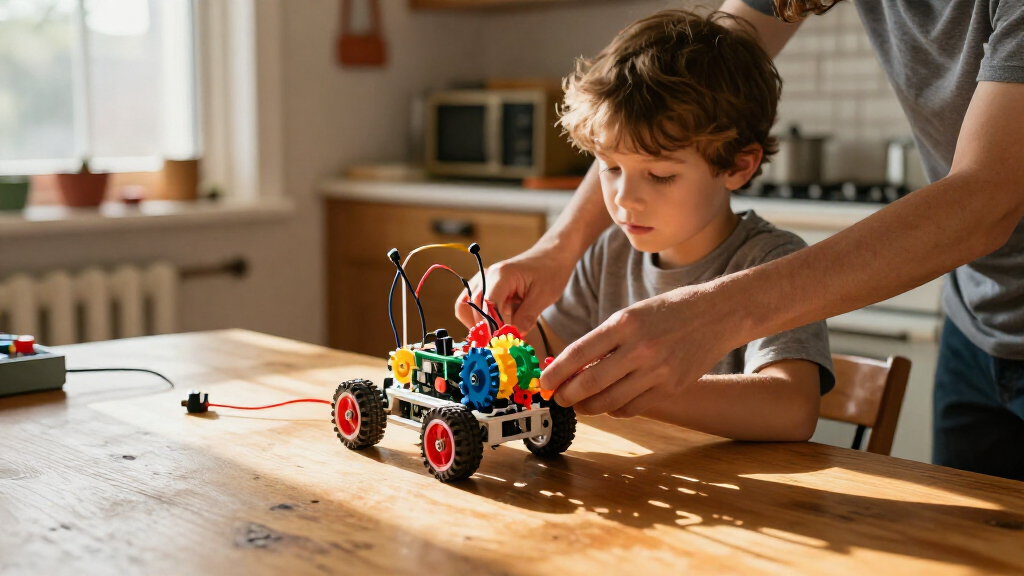
I compared these robotics kits for kids by the kind of learning and play they support: coding, electronics, mechanical movement, or repeated construction. I also weighed how approachable each build is for its stated age range, whether its projects give a child a clear next step, and how much adult involvement a family may need to plan for. A kit earns a stronger place when its central activity is easy to understand and offers a meaningful reason to keep exploring.
The ranking reflects fit across different families, not a claim that one kit is best for every child. I placed flexible, accessible choices such as the Makeblock mBot ahead of more specialized builds, while preserving distinct roles for mechanical arms, themed projects, solar construction, and advanced robot cars. A higher project count or extra hardware does not automatically mean a better choice: complexity, a child’s interests, and the kind of skills they want to practice matter just as much.
Factors to Consider When Choosing Robotics Kits For Kids
Before choosing a kit, I’d match its learning style to the child rather than starting with the number of builds or parts. These broader checks can help you avoid a kit that looks impressive on the box but is a poor fit for the way your child likes to learn.
Choose the kind of robotics your child wants to explore
Robotics can mean writing code, assembling a moving mechanism, connecting electronics, or rebuilding a model in new ways. A child who likes cause-and-effect mechanisms may enjoy a hand or hydraulic arm more than a programmable car. A young coder may prefer a robot with clear programming activities over a kit centered on physical construction. Families sometimes choose a kit labeled robotics and only later discover that it focuses mostly on assembly. I’d ask what the child wants the robot to do, then pick a kit whose main activity answers that interest.
Treat age guidance as a starting point, not a skill guarantee
Age ranges offer a rough guide to reading, small-part handling, and build complexity, but children develop these skills at different rates. A younger child may manage a challenging project with a patient adult, while an older beginner may prefer a straightforward first build. Check whether instructions require following diagrams, handling small pieces, or working through trial and error. Do not choose a kit solely because its upper age limit sounds advanced; the child’s confidence and persistence matter more. If the first session needs to feel achievable, favor a clear build with room to add difficulty later.
Look beyond the number of projects
A kit with many possible builds can keep construction fresh, but the count does not tell you how distinct or well-supported those builds are. Some children enjoy taking a model apart and starting over; others would rather complete one robot and learn to program it. Check whether instructions cover each configuration clearly and whether the projects build on skills learned earlier. A large menu can become frustrating if the child cannot decide what to make next. Choose breadth for a child who likes experimenting, and a more focused kit for one who benefits from a defined path.
Check what coding and electronics actually involve
The word coding can refer to anything from simple commands to more involved programming and electronics work. Before buying, check the programming approach, device requirements, and whether the child can use the software on equipment your family already has. A kit that invites coding may still need adult help with setup or troubleshooting. If a child mainly wants to build, extra programming features may add complexity without adding much enjoyment. For a budding coder, look for a kit that lets them change behavior and see a clear result, not just assemble a robot.
Plan for adult support, workspace, and rebuilds
Even a child-friendly kit can involve sorting parts, interpreting diagrams, or fixing a connection that does not work as expected. Think about whether an adult can help during the first session, especially if the kit includes electronics or more intricate assembly. A spacious, stable work surface also makes small components easier to track. Some builds are intended to stay assembled, while multi-model kits invite repeated disassembly; consider which style suits your household. A project that fits the available time and space is more likely to become a regular activity than a build that is difficult to start.
Separate a child’s current goal from future growth
Paying for advanced functions makes sense when a child is ready to use them, but extra complexity can get in the way of a first successful build. If the immediate goal is to make something move, a mechanical or guided construction kit may be a better start than a more technical platform. If the child already enjoys coding and troubleshooting, a robot car with more electronics may offer room to extend the activity. Ask whether the kit can support a next step the child is likely to take, rather than a skill they might develop someday. That approach helps balance a satisfying first project with room to keep learning.
Frequently Asked Questions
Should I choose a coding robot or a mechanical arm for a child who is new to robotics?
I’d choose based on what the child finds satisfying: making a machine respond to commands or understanding how moving parts work. A coding robot is a better fit when the child wants to program behavior and watch it change. A mechanical arm suits a child who prefers hands-on cause and effect without making software the main activity. Neither route is a lesser introduction; they teach different ideas. If you are unsure, ask which sounds more appealing: telling a robot what to do or building a mechanism that moves.
Does a kit labeled for older kids automatically make a better long-term choice?
No. An older age range can point to more involved building or technical work, but that does not guarantee a child will enjoy or finish the project. A good long-term choice matches the child’s current confidence and offers a next step they are ready to try. A demanding kit can be rewarding for a patient builder, yet frustrating if the child wants quick progress with little help. I’d prioritize a strong first experience over selecting the most advanced-sounding option.
Are multi-build robotics kits a better buy than a single focused project?
They are better for children who enjoy rebuilding and choosing what to make next, but not automatically for every family. A focused project can give a beginner a clearer goal and reduce the decision-making that comes with a long list of models. With a multi-build kit, check whether the instructions support each design and whether the child is happy to dismantle finished builds. If they like repeating familiar activities, one satisfying robot may see more use than many possible versions. Match the kit’s variety to the child’s play style.
How much adult help should I expect with a robotics kit?
The amount varies with the child’s age, building confidence, and whether the kit includes coding or electronics. A child may be able to complete a straightforward mechanical build independently but still want help interpreting instructions or sorting parts. Robot cars and programming-focused projects can bring setup and troubleshooting into the process. I’d plan to be available for the first session rather than assume the age label means fully independent play. Adult guidance can be lighter once the child understands the build and how the kit works.
What should I check before choosing a robot car kit?
Start by deciding whether the goal is to build a moving car, learn programming, or explore electronics, since robot car kits differ in emphasis. Check the stated age range and how much assembly the child can manage, then review any software or device requirements. A camera or additional electronics may add opportunities for exploration, but can also bring more setup and troubleshooting. Consider whether your child wants guided activities or room to experiment independently. The best fit is the car kit whose technical demands match the child’s interest and your family’s available support.
Conclusion
For the broadest mix of building and coding, I’d choose the Makeblock mBot as best overall. Families seeking a more accessible first project can look to the Thames & Kosmos My Robotic Pet Coding Chameleon as my best-for-beginners pick, while the Smartivity Robotic Mechanical Hand is a strong value-minded choice for a child more interested in mechanisms than code. For a more technical, expandable direction, I’d point experienced young builders toward the ELEGOO UNO R3 Smart Robot Car Kit V4 with Camera as my premium-style pick. If your child has a specific interest, choose accordingly: the hydraulic arm for hands-on mechanical movement, the solar kit for rebuildable construction, or an EggTailz car kit for a car-centered project. The right choice is the one whose main activity your child is most likely to want to build, operate, and revisit.
Halloween Picks
halloween
As an affiliate, we earn on qualifying purchases.