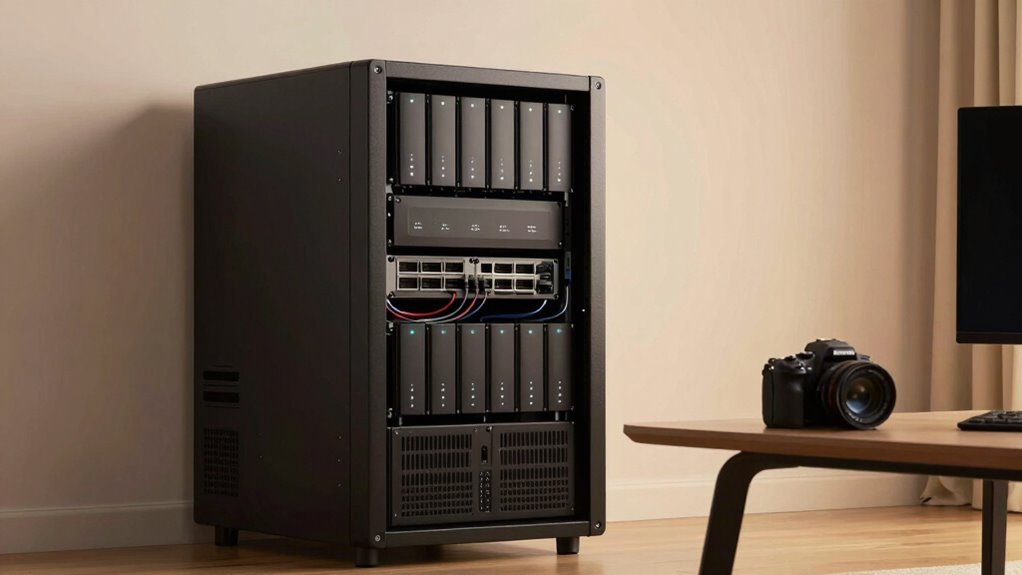
Choosing a home server means balancing performance, ease of setup, and expandability. The ZimaBoard 2 1664 stands out as the best overall for its versatile x86 architecture and ample memory, ideal for tech-savvy users. The Synology DS225+ offers a user-friendly experience with robust media transcoding, perfect for media-heavy households. Meanwhile, the Ugreen NAS DXP4800 Pro caters to power users needing extensive storage and expandability. Each option involves tradeoffs—more powerful servers can be complex and costly, while simpler models might lack scalability. Continue reading for a detailed breakdown of these choices and how they compare across key factors.

Prime made for students and young adults
- Fast, free delivery for dorm and study essentials
- Prime Video and Amazon Music included
- Member-only deals
Key Takeaways
- The best home servers balance performance with ease of use, depending on user technical skill.
- Expandable storage options like 4-bay NAS units provide more flexibility for future needs, but often come at higher costs.
- Rack-mounted solutions are more suited for dedicated spaces and enterprise-like setups, not casual use.
- Media-focused servers with transcoding capabilities simplify streaming across multiple devices, making them ideal for entertainment hubs.
- Price and complexity are inversely related; higher performance often demands more technical knowledge and investment.


More Details on Our Top Picks
ZimaBoard 2 1664 x86 Home Server, N150, 16GB LPDDR5, PCIe 3.0×4 Expansion
The ZimaBoard 2 stands out for its versatile hardware and expandability, making it a strong choice for users who want a flexible, Linux-compatible home server. Compared to the Synology DS225+ which emphasizes media transcoding and ease of use, the ZimaBoard offers more hardware customization with its PCIe slot and higher memory capacity. However, this comes with a tradeoff: setup is more complex, requiring some technical skill, and storage capacity depends on additional drives. Its compact size and preinstalled ZimaOS make it suitable for those comfortable with configuring their system, especially if future expansion matters. While pricier than simple NAS options, its hardware flexibility balances well for dedicated home lab enthusiasts or tech-savvy users.Pros:- Highly configurable with PCIe expansion and dual network ports
- Preinstalled with versatile ZimaOS and broad Linux compatibility
- Large 16GB LPDDR5 memory for demanding tasks
Cons:- Requires technical knowledge for initial setup and customization
- Limited onboard storage—additional drives needed for capacity expansion
Best for: Tech-savvy home lab builders needing customizable hardware and flexible OS options
Not ideal for: Beginners or users seeking a plug-and-play experience without technical setup
- Processor:N150 quad-core up to 3.6GHz
- Memory:16GB LPDDR5
- Storage:64GB eMMC
- Expansion:PCIe 3.0×4 slot
- Networking:Dual 2.5GbE Ethernet
- Storage Ports:Dual SATA
Our verdict“A great choice for experienced users who want a flexible, powerful home server with room to grow.”
12U Wall Mount Server Rack Cabinet for 19” IT Equipment and AV Devices
This 12U wall mount rack prioritizes saving space and protecting equipment, making it ideal for small home offices or dedicated server closets. Unlike the ZimaBoard, which focuses on computing hardware, this rack is about organizing and cooling multiple devices efficiently. Its lockable glass door and built-in fan provide security and ventilation, but it’s limited to 19-inch equipment, and wall mounting might not suit every home’s structure. The noise from the cooling fan could also be disruptive in quiet living spaces. For those needing a neat, secure housing solution for multiple servers, this rack offers practicality, though it sacrifices flexibility in equipment size and placement.Pros:- Space-efficient design fits into tight areas
- Secure lockable door enhances equipment safety
- Built-in cooling fan prevents overheating
Cons:- Limited to 19-inch rack-mount devices only
- Requires wall mounting, which may not be feasible on all walls
Best for: Home users with multiple network devices or small server setups in tight spaces
Not ideal for: Users needing a standalone, all-in-one server solution or larger equipment
- Dimensions:24.3″H x 21.7″W x 17.7″D
- Max Mounting Depth:14.2″
- Capacity:12U
- Weight Support:110 lbs
- Material:Cold-rolled steel
Our verdict“Ideal for homeowners seeking a secure, space-saving way to organize multiple servers or networking gear.”
UGREEN NAS DXP2800 2-Bay for Advanced Home Users, Remote Workers & Creators
The UGREEN NAS DXP2800 is designed for users with large digital libraries, AI surveillance, and virtualization needs. Its hardware supports running Docker containers and virtual machines, making it more capable than basic NAS options like the Buffalo LinkStation. However, its complexity and need for compatible HDDs/SSDs mean setup can be daunting for less experienced users and the total cost increases with storage drives. Compared with Synology’s DS225+ that emphasizes media and backup, the DXP2800 excels in versatile workloads but at the expense of simplicity. It’s best suited for those comfortable managing enterprise-like configurations at home.Pros:- Supports up to 80TB of storage with compatible drives
- Powerful hardware for running virtual machines and Docker containers
- AI surveillance features for face and pet recognition
Cons:- Requires separate HDDs/SSDs, adding to initial cost
- Complex setup process may be overwhelming for novices
Best for: Advanced home users and creators managing large data sets and running virtual services
Not ideal for: Beginners or those seeking an easy plug-and-play NAS solution
- Digital Storage Capacity:80 TB
- Hard Disk Interface:SATA
- Connectivity:SATA, Ethernet, USB
- Hardware Platform:x86
- Shock Resistance:Yes
- Warranty:2 years
Our verdict“A top-tier choice for tech-savvy users who need flexible, high-capacity, multi-purpose home storage.”
Synology DS225+ Private Cloud Media Server – 2-Bay NAS with Hardware Transcoding
The Synology DS225+ excels in media playback, data backup, and surveillance, making it ideal for small households or offices that prioritize media transcoding and ease of use. Its hardware transcoding allows seamless 4K media streaming, outperforming the Buffalo LinkStation for multimedia tasks. Data protection features like snapshots and RAID add security, but the limited two-drive bays restrict expansion, and setup can be technical for newcomers. Compared with the more flexible UGREEN NAS, the DS225+ offers a simplified user experience with integrated hardware support for media and surveillance, though it sacrifices some scalability. It’s well-suited for users who want a reliable, all-in-one media and backup NAS.Pros:- Supports 4K hardware transcoding for media streaming
- Fast transfer speeds up to 282 MB/s
- Three-year warranty ensures long-term reliability
Cons:- Limited to 2 drive bays, restricting storage growth
- Requires technical setup for optimal performance
Best for: Home users focused on media streaming, backups, and basic surveillance
Not ideal for: Power users needing large storage capacity or virtualization capabilities
- Number of Bays:2
- Processor:Intel CPU
- Warranty:3 years
- Max Transfer Speed:282 MB/s
- Supports:4K media transcoding
Our verdict“A solid choice for media-rich households seeking straightforward data protection and streaming capabilities.”
Buffalo LinkStation 210 2TB 1-Bay NAS Network Attached Storage with Hard Drives Included
The Buffalo LinkStation 210 offers straightforward, plug-and-play storage for simple backups and file sharing, making it suitable for basic home use. Compared with the Synology DS225+, it’s less feature-rich but easier to set up, especially with the included drives. Its 2TB capacity limits scalability, and it lacks advanced features like media transcoding or virtualization support. Still, for users seeking a reliable, no-fuss personal cloud solution with no ongoing fees, it fits the bill. Its simplicity and included drives make it accessible, but those needing more capacity or multimedia features should look elsewhere.Pros:- Easy to set up and operate for everyday backups
- Includes hard drives—no separate purchase needed
- Secure SSL encryption for file sharing
Cons:- Limited to 2TB capacity, not suitable for large media collections
- Basic feature set, lacking multimedia or virtualization support
Best for: Home users needing basic, reliable storage and backups without complexity
Not ideal for: Power users or households with large media libraries or advanced surveillance needs
- Capacity:2TB
- Number of Bays:1
- HDD Included:Yes
- Supported OS:Windows, macOS
- Encryption:SSL encryption
- Warranty:2 years
Our verdict“An excellent choice for users seeking simple, reliable storage with minimal setup effort.”
UGREEN NAS DXP4800 Pro 4-Bay for IT Professionals, Developers & Power Users
The UGREEN NAS DXP4800 Pro stands out for its high-performance hardware tailored to IT professionals, developers, and power users who need robust virtualization, Docker support, and enterprise-grade security. Compared with the UGREEN NAS DH2300, it offers significantly larger capacity, faster transfer speeds, and support for AI-powered features, making it ideal for complex workflows. However, its setup complexity and larger size mean it’s less suited for casual users or small spaces. This model is best for those who need a versatile, expandable server capable of running multiple VMs, containers, and media tasks simultaneously, despite its higher cost and technical demands.
Pros:- High-performance Intel Core i3 processor supports demanding workflows
- Massive 144TB storage capacity with flexible RAID options
- Supports Docker, virtual machines, and AI-powered photo recognition
Cons:- Setup may require technical expertise and familiarity with networking
- Bulkier size makes it less suitable for small or cluttered spaces
- Higher price reflects its professional-grade capabilities
Best for: IT professionals, developers, and advanced power users managing demanding workloads
Not ideal for: Home users or small offices seeking simple backups or media sharing without virtualization needs
- Digital Storage Capacity:144 TB
- Hard Disk Interface:SATA
- Connectivity Technology:SATA
- Form Factor:3.5-inch
- Hardware Platform:x86
- Read Speed:1.25 GB/s
Our verdict“This pick is ideal for tech-savvy users requiring extensive storage and virtualization power, despite its complexity and price.”
UGREEN NAS DH2300 2-Bay Personal Storage for Beginners & Home Use
The UGREEN NAS DH2300 makes a compelling case for newcomers who want straightforward, reliable storage for personal files, photos, and videos. Compared to the UGREEN NAS DXP4800 Pro, it offers a simplified setup, lower cost, and a focus on easy backups, with no virtualization or AI features. Its capacity tops out at 64TB, sufficient for most home needs, and it boasts fast transfer speeds and security features like RAID and encryption. However, its wired Ethernet-only connection and lack of advanced features like Docker support limit its use to basic storage and backup tasks, not suitable for users needing more complex or scalable solutions.
Pros:- Easy to set up and operate for those new to NAS devices
- Supports large storage up to 64TB, suitable for home media libraries
- Fast transfer speeds and robust security with RAID and encryption
Cons:- Lacks support for Wi-Fi—requires wired Ethernet connection
- No support for Docker or virtual machines, limiting advanced use
- Limited to personal or basic storage, not ideal for business applications
Best for: Home users and beginners seeking simple, secure network storage
Not ideal for: Advanced users needing virtualization, Docker, or enterprise-grade features
- Capacity:Up to 64TB
- Number of Bays:2
- Processor:High-performance processor
- RAM:4GB
- Network Interface:1GbE
- File Transfer Speed:125MB/s
Our verdict“A straightforward, secure storage solution perfect for home users and beginners who prioritize ease of use over advanced features.”
9U Wall Mount Server Rack Cabinet, 24” Deep, 19” Network & AV Enclosure with Fan, PDU, Shelf, Locking Mesh Door
The 9U wall mount server rack offers a compact, versatile enclosure designed for home labs, small offices, or AV setups. Its 24-inch depth strikes a balance between accommodating typical equipment and maintaining a small footprint, making it more flexible than larger racks like the Wall Mount Server Cabinet 6U. The mesh panels promote airflow, and included features like a fan, PDU, and lockable doors enhance security and thermal management. On the downside, its limited size means it can’t house larger servers or extensive equipment, and its depth could restrict some bulky setups. This makes it a solid choice for organized, secure equipment storage in tight spaces, but not for larger or high-density deployments.
Pros:- Compact design fits well in small spaces
- Includes essential accessories such as a fan and PDU for quick deployment
- Mesh panels provide effective cooling airflow
Cons:- Limited to 9U size, not suitable for larger equipment
- Depth of 24 inches may restrict some configurations
- No specific weight capacity details available
Best for: Home labs, small offices, or media setups requiring organized, secure enclosures
Not ideal for: Users with extensive or larger equipment needs, or those requiring more than 9U of space
- Size:9U
- Depth:24 inches
- Includes:Fan, PDU, shelf
- Cooling:Mesh front and side panels
- Mounting:Wall mount or free-standing
- Security:Lockable doors
Our verdict“An effective, space-saving rack for small-scale network or AV setups needing secure, organized housing.”
Dell PowerEdge R730xd Server 24B SFF 2U, 2x Intel Xeon E5-2690 v4 2.6GHz, 128GB DDR4 RAM, 4x 1.2TB 10K SAS HDD, H730P 2GB RAID, Dual Power Supplies, Dual 10Gb NIC
The Dell PowerEdge R730xd delivers high-end performance suitable for demanding enterprise applications, data centers, or virtualized environments. Its dual Intel Xeon E5-2690 v4 processors and 128GB DDR4 RAM provide substantial computing power, while the four 1.2TB SAS drives and RAID controller support high-throughput storage. Compared to smaller NAS options like the UGREEN NAS DXP4800 Pro, this server excels in raw computing and storage capacity, but its 2U rack form factor demands dedicated server room space and professional setup. Its redundant power supplies and multiple NICs ensure high availability, yet its complexity and power needs make it less appealing for casual or home use.
Pros:- Dual Xeon processors provide exceptional processing power
- Large 128GB DDR4 RAM supports intensive workloads
- Redundant power supplies and dual NICs for reliability and networking flexibility
Cons:- Requires significant space and professional installation
- High power consumption and operational costs
- Complex configuration not suited for casual users
Best for: Small businesses, data centers, or advanced home labs requiring enterprise-level computing and storage
Not ideal for: Home users or hobbyists who don’t need such high specs or professional setup
- Processor:2x Intel Xeon E5-2690 v4
- RAM:128GB DDR4
- Storage:4x 1.2TB SAS HDD
- RAID Controller:H730P 2GB
- Power Supplies:Dual 750W
- Network:Dual 10Gb SFP+ and dual 1Gb RJ45
Our verdict“A powerhouse for demanding enterprise or high-performance home lab environments, with tradeoffs in complexity and cost.”
Wall Mount Server Cabinet for Networking Data Home Video WiFi Internet System with 12 inch Install Depth (6U 450mm deep)
The Wall Mount Server Cabinet 6U offers a sturdy, organized solution for networking, data, and small server equipment in residential or small business environments. Its 12-inch installation depth is a notable feature for fitting standard 19-inch rack gear, similar to the 9U Wall Mount Rack, but with a slightly larger capacity. Its lockable glass door enhances security, and the pre-drilled top allows optional fan installation. However, its capacity is limited to 6U, which might not accommodate larger setups, and the absence of included caster wheels means mobility requires additional purchase. This cabinet is ideal for those who need a reliable, secure enclosure for moderate equipment, but not for extensive or high-density setups.
Pros:- Sturdy cold rolled steel construction ensures durability
- Lockable glass door for easy access and security
- Pre-drilled top for optional fan installation
Cons:- Limited to 6U capacity, restricting larger setups
- Caster wheels are sold separately, adding to cost
- Mixed reviews on build quality suggest variability
Best for: Home network setups, media systems, or small office data enclosures requiring organization and security
Not ideal for: Larger or expanding setups needing more than 6U of space or mobility features
- Unit Size:6U
- Install Depth:12 inches
- Material:Cold Rolled Steel
- Supports:Standard 19-inch equipment
- Security:Lockable glass door
- Includes:None
Our verdict“A solid, space-efficient rack for organized, secure housing of networking and small server equipment in limited spaces.”

How We Picked
Our evaluation focused on real-world usability, performance, build quality, expandability, and value for different types of home users. We prioritized products that offer straightforward setup and maintenance, while also considering scalability for future needs. The ranking reflects a mix of technical specs, user-friendliness, and price point, ensuring there’s a suitable choice for beginners, hobbyists, and advanced users alike. We excluded overly niche or enterprise-only solutions, aiming instead for versatile options that fit typical home environments.Factors to Consider When Choosing Home Servers
When selecting a home server, understanding your specific needs is key. Consider how much storage you require, your technical comfort level, and whether you want a dedicated media server or a more general-purpose machine. Compatibility with your existing network, ease of setup, and future expandability should also influence your choice. Balancing these factors helps avoid common pitfalls like overpaying for features you won’t use or buying a system too limited for your growth. The following sections highlight critical considerations to guide your decision.Performance and Hardware Specifications
Assess your expected workload to match a server’s processing power, RAM, and storage speed. For media streaming or running multiple services, a multi-core CPU and ample RAM are essential. Conversely, simple file storage needs may be satisfied with lower specs, saving money. Keep in mind that higher-end hardware increases complexity and cost, so align specs with actual use to avoid overspending or underperforming.
Ease of Setup and User Interface
Home servers vary from plug-and-play NAS devices to complex custom builds. For those less comfortable with technical setups, systems with intuitive interfaces and guided setup processes offer a smoother experience. Advanced users might prefer systems that allow more customization but require more effort to configure. Choosing a user-friendly platform can save time and frustration, especially for household members sharing access.
Expandability and Future-Proofing
Think about your future storage and performance needs. Systems with multiple drive bays or PCIe slots facilitate upgrades, but often come at a higher initial cost. For growing households or small businesses, investing in a scalable solution prevents early obsolescence. On the other hand, overestimating future needs can lead to unnecessary expenses, so balance current requirements with realistic growth expectations.
Form Factor and Space Requirements
Consider where you’ll place your server. Rack-mounted units are ideal for dedicated server rooms but are less suitable for casual home setups. Desktop NAS units or compact enclosures fit neatly into living spaces or closets. Ensure the physical size and noise level align with your environment to maintain comfort and convenience.
Cost and Total Value
Pricing can vary widely, from budget-friendly NAS devices to high-end enterprise servers. Evaluate what features are essential versus optional. Sometimes, paying more upfront for a device with better build quality or more features offers better long-term value. Avoid choosing based solely on initial price; consider total cost of ownership, including maintenance, energy consumption, and potential upgrades.
Frequently Asked Questions
Can I set up a home server without technical experience?
Yes, many NAS devices and pre-built servers are designed for user-friendly setup with guided interfaces. Brands like Synology and QNAP offer intuitive software that simplifies configuration, even for beginners. However, more advanced custom solutions, like building a server from scratch, may require some technical knowledge. Consider your comfort level and choose a system that matches your experience to avoid frustration.
What is the most cost-effective way to build a home server?
Opting for a pre-configured NAS with adequate storage and features typically offers the best balance of cost and convenience. Entry-level models like the Ugreen NAS DH2300 provide simple storage solutions at a low price, while still offering reliable performance for most home uses. Avoid overly complex or enterprise-grade hardware unless you have specific needs and the technical skills to manage it, as these can significantly increase total costs.
How much storage do I need for a home server?
The required storage depends on your intended use—media libraries, backups, or personal files. For basic file storage, a 2-4TB NAS may suffice, but media-heavy households should consider larger capacities or systems that support easy expansion. Always plan for some extra space to accommodate future growth, and consider models with multiple drive bays for added flexibility.
Are rack-mounted servers suitable for home use?
Rack-mounted servers are generally designed for dedicated environments like server rooms or small data centers. They offer high performance and expandability but tend to be bulky, noisy, and require proper ventilation. For most home users, compact NAS units or desktop servers are more practical, providing sufficient capabilities without occupying too much space or adding noise.
Is a higher-end home server worth the investment?
If you need intensive multitasking, large storage, or advanced features like virtualization, investing in a higher-end server makes sense. For typical media streaming, backups, and file sharing, more modest systems often provide all necessary features at a better price point. Evaluate your current needs against future plans to determine whether the extra cost aligns with your long-term goals.
Conclusion
For casual users or those new to home servers, a user-friendly NAS like the Ugreen NAS DH2300 offers straightforward setup and reliable performance. Power users or small businesses will benefit from the expandability of models like UGREEN NAS DXP4800 Pro or rack-mounted solutions for maximum scalability. Tech-savvy enthusiasts seeking versatile, customizable options should consider the ZimaBoard 2 1664 for its flexible hardware. The best choice ultimately hinges on your technical comfort, storage needs, and budget—match your specific requirements with these options for a setup that grows with you.
As an affiliate, we earn on qualifying purchases.Fall Picks
fall essentials