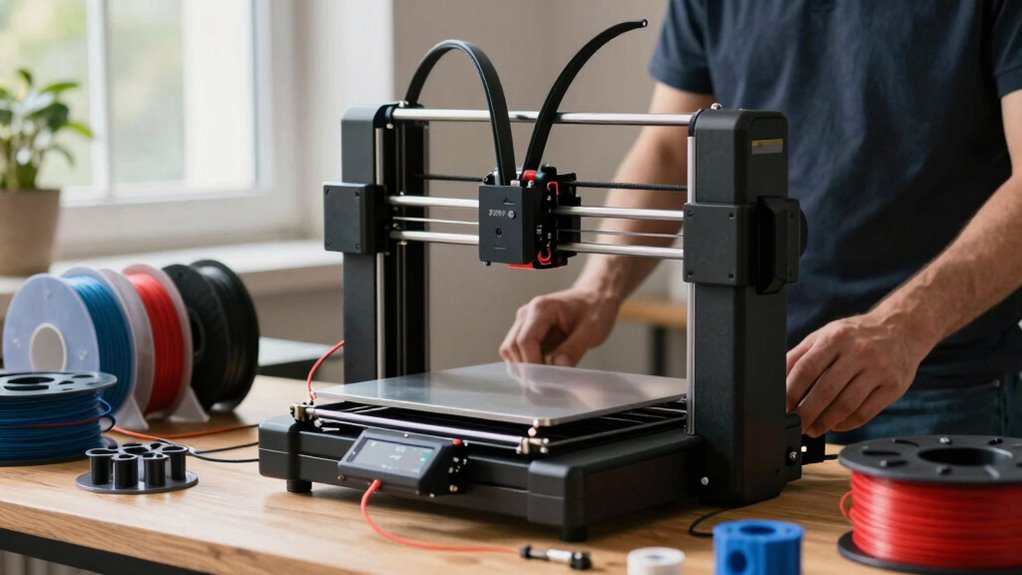

Finding the right 3d printer for engineering work involves balancing precision, build volume, speed, and multi-material capabilities. The Best Overall pick, the Original Prusa XL, offers a large build volume and multi-material support for complex projects. For those prioritizing speed, the ELEGOO Centauri Carbon stands out with high-speed printing and auto calibration. If budget and ease of use are key, the Bambu Lab P1S provides reliable performance at a competitive price. Tradeoffs typically involve choosing between build size, multi-material support, or speed, so consider your specific project needs. Continue reading for a detailed breakdown of these top options and what makes each one unique.

Get school and study supplies delivered free — and shop member deals
- Fast, free delivery on millions of items
- Access to Prime Big Deal Days deals on October 6–7
- Prime Video, Amazon Music and more included
Complete the kit


Key Takeaways
- Large build volume remains a priority for engineers needing to produce sizable prototypes or parts.
- Multi-material and multi-color capabilities are increasingly common, but they often come with higher costs and complexity.
- Speed is a significant factor—high-performance models like ELEGOO Centauri Carbon can drastically reduce production time.
- Ease of use and setup remain essential for teams without dedicated 3D printing specialists.
- Price points vary widely, with the best value often found in versatile mid-range options that balance features and affordability.
| Bambu Lab A1 3D Printer, Ready-to-Use FDM 3D Printer for Beginners and Kids |  | Best for Beginners and Creative Learners | Acceleration: 10,000 mm/s² | Color Printing: Multi-color with AMS lite | Calibration: Full-auto calibration | VIEW ON AMAZON | See Our Full Breakdown |
| QIDI Max4 Combo 3D Printer, 390×390×340mm Build Volume, 65℃ Heated Chamber |  | Best for Large-Scale Industrial and Prototype Printing | Build Volume: 390×390×340mm | Heated Chamber: 65℃ | Max Printing Speed: 800mm/s | VIEW ON AMAZON | See Our Full Breakdown |
| Creality K2 Plus Combo 3D Printer, Multi-Color Printing, Large 13.78×13.78×13.78 inch Build Volume, High-Speed Auto-Leveling, Dual AI Cameras, Next-Gen Direct Drive Extruder |  | Best for High-Speed Multi-Color Batch Production | Build Volume: 13.78 x 13.78 x 13.78 inches | Maximum Temperature: 350°C | Filament Compatibility: High-temp filaments like ASA and PPA | VIEW ON AMAZON | See Our Full Breakdown |
| Original Prusa XL 2-Toolhead Multi-Material Large-Format CoreXY 3D Printer |  | Best for Multi-Material Large-Scale Precision | Build Volume: 14.17×14.17×14.17 inches | Tool System: Dual toolhead, multi-material | Heated Bed: Segmented heated zones | VIEW ON AMAZON | See Our Full Breakdown |
| Snapmaker U1 3D Printer, 4-Toolhead with 5s Toolchanger, Multi-Color Printing |  | Best for Dynamic Multi-Tool, Multi-Color Prototyping | Product Dimensions: 22.6 x 13 x 14.2 inches | Build Volume: 270 x 270 x 270 mm | Print Speed: up to 500 mm/s | VIEW ON AMAZON | See Our Full Breakdown |
| Bambu Lab P1S 3D Printer, Ready-to-Use FDM 3D Printer |  | Best Overall for Multi-Color, High-Speed Production | Color Capabilities: Up to 16 colors | Speed: 500mm/s | Acceleration: 20000 mm/s² | VIEW ON AMAZON | See Our Full Breakdown |
| FLASHFORGE Creator 5 Pro 3D Printer with 4 Toolheads and Multi-Material Printing |  | Best for Multi-Material, Multi-Tool Engineering Applications | Toolheads: 4 preloaded, preheated | Max Nozzle Temperature: 320°C | Chamber Temperature: 65°C | VIEW ON AMAZON | See Our Full Breakdown |
| FlashForge AD5X Multi-Color 3D Printer, CoreXY, 600mm/s High-Speed, 220x220x220mm Build Volume | 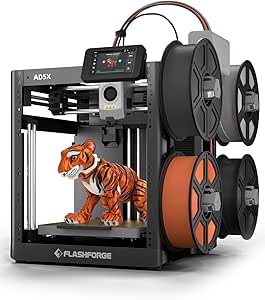 | Best for Rapid Prototyping and Precise Multi-Color Printing | Build Volume: 220x220x220mm | Print Speed: 600mm/s | Extruder Temperature: 300°C | VIEW ON AMAZON | See Our Full Breakdown |
| ELEGOO Centauri Carbon 3D Printer, CoreXY 500mm/s High Speed with Auto Calibration, 320°C Nozzle, Built-in Camera, 256x256x256mm Build Volume |  | Best for High-Speed, Precise Material Printing with Monitoring | Build Volume: 256x256x256mm | Max Nozzle Temperature: 320°C | Print Speed: up to 500 mm/s | VIEW ON AMAZON | See Our Full Breakdown |
| Bambu Lab P2S Combo, P2S 3D Printer & AMS 2 Pro, Multi-Color 3D Printing |  | Best for Multi-Color, High-Speed Workflow with Filament Management | Print Speed: 600 mm/s | Setup Time: 15 minutes | Filament Drying Temp: 65°C | VIEW ON AMAZON | See Our Full Breakdown |
| 3d printers for engineer | Build Volume |
|---|---|
| Bambu Lab A1 3D Printer | — |
| QIDI Max4 Combo 3D Printer | 390×390×340mm |
| Creality K2 Plus Combo 3D Prin | 13.78 x 13.78 x 13.78 inches |
| Original Prusa XL 2-Toolhead M | 14.17×14.17×14.17 inches |
| Snapmaker U1 3D Printer | 270 x 270 x 270 mm |
| Bambu Lab P1S 3D Printer | — |
| FLASHFORGE Creator 5 Pro 3D Pr | — |
| FlashForge AD5X Multi-Color 3D | 220x220x220mm |
| ELEGOO Centauri Carbon 3D Prin | 256x256x256mm |
| Bambu Lab P2S Combo | — |
More Details on Our Top Picks
Bambu Lab A1 3D Printer, Ready-to-Use FDM 3D Printer for Beginners and Kids
The Bambu Lab A1 stands out for its combination of high-speed, precise printing with user-friendly features like automatic calibration and active flow rate compensation. Compared to the Snapmaker U1, it offers more automation and quieter operation, making it more accessible for those new to 3D printing. Its support for multi-color printing with the optional AMS lite adds creative flexibility, though this requires an additional purchase, which might be a hurdle for budget-conscious beginners. The touchscreen interface and quick nozzle swaps simplify maintenance, but the complexity of features could be overwhelming for absolute novices. This model is ideal for educators, hobbyists starting to explore multi-color prototypes, and small teams needing reliable, straightforward results.
Pros:- High-speed, accurate printing performance
- Automatic calibration simplifies setup
- Supports multi-color printing for creative projects
- Quiet operation for a comfortable workspace
Cons:- AMS lite requires an additional purchase, increasing initial cost
- Complex features may be confusing for complete beginners
Best for: Beginners, educators, and young makers wanting a straightforward, multi-color capable printer
Not ideal for: Professional engineers requiring large build volumes or advanced material options, due to its simpler feature set and size constraints
- Acceleration:10,000 mm/s²
- Color Printing:Multi-color with AMS lite
- Calibration:Full-auto calibration
- Flow Rate Compensation:Active
- Nozzle:1-Clip quick swap
- Noise Level:Active motor noise canceling
Our verdict“This printer is perfect for newcomers and educational settings that prioritize ease of use and creative flexibility.”
QIDI Max4 Combo 3D Printer, 390×390×340mm Build Volume, 65℃ Heated Chamber
The QIDI Max4 Combo is tailored for those needing a large build volume and broad material compatibility, making it suitable for producing sizable prototypes or small production runs. Its massive 390×390×340mm space surpasses the Creality K2 Plus in capacity, though managing such size requires more careful planning and setup, especially for newcomers to large-format printing. Its high precision and stable operation support complex, multi-material projects, including high-temp filaments like carbon fiber-reinforced nylons. The optional Polar Cooler enhances heat management but must be purchased separately, adding complexity and cost. This printer suits advanced makers, R&D labs, or small manufacturing setups that can handle its setup intricacies and larger footprint.
Pros:- Enormous build volume for large or batch projects
- Supports a wide range of high-temp materials
- High precision and stable operation
- Smart AI camera for real-time monitoring
Cons:- Polar Cooler must be purchased separately, increasing setup cost
- Complex setup and operation for beginners
Best for: Engineers and professional makers working on large prototypes or multi-material industrial parts
Not ideal for: Hobbyists or small-scale users with limited space or experience managing large-format printers
- Build Volume:390×390×340mm
- Heated Chamber:65℃
- Max Printing Speed:800mm/s
- Material Compatibility:PLA, ABS, carbon fiber-reinforced nylon, high-temp
- Hotend:40mm³/s high-flow hotend with hardened steel nozzle
- Cooling System:Polar Cooler (sold separately)
Our verdict“This model is best suited for professionals needing large, high-quality prints with flexible material options, despite its setup complexity.”
Creality K2 Plus Combo 3D Printer, Multi-Color Printing, Large 13.78×13.78×13.78 inch Build Volume, High-Speed Auto-Leveling, Dual AI Cameras, Next-Gen Direct Drive Extruder
The Creality K2 Plus Combo excels in multi-color printing with four CFS units, enabling up to 16-color results without post-processing—ideal for complex designs or batch production. Its sizable 13.78-inch cube build volume offers ample space for large models, and the high-speed capability of 600mm/s accelerates production timelines. Advanced automation features, including dual AI cameras and 18 smart sensors, improve reliability and reduce human error, making it suitable for demanding engineering tasks. However, the setup can be daunting due to its complexity, and the high price may deter hobbyists. This machine targets professional environments where multi-color, large-volume, high-speed manufacturing is essential, but less so for casual or beginner users.
Pros:- Supports up to 16 colors with four CFS units
- Large build volume for big models and batch runs
- High-speed printing at 600mm/s
- Advanced automation with dual AI cameras and sensors
Cons:- Complex setup and calibration process
- Higher price point may be prohibitive for hobbyists
Best for: Professional engineers and small production facilities requiring multi-color, high-volume outputs
Not ideal for: Hobbyists or those new to 3D printing, due to its complexity and cost
- Build Volume:13.78 x 13.78 x 13.78 inches
- Maximum Temperature:350°C
- Filament Compatibility:High-temp filaments like ASA and PPA
- Speed:600mm/s
- Frame Material:Aerospace-grade aluminum alloy
- Number of Cameras:2
- Sensors:18 smart sensors
Our verdict“This printer is designed for professional or industrial users who need fast, multi-color, large-format printing with automation, despite its complexity and cost.”
Original Prusa XL 2-Toolhead Multi-Material Large-Format CoreXY 3D Printer
The Prusa XL is tailored for professionals needing multi-material capabilities on a large scale, with a 14.17×14.17×14.17-inch build volume that surpasses many competitors like the QIDI Max4. Its dual toolheads and segmented heated bed facilitate complex multi-material, multi-part assemblies with high precision, ideal for intricate prototypes or functional parts. The CoreXY motion system ensures fast, accurate movement, though the assembly process can be lengthy and delicate, especially during transportation. The inclusion of lifetime support and a robust heat management system makes it a dependable choice for advanced engineering tasks. This printer fits well in R&D labs or production environments where multi-material, large-format printing is a priority, but it may be overkill for casual or hobbyist use.
Pros:- Supports complex multi-material and large-scale prints
- Precise, fast CoreXY motion system
- Energy-efficient segmented heated bed
- Includes comprehensive support and accessories
Cons:- Fragile parts require careful handling during transport
- Assembly can be time-consuming and intricate
Best for: Engineers and professional makers focusing on large, multi-material, high-precision projects
Not ideal for: Small startups or hobbyists with limited space or those seeking quick, simple setups
- Build Volume:14.17×14.17×14.17 inches
- Tool System:Dual toolhead, multi-material
- Heated Bed:Segmented heated zones
- Motion System:CoreXY
- Included Accessories:Satin print sheet, 1kg spool of Prusament PLA
Our verdict“This large-format, multi-material printer is ideal for advanced engineering applications demanding high precision and versatility, despite a challenging setup process.”
Snapmaker U1 3D Printer, 4-Toolhead with 5s Toolchanger, Multi-Color Printing
The Snapmaker U1 offers a flexible, multi-tool setup with four independent toolheads and a rapid 5-second automatic tool changer, streamlining multi-material and multi-color workflows. Its high-speed CoreXY system allows for large-volume, detailed prints, making it attractive for complex prototyping and functional parts. The smart calibration and user-friendly software lower the learning curve, but its considerable weight and size demand ample workspace. Additionally, its price can be steep for hobbyists, and the multi-tool system, while versatile, introduces a layer of complexity that may require some technical familiarity. This printer aligns well with professional engineers and advanced makers who need rapid, multi-material production with minimal downtime.
Pros:- Fast 5-second automatic tool changer reduces downtime
- Multi-material and multi-color capabilities
- High-speed CoreXY system ensures precise, large-volume prints
- Smart calibration and intuitive software
Cons:- Heavy and large, requiring significant space
- Setup complexity may challenge beginners
Best for: Engineers and professional prototypers needing fast multi-material, multi-color production
Not ideal for: Hobbyists or small workshops with space constraints or limited technical experience
- Product Dimensions:22.6 x 13 x 14.2 inches
- Build Volume:270 x 270 x 270 mm
- Print Speed:up to 500 mm/s
- Number of Toolheads:4
- Warranty:1 year
Our verdict“This multi-tool, multi-color printer is suited for professionals needing rapid, versatile production, despite its size and setup complexity.”
Bambu Lab P1S 3D Printer, Ready-to-Use FDM 3D Printer
The Bambu Lab P1S stands out for its vibrant multi-color and multi-material capabilities, making it ideal for engineers needing complex prototypes with color differentiation. Its high-speed performance of 500mm/s and automatic bed leveling streamline production, especially compared to the FlashForge AD5X, which excels in speed but offers less in multi-material versatility. The P1S’s quick setup in just 15 minutes favors those who want efficiency, but it requires connecting a separate AMS for multi-color printing, adding some complexity. It doesn’t support carbon or glass fiber reinforced filaments, limiting its use with certain high-strength materials. This printer suits engineers seeking rapid, colorful prototyping without extensive post-processing, though those working with fiber-reinforced composites should look elsewhere.
Pros:- Vibrant multi-color/multi-material printing capabilities
- High-speed printing up to 500mm/s for rapid prototyping
- Automatic bed leveling simplifies setup
- Quick 15-minute setup process
Cons:- Requires connecting Bambu Lab AMS for multi-color printing
- Not compatible with carbon or glass fiber reinforced filaments
Best for: Engineers needing fast, multi-color prototypes with straightforward setup
Not ideal for: Professionals working with high-strength fiber-reinforced or advanced composite materials
- Color Capabilities:Up to 16 colors
- Speed:500mm/s
- Acceleration:20000 mm/s²
- Design:Enclosed
- Setup Time:15 minutes
- Supported Filaments:PLA, PETG, TPU, PVA, PET ABS, ASA; Capable: PA, PC; Not Recommended: Carbon/Glass Fiber Reinforced Polymer
Our verdict“This printer makes the most sense for engineers prioritizing colorful, rapid prototyping with ease of use, but not for high-strength material applications.”
FLASHFORGE Creator 5 Pro 3D Printer with 4 Toolheads and Multi-Material Printing
The FLASHFORGE Creator 5 Pro excels in supporting multiple materials thanks to its four preloaded toolheads, making it a strong choice for engineers who need complex multi-material or multi-color assemblies. Compared to the Bambu Lab P1S, it offers more seamless tool switching and a broader filament range, including materials like PVA and composite filaments, with precise temperature control. Its fully enclosed CoreXY design enhances print quality and safety, but the setup can be complex and potentially intimidating for those new to multi-tool systems. The absence of specified build volume details introduces some uncertainty about its capacity for larger parts. This model is ideal for engineers working on intricate multi-material prototypes who have some technical expertise but may not suit beginners or those focused solely on high-speed printing.
Pros:- Supports multiple materials with four independent toolheads
- Advanced temperature control for strong layer bonding
- Enclosed design for safety and consistent results
- Adaptive airflow and calibration for precision
Cons:- Setup complexity may challenge beginners
- Build volume details are not specified
Best for: Engineers developing complex multi-material projects requiring multiple toolheads
Not ideal for: Beginners or those needing large volume or simple single-material prints
- Toolheads:4 preloaded, preheated
- Max Nozzle Temperature:320°C
- Chamber Temperature:65°C
- Supported Filaments:PLA, PETG, TPU, ABS, PVA, ASA, CF-filled filaments, PPA, PPS, HIPS
- Features:Adaptive airflow, Flow Dynamics Calibration, Fully enclosed
Our verdict“This printer is best suited for engineers needing multi-material versatility and precise control, with some setup complexity to manage.”
FlashForge AD5X Multi-Color 3D Printer, CoreXY, 600mm/s High-Speed, 220x220x220mm Build Volume
The FlashForge AD5X offers remarkable speed at 600mm/s, making it a strong candidate for engineers needing quick turnarounds on detailed multi-color models. Its multi-color capability supports up to four colors simultaneously, which is ideal for complex prototypes—especially when compared to slower, single-color printers. Its size and weight could pose challenges in smaller workspaces, and the complex setup may require technical skills. Overall, this printer suits fast-paced prototyping environments where speed and multi-color detail outweigh concerns over size or initial learning curve.
Pros:- Supports multi-color printing with up to 4 colors
- Fast printing speeds of 600mm/s with stable CoreXY design
- Automatic bed leveling and remote monitoring
- Multiple nozzle sizes for detailed or large parts
Cons:- Complex setup may require technical expertise
- Heavy and large for small or cluttered spaces
Best for: Engineers needing rapid, multi-color, high-detail prototypes in limited space
Not ideal for: Users with small workspaces or those seeking simple, beginner-friendly printers
- Build Volume:220x220x220mm
- Print Speed:600mm/s
- Extruder Temperature:300°C
- Nozzle Sizes:0.25mm to 0.8mm
- Dimensions:16 x 14 x 18 inches
- Weight:24.2 pounds
Our verdict“This printer is ideal for engineers prioritizing speed and multi-color detail in a compact, efficient package, with some tradeoffs in size and initial setup complexity.”
ELEGOO Centauri Carbon 3D Printer, CoreXY 500mm/s High Speed with Auto Calibration, 320°C Nozzle, Built-in Camera, 256x256x256mm Build Volume
The ELEGOO Centauri Carbon offers a balanced combination of speed and accuracy, making it suitable for engineers needing detailed parts from advanced materials. Its high-speed capability of 500mm/s and auto bed leveling enable fast, reliable printing, comparable to the P2S but with a more straightforward setup since it arrives fully assembled. The inclusion of a built-in camera allows real-time monitoring, a feature not available on many competitors like the FlashForge AD5X. However, high-speed printing requires careful calibration to achieve optimal quality, and the enclosed chamber may make maintenance more challenging. Its price may be higher than entry-level options, but it makes sense for those who value speed and precision for complex engineering parts.
Pros:- Fully assembled and ready to use out of the box
- High-speed printing up to 500mm/s
- Supports advanced filaments like carbon fiber and high-temp materials
- Built-in camera for monitoring and documentation
Cons:- High-speed printing requires careful calibration
- Enclosed chamber can complicate maintenance
- Higher price point
Best for: Engineers producing high-precision, high-temperature materials with real-time oversight
Not ideal for: Beginners or those on a tight budget, due to higher cost and calibration needs
- Build Volume:256x256x256mm
- Max Nozzle Temperature:320°C
- Print Speed:up to 500 mm/s
- Frame:Die-cast aluminum
- Auto Bed Leveling:Yes
- Monitoring:Built-in chamber camera
Our verdict“This printer is best for engineers needing fast, precise output from advanced materials with integrated monitoring, despite higher costs and calibration considerations.”
Bambu Lab P2S Combo, P2S 3D Printer & AMS 2 Pro, Multi-Color 3D Printing
The Bambu Lab P2S Combo combines high-speed, precision printing up to 600mm/s with advanced filament management via the AMS 2 Pro, making it a compelling choice for engineers needing efficient, multi-color output across complex projects. Its quick 15-minute setup and automatic calibration streamline workflows, similar to the P1S but with added multi-material capabilities from the AMS 2 Pro — including filament drying and airflow control. While the P2S alone doesn’t support multi-color without the combo, the integrated system offers a seamless multi-material experience, surpassing many standalone printers like the FlashForge AD5X in workflow efficiency. Its complexity may challenge complete beginners, but for professional environments, this setup offers speed and multi-material versatility in one package.
Pros:- Highest speed up to 600mm/s for rapid prototyping
- Quick setup and automatic calibration
- Supports multi-color/multi-material with AMS 2 Pro
- Filament drying and adaptive airflow improve print quality
Cons:- Supports multi-color printing only with the Combo, not P2S alone
- Features may be overwhelming for novices
Best for: Engineers seeking rapid, multi-color, multi-material production with streamlined workflow
Not ideal for: Beginners or those with limited workspace who prefer simple, single-material printers
- Print Speed:600 mm/s
- Setup Time:15 minutes
- Filament Drying Temp:65°C
- Chamber Temp:50°C
- Airflow System:Adaptive
- Filament Compatibility:Multi-color/multi-material (AMS 2 Pro)
Our verdict“This system is best for engineers demanding high-speed, multi-material, multi-color output with integrated workflow tools, accepting some complexity for efficiency.”

How We Picked
The selection process focused on performance, build quality, and feature set relevant to engineering applications. We prioritized printers with reliable precision, large or flexible build volumes, and support for multiple materials, which are critical for functional parts and prototypes. Ease of maintenance and user interface were also key, as engineers need dependable tools that integrate smoothly into workflows. Cost was considered, but not at the expense of essential capabilities—more expensive models were favored when they offered clear productivity or quality advantages. This led to a balanced lineup that caters to various engineering needs, from startups to advanced workshops.Factors to Consider When Choosing 3d Printers For Engineers
Choosing the right 3D printer for engineering purposes involves several key considerations that go beyond basic features. Understanding these factors helps avoid common pitfalls like overpaying for unnecessary features or selecting a machine that doesn’t meet project demands. Below are the most important aspects to evaluate when selecting a 3D printer tailored for engineering work.Build Volume
Engineers often require larger build volumes to produce prototypes or parts without multiple print jobs. Larger build areas can significantly streamline workflows but may lead to increased costs and setup complexity. Smaller printers can be more precise and easier to manage, so consider your typical project size before choosing. Remember, a bigger build volume isn’t always necessary if your parts are small or highly detailed, so match the size to your typical output for better value.
Material Compatibility
Multi-material support expands design possibilities, especially for functional prototypes involving different properties like rigidity, flexibility, or heat resistance. Some printers offer dual or multi-extruder setups, but these often come with added maintenance and calibration challenges. For complex projects, investing in a multi-material capable model pays off in versatility, but for simpler prototypes, single-material printers can suffice and save costs. Always verify the compatibility with engineering-grade materials such as ABS, nylon, or composites.
Speed and Efficiency
Speed can be a game-changer in engineering workflows, especially when iterative testing is frequent. High-speed printers like the ELEGOO Centauri Carbon utilize advanced motion systems to reduce print times without sacrificing accuracy. However, faster speeds sometimes compromise detail or layer adhesion, so balance speed with the required precision. For rapid prototyping, faster machines can accelerate project timelines, but for detailed, small parts, slower, high-precision printers might be preferable.
Ease of Use and Maintenance
Engineers value reliable, straightforward operation to avoid downtime and frustration. Features like auto-bed leveling, automatic calibration, and intuitive interfaces make daily use smoother. Consider how much time your team can dedicate to maintenance—some high-end models require more upkeep, which could offset productivity gains. Choosing a machine with good support, clear documentation, and readily available spare parts can prevent costly delays.
Cost and Total Value
While budget constraints are real, investing in a machine that balances features and affordability often yields better long-term results. Cheaper printers may lack durability or multi-material support, leading to higher maintenance costs or limited capabilities. Conversely, premium models offer advanced features but might be unnecessary for smaller operations. Evaluate your typical project scope and future needs to select a printer that provides the best value for your investment.
Frequently Asked Questions
How important is build volume for engineering projects?
Build volume directly impacts the size of parts or prototypes you can produce in a single print, reducing the need for assembly or multiple jobs. For large components or multi-part assemblies, a bigger build volume can save time and improve workflow efficiency. However, larger machines tend to be more expensive and may require more space and maintenance. Consider your typical project dimensions to choose a size that balances capacity and practicality.
Should I prioritize multi-material support for my engineering 3D printer?
Multi-material support significantly broadens what you can create, especially when functional parts require different properties or complex assemblies. However, multi-material systems are often more complex, with higher initial costs and increased maintenance needs. If your projects frequently involve multi-material prototypes, investing in this capability makes sense. For simpler or single-material projects, a single-extruder model could be more cost-effective and easier to operate.
How does print speed affect engineering applications?
Faster printers can accelerate project timelines, especially when producing multiple iterations or prototypes. High-speed models like the ELEGOO Centauri Carbon use advanced motion control to reduce production time. However, increased speed can sometimes compromise detail or layer quality, so assess whether your parts require high precision. For detailed, small parts, a slightly slower but more precise printer may deliver better results.
What maintenance considerations should I keep in mind?
Regular maintenance ensures consistent quality and minimizes downtime. Some printers require frequent calibration, extruder cleaning, or part replacement, which can impact productivity. Machines with auto-calibration and user-friendly interfaces reduce maintenance effort. Consider the availability of spare parts and manufacturer support, as these can influence long-term reliability and ease of upkeep.
Is investing in a high-end 3D printer worthwhile for small engineering teams?
High-end models often deliver superior precision, larger build volumes, and multi-material support, which can be valuable for complex or high-volume projects. However, they come with a higher price tag and potentially steeper learning curves. For small teams or startups, a mid-range machine that offers reliable performance and essential features might provide better ROI. Evaluate your current project scope and future growth to decide if the investment aligns with your needs.
Conclusion
For general engineering work requiring large build volumes and multi-material capability, the Original Prusa XL offers unmatched versatility and quality. If speed is critical, the ELEGOO Centauri Carbon provides rapid production with high precision. Beginners or smaller teams should consider the Bambu Lab P1S for its user-friendly setup and reliable performance at an attractive price point. For those with advanced needs, such as multi-tool or multi-color projects, models like the FLASHFORGE Creator 5 Pro stand out. Ultimately, your choice should align with your typical project size, complexity, and budget to ensure the most effective investment.
As an affiliate, we earn on qualifying purchases.Halloween Picks
halloween