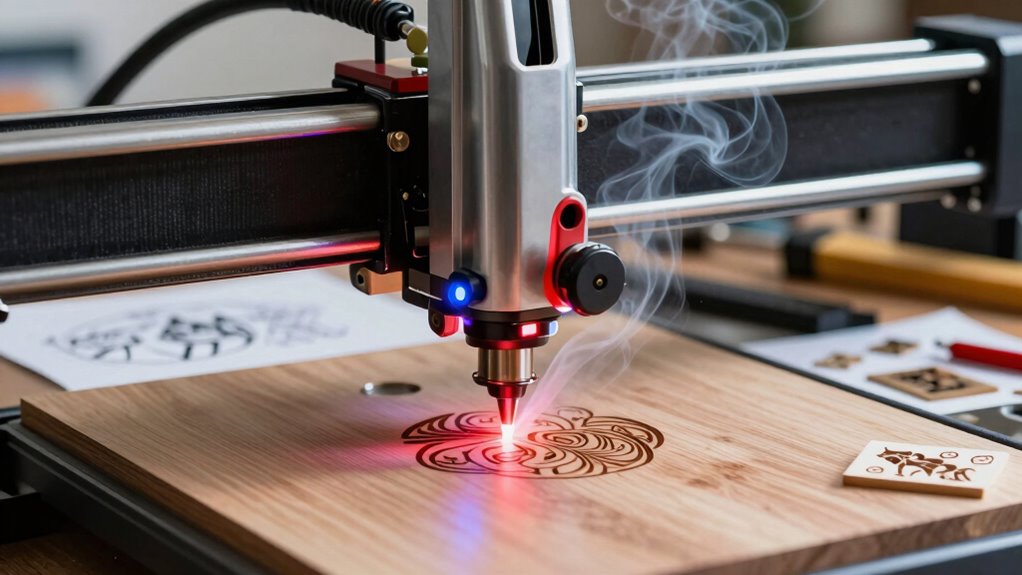

Choosing a laser engraver for a home workshop involves balancing power, precision, ease of use, and budget. The xTool S1 40W stands out as the best overall for its versatility and solid performance across materials, while the LaserPecker LP4 offers portability for on-the-go projects. For those focused on detailed craftsmanship, the BlazeX M3 provides ultra-precision, but at a higher price point. Many buyers face tough decisions about whether to prioritize power, size, or ease of setup. Continue reading for a detailed breakdown of these options and more to find the best fit for your home workshop needs.

Prime made for students and young adults
- Fast, free delivery for dorm and study essentials
- Prime Video and Amazon Music included
- Member-only deals
Key Takeaways
- Power range varies from compact 6W models to robust 40W units, impacting cutting thickness and speed.
- Enclosed designs like the xTool M2 enhance safety and reduce fumes, but may limit workspace size.
- Portability features in models like LaserPecker LP4 make them ideal for mobile users, yet often sacrifice power.
- Precision and detail are critical for fine crafts, with models like BlazeX M3 leading in ultra-high accuracy.
- Budget considerations influence feature sets: higher-priced units often include advanced cameras, larger workspaces, and better software compatibility.
| xTool S1 40W Laser Cutter and Engraver with Rotary Bundle |  | Best Overall for Large-Scale and Precision Projects | Laser Power: 40W | Bed Size: 23.93″ x 15.16″ | Speed: 600mm/s | VIEW ON AMAZON | See Our Full Breakdown |
| K15 Pro Laser Engraver 10W Laser Engraving Machine for Metal, Wood, Acrylic, Glass, Stone |  | Best for Beginners with Versatile Material Compatibility | Laser Power: 10W | Work Area: 11.8×7.9 inches (A4) | Material Compatibility: Wood, acrylic, leather, coated metal | VIEW ON AMAZON | See Our Full Breakdown |
| LaserPecker LP4 Dual Laser Engraver, 10W Diode + 2W IR Portable Laser Engraving Machine |  | Best for High-Resolution Detail and Material Versatility | Laser Power: 10W Diode + 2W IR | Resolution: 8K | Max Cutting Thickness: 8mm wood, 5mm acrylic | VIEW ON AMAZON | See Our Full Breakdown |
| ACMER S1 Laser Engraver Machine, 2500mW Laser Cutter for Wood and Acrylic |  | Best Compact for Beginners and Portability | Laser Power: 2500mW | Wavelength: 455±5nm | Focal Length: 2mm | VIEW ON AMAZON | See Our Full Breakdown |
| xTool M2 10W Laser Engraver with Dual Cameras, Enclosed Safe Design for DIY Crafting |  | Best for Precise Positioning and Safe Home Use | Power: 10W | Weight: 36.2 pounds | Dimensions: 28 x 25 x 12 inches | VIEW ON AMAZON | See Our Full Breakdown |
| Laser Engraver 10W High Speed 400x400mm 0.01mm Ultra-High Precision |  | Best for Precision and Small-Scale Crafting | Wattage: 10W | Laser Power: 10,000 milliwatts | Working Area: 400x400mm | VIEW ON AMAZON | See Our Full Breakdown |
| Aliencell X1 40W Laser Engraver & Cutter, No PC Needed |  | Best for Large-Scale Projects and Batch Production | Bed Size: 26″ x 21″ | Laser Power: 40W | Speed: 600mm/s | VIEW ON AMAZON | See Our Full Breakdown |
| Longer Ray5 10W/60W Laser Engraver with 3.5″ Touch Screen, CNC Cutter for Wood, Metal, Acrylic, Glass |  | Best for Versatile Material Compatibility and Speed | Laser Power: 10W or 60W | Laser Spot: 0.06mm | Max Speed: 10,000mm/min | VIEW ON AMAZON | See Our Full Breakdown |
| BlazeX M3 10W Laser Engraver Machine with Ultra-Precision Cutting and Engraving |  | Best for Detailed Work and Small-Scale Projects | Laser Power: 10W | Accuracy: 0.01mm | Material Compatibility: Wood, Metal, Glass, Leather | VIEW ON AMAZON | See Our Full Breakdown |
| Glowforge Aura 6W Laser Engraver & Cutter with HD Camera & 12-inch Workspace |  | Best for Beginners and Small Hobby Projects | Power: 6W | Wavelength: 450nm | Workspace: 12 x 12 inches | VIEW ON AMAZON | See Our Full Breakdown |
| laser engravers for home workshop | Laser Power | Speed |
|---|---|---|
| xTool S1 40W Laser Cutter and | 40W | 600mm/s |
| K15 Pro Laser Engraver 10W Las | 10W | 15,000mm/min |
| LaserPecker LP4 Dual Laser Eng | 10W Diode + 2W IR | 2000 mm/s |
| ACMER S1 Laser Engraver Machin | 2500mW | — |
| xTool M2 10W Laser Engraver wi | — | — |
| Laser Engraver 10W High Speed | 10,000 milliwatts | 333mm/s |
| Aliencell X1 40W Laser Engrave | 40W | 600mm/s |
| Longer Ray5 10W/60W Laser Engr | 10W or 60W | — |
| BlazeX M3 10W Laser Engraver M | 10W | — |
| Glowforge Aura 6W Laser Engrav | — | — |
More Details on Our Top Picks
xTool S1 40W Laser Cutter and Engraver with Rotary Bundle
The xTool S1 stands out for its powerful 40W laser and spacious bed, making it ideal for those tackling large, detailed projects that demand speed and precision. Compared with the LaserPecker LP4, it offers significantly higher power and a larger working area, though at a higher price point. Its safety features are comprehensive, suitable for use around pets and children, and the user-friendly software with AI design tools streamline complex workflows. The tradeoff is its substantial size and cost, which might be prohibitive for hobbyists with limited space or budgets. This model excels for serious enthusiasts or small businesses needing robust, versatile equipment.
Pros:- High 40W laser power delivers fast, detailed cuts and engravings
- Large bed size supports big projects and multiple materials
- Advanced safety features including enclosure and flame sensors
- User-friendly software with AI design capabilities
Cons:- High cost may deter casual or beginner users
- Large footprint requires significant workspace
- Complex setup could be overwhelming for complete novices
Best for: Professionals or advanced hobbyists working on large, detailed projects requiring high power and safety features
Not ideal for: Casual users or those with limited space and budget, as it is bulky and expensive
- Laser Power:40W
- Bed Size:23.93″ x 15.16″
- Speed:600mm/s
- Material Compatibility:Wood, Metal, Acrylic, Curved surfaces
- Safety Features:Enclosed design, protective cover, flame sensors, emergency stop
- Frame Material:Aerospace-grade aluminum
- Testing Hours:71,830 hours
Our verdict“This is best suited for experienced users demanding high power, large workspace, and top-tier safety features.”
K15 Pro Laser Engraver 10W Laser Engraving Machine for Metal, Wood, Acrylic, Glass, Stone
The K15 Pro offers a solid entry point into laser engraving with its 10W laser and compact A4 workspace, making it suitable for hobbyists and small business owners starting out. Compared to the xTool S1, its lower power limits the size and thickness of projects but simplifies setup and reduces cost. Its high precision (0.01mm) and fast engraving speed (15,000mm/min) make it a capable choice for detailed work on smaller items. The need for some technical setup and limited workspace are tradeoffs, but its upgradeability and comprehensive starter kit help new users ramp up quickly. Ideal for those seeking a balance of performance and affordability in a compact machine.
Pros:- Easy to assemble with a complete starter kit included
- High precision and fast engraving speeds for detailed work
- Offline operation via TF card for convenience
- Upgradeable with additional modules for expanded capabilities
Cons:- Limited workspace size may restrict larger projects
- Requires some technical knowledge for optimal setup
- Laser power may need upgrades for thicker metals
Best for: Beginners or small-scale hobbyists who want a versatile, easy-to-assemble laser engraver for detailed projects
Not ideal for: Users needing large working areas or heavy-duty industrial capacity, as it’s limited in size and power
- Laser Power:10W
- Work Area:11.8×7.9 inches (A4)
- Material Compatibility:Wood, acrylic, leather, coated metal
- Cutting Thickness:12mm plywood, 8mm acrylic
- Speed:15,000mm/min
- Precision:0.01mm
Our verdict“This machine offers a user-friendly entry into laser engraving with room to grow, perfect for beginners focusing on small to medium projects.”
LaserPecker LP4 Dual Laser Engraver, 10W Diode + 2W IR Portable Laser Engraving Machine
The LaserPecker LP4 is designed for precision, offering 8K resolution and dual lasers capable of working on over 300 materials, from wood to ceramics. Compared with the xTool S1, it’s smaller and more portable, suited for detailed crafts and on-the-go projects. Its large 160×120 mm work area and rapid 2000 mm/s speed deliver fast, intricate engravings suitable for professional artists or serious hobbyists. The touchscreen interface enhances ease of use, but the device’s complexity might challenge complete beginners without prior laser experience. Its high resolution and material flexibility make it a standout for detailed, multi-material projects, though limited cutting thickness could restrict some applications.
Pros:- High 8K resolution for fine detail engraving
- Dual lasers for versatility across many materials
- Large work area with fast engraving speeds
- Intuitive HD touchscreen for easy operation
Cons:- May be too complex for users new to laser engraving
- Limited cutting thickness restricts some applications
- Software and hardware compatibility details are sparse
Best for: Artists or advanced hobbyists seeking high-resolution detail and broad material compatibility
Not ideal for: Users needing to cut thicker materials or large-scale projects, due to size and power limitations
- Laser Power:10W Diode + 2W IR
- Resolution:8K
- Max Cutting Thickness:8mm wood, 5mm acrylic
- Work Area:160 × 120 mm
- Speed:2000 mm/s
- Compatibility:300+ materials
Our verdict“This device excels in high-detail, multi-material engraving, ideal for artists and experienced hobbyists focused on intricate work.”
ACMER S1 Laser Engraver Machine, 2500mW Laser Cutter for Wood and Acrylic
The ACMER S1 offers a compact, portable option with a 2500mW diode laser, making it accessible for hobbyists and small-scale professionals. Compared to the larger xTool S1, it’s much smaller and easier to set up, though this comes with a limited working area of 130x130mm. Its high-precision engraving at 0.01mm and fast speed of 10,000mm/min help produce detailed results on wood, acrylic, and leather. However, the small size limits larger projects, and the laser’s certification may not meet all safety standards globally. This pick makes the most sense for users prioritizing portability and ease of use over size and power.
Pros:- High-precision engraving and cutting
- Easy setup and intuitive controls
- Compact and lightweight for portability
- Good for detailed small projects
Cons:- Limited working area restricts larger work
- Fewer safety certifications may be a concern
- Laser power insufficient for thick or large-scale cuts
Best for: Hobbyists or professionals needing a portable, easy-to-use machine for small projects
Not ideal for: Those working on large or thick materials, as the workspace and power are limited
- Laser Power:2500mW
- Wavelength:455±5nm
- Focal Length:2mm
- Engraving Speed:10,000mm/min
- Working Area:130x130mm
- Repeatable Positioning Accuracy:0.01mm
Our verdict“Perfect for small-scale, detailed engraving with portability in mind, especially for hobbyists or mobile professionals.”
xTool M2 10W Laser Engraver with Dual Cameras, Enclosed Safe Design for DIY Crafting
The xTool M2 combines safety with smart features like dual cameras for real-time workspace preview, making it highly appealing for home crafters. Compared with the LaserPecker LP4, it offers a larger enclosure and added safety, but the heavier weight of 36.2 pounds makes it less portable. Its support for diverse materials—wood, leather, fabric—and the ability to perform full-color printing (with additional modules) provide creative versatility. The software’s templates and AI image generator simplify complex design tasks. However, the need for extra modules and its weight make it less convenient for mobile use. This model makes sense for crafters who prioritize safety, accuracy, and versatility at home.
Pros:- Dual cameras for precise placement and real-time preview
- Enclosed design enhances safety for home environments
- Supports a broad range of materials including fabric and leather
- User-friendly software with templates and AI features
Cons:- Additional modules for full-color and metal engraving are sold separately
- Heavier weight reduces portability
- Limited out-of-the-box capabilities without extra purchases
Best for: DIY enthusiasts and small-scale crafters focusing on precise, safe engraving in a home environment
Not ideal for: Users seeking a lightweight, portable machine or those who don’t want to invest in extra modules for full features
- Power:10W
- Weight:36.2 pounds
- Dimensions:28 x 25 x 12 inches
- Model Number:MLM-K610-001
- Color:M2 Basic
- Warranty:1 Year
Our verdict“Ideal for home crafters who want a safe, versatile, and precise laser engraver with smart positioning features.”
Laser Engraver 10W High Speed 400x400mm 0.01mm Ultra-High Precision
This 10W laser engraver excels in producing detailed, high-quality engravings with a focus on accuracy, thanks to its ultra-fine 0.01mm detail. Compared to larger machines like the Aliencell X1, it doesn’t match the huge working area but offers far better precision for delicate projects. Its safety features and offline operation make it accessible for beginners, yet it lacks a built-in air assist system, which can impact cutting quality on thicker materials. The manual focusing process could also be a minor hassle for those seeking more automation. Overall, this model is ideal for hobbyists or small businesses prioritizing detailed work over large projects, but it’s less suited for heavy-duty cutting or large batches.
Pros:- Ultra-fine 0.01mm engraving detail ensures high precision
- Safe, beginner-friendly with auto-stop and dust protection
- Offline operation via TF card for convenience
- Compatible with multiple materials including glass and metal
Cons:- Limited to 10W power, not ideal for very thick cuts
- Manual focusing can be less convenient for frequent users
- No built-in air assist system, which may affect cut quality
Best for: Beginners or hobbyists needing high-precision detail on small projects
Not ideal for: Users wanting to cut thick materials or produce large batches quickly
- Wattage:10W
- Laser Power:10,000 milliwatts
- Working Area:400x400mm
- Focus Spot Size:0.08×0.08mm
- Max Cutting Thickness:20mm wood, 10mm acrylic
- Speed:333mm/s
Our verdict“This engraver suits hobbyists and small-scale artisans focused on detailed, precise work over large production runs.”
Aliencell X1 40W Laser Engraver & Cutter, No PC Needed
The Aliencell X1 stands out for its massive 26″ x 21″ bed and powerful 40W laser, making it suitable for larger projects and small production runs. Its high-speed engraving at 600mm/s and AI-powered vision system deliver impressive accuracy, especially when compared to smaller, less sophisticated units like the Glowforge Aura. The integrated touchscreen and safety certifications enable offline operation and ease of use, but its weight of over 100 pounds demands a dedicated workspace, and its complex setup might be daunting for beginners. While the large workspace is a significant advantage, the size and price make it less practical for casual hobbyists.
Pros:- Large engraving surface suitable for big projects
- High-speed laser with precise AI vision for accuracy
- Standalone touchscreen enables offline operation
- Enclosed safety design with multiple certifications
Cons:- Heavy and bulky, requiring substantial space
- Complex setup may be challenging for beginners
- Higher price point might be prohibitive for casual users
Best for: Small business owners or makers tackling bigger projects requiring large workspace and fast throughput
Not ideal for: Home users with limited space or those seeking a lightweight, portable laser engraver
- Bed Size:26″ x 21″
- Laser Power:40W
- Speed:600mm/s
- Acceleration:20,000 mm/s²
- Display:6.86-inch touchscreen
- Safety Certification:SGS Certified, Class 1
Our verdict“This model is best suited for makers and small businesses needing large workspace and fast, precise production capacity.”
Longer Ray5 10W/60W Laser Engraver with 3.5″ Touch Screen, CNC Cutter for Wood, Metal, Acrylic, Glass
The Longer Ray5 offers the flexibility of dual laser modules—either 10W or 60W—making it a versatile choice for a range of materials from wood to metal. Its high engraving speed of 10,000mm/min is a valuable feature for those needing quick turnaround, outperforming slower models like the Glowforge Aura. Multiple connectivity options and advanced safety features support a smooth workflow, but setting up the device may require some technical knowledge, especially when switching between laser power modes. Its higher power option adds cost, which could be a concern for budget-conscious hobbyists. This machine makes the most sense for users who need both speed and material versatility in a compact form.
Pros:- High engraving speed enhances productivity
- Dual laser modules for flexible material processing
- Multiple connectivity options including WiFi and App
- Advanced safety features for secure operation
Cons:- Complex setup may challenge less technical users
- Higher power models cost more, impacting budget
- Laser safety precautions needed, especially with higher wattage
Best for: Experienced hobbyists or small workshops requiring fast, versatile engraving on various materials
Not ideal for: Beginners or users seeking a simple, plug-and-play device without technical setup
- Laser Power:10W or 60W
- Laser Spot:0.06mm
- Max Speed:10,000mm/min
- Material Thickness:Up to 20mm for wood, 30mm for acrylic
- Touch Screen:3.5 inches
- Connectivity:USB, TF card, WiFi, App
Our verdict“Ideal for experienced makers who want speed and material versatility without sacrificing safety features.”
BlazeX M3 10W Laser Engraver Machine with Ultra-Precision Cutting and Engraving
The BlazeX M3 offers exceptional accuracy at 0.01mm and combines cutting and engraving in a compact, safety-rated package. Its high-precision laser makes it suitable for detailed work on a variety of materials, including metal, glass, and leather, outperforming basic models like the Glowforge Aura in precision. The all-in-one design appeals to DIYers and beginners, but its small size limits large projects, and the setup may require some learning. The model’s affordability is relative, with no clear price but potentially higher costs for extensive accessories or upgrades. This machine is best for those focused on detailed, small-scale creative projects rather than large batch production.
Pros:- High-precision laser with 0.01mm accuracy
- All-in-one cutter and engraver for versatility
- Safety-rated with automatic protections
- Supports popular software and extensive user support
Cons:- Limited project size due to small form factor
- Requires some technical setup and learning curve
- Price range not explicitly stated, possibly costly with accessories
Best for: DIY enthusiasts and small creators needing precision for detailed, small projects
Not ideal for: Users aiming for large-scale manufacturing or cutting thick materials regularly
- Laser Power:10W
- Accuracy:0.01mm
- Material Compatibility:Wood, Metal, Glass, Leather
- Weight:8 pounds
- Color:Metal
- Warranty:30-Day Return Guarantee
Our verdict“Best suited for hobbyists and small-scale artisans focused on detailed, precise works on small items.”
Glowforge Aura 6W Laser Engraver & Cutter with HD Camera & 12-inch Workspace
The Glowforge Aura appeals to newcomers with its user-friendly features like HD live preview and automatic material recognition. Its sizable 12×12 inch workspace and passthrough slot support larger projects, making it a flexible choice for hobbyists and educators. Compared with the smaller, more precise engravers like the Laser Engraver 10W, the Aura sacrifices some detail for ease of use and larger size. Its limited material compatibility—excluding MDF and certain acrylics—and the need for proper ventilation are notable drawbacks. Nonetheless, its safety features and straightforward operation make it an accessible entry point for those new to laser engraving, albeit with some limitations on material choice.
Pros:- HD live preview for real-time project viewing
- Large 12×12 inch workspace with passthrough slot
- Automatic material recognition simplifies setup
- Safety features suitable for beginners
Cons:- Cannot process MDF, PVC vinyl, or some acrylics
- Ventilation system required for safe operation
Best for: Beginners, educators, and small hobbyists looking for an easy-to-use, large workspace laser
Not ideal for: Experienced makers requiring high precision or working with incompatible materials like MDF
- Power:6W
- Wavelength:450nm
- Workspace:12 x 12 inches
- Material Compatibility:Wood, leather, paper, fabric, dark acrylic
- Safety Class:Class 1
- Included Components:Power cord, Quick Start Guide
Our verdict“This engraver is perfect for newcomers and hobbyists prioritizing ease of use and a larger workspace over ultra-fine detail.”
How We Picked
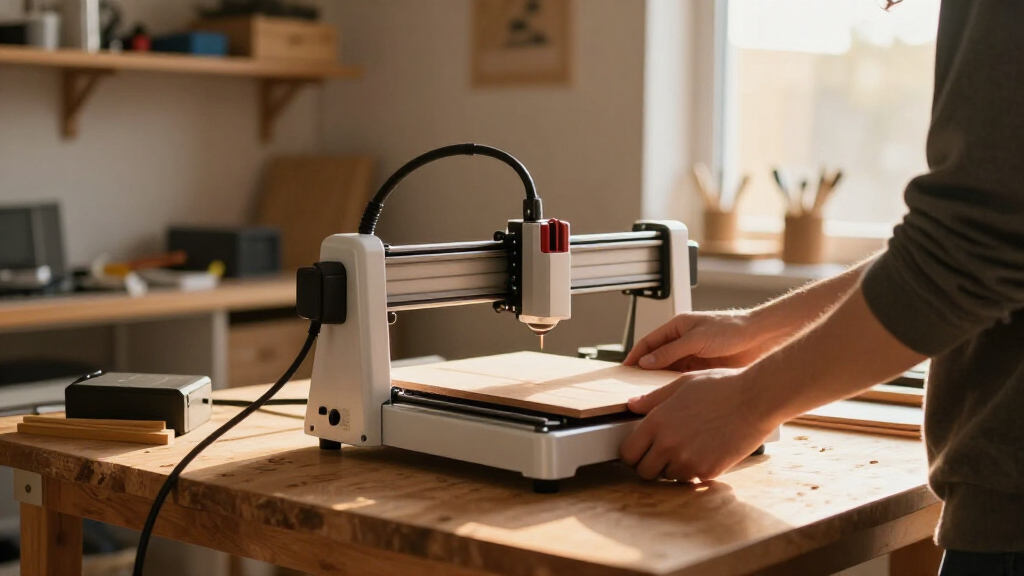
The products in this roundup were selected based on their performance, usability, build quality, and value for home workshop owners. Priority was given to models that balance power and safety with affordability and ease of setup. We also considered features like workspace size, software compatibility, and safety features, which are essential for home environments. The ranking reflects a combination of these factors, emphasizing versatility for hobbyists and beginners while also including options suited for more advanced users seeking precision or larger projects.Factors to Consider When Choosing Laser Engravers For Home Workshops
When choosing a laser engraver for your home workshop, several factors can influence your decision. Understanding your primary use—whether for crafts, small-scale manufacturing, or detailed art—helps narrow down options. Consider the power output, as it affects cutting thickness and speed, but also think about safety features and ease of operation. Budget constraints are important, but investing in a slightly more expensive unit with better safety and software can pay off long-term. Workspace size and portability are also key, depending on whether you need a permanent setup or a mobile solution. Finally, software compatibility and upgradeability ensure your machine remains useful as your skills grow.Power and Material Compatibility
The wattage of a laser engraver directly impacts its ability to cut and engrave different materials. Lower wattage models, around 6-10W, are suitable for light engraving on thin materials like paper, leather, or soft woods. Higher wattage units, like 40W, can cut through thicker materials such as acrylic, plywood, or even thin metal with the right settings. It’s important to match your project needs with the power output; overpaying for unnecessary power can lead to higher costs without added benefit, while underpowering limits your creative options.
Safety Features and Ease of Use
Safety should be a priority, especially in a home setting. Models with enclosed designs, like the xTool M2, help contain fumes and debris, reducing health risks and cleanup time. Features like emergency stop buttons, safety interlocks, and proper ventilation compatibility are essential. Ease of use also matters; intuitive software, clear instructions, and preset settings reduce the learning curve. Beginners should look for units with robust safety features and straightforward controls to avoid accidents and frustration.
Workspace Size and Portability
The size of the engraving area determines what projects you can undertake. Larger workspaces, like the 400x400mm models, enable bigger pieces or batch production, but come with increased cost and setup space. Compact models, such as LaserPecker LP4, excel for small projects and portability but may limit your options for larger items. Consider whether mobility is a priority—if you plan to move the machine often or work in different locations, a lightweight, portable unit can be more practical—and how much space you have available.
Software Compatibility and Upgradability
Good software support extends the life and functionality of your laser engraver. Compatibility with popular design programs like Adobe Illustrator, CorelDRAW, or free options like LightBurn can simplify your workflow. Some models include proprietary software, which can be limiting but user-friendly. Upgradability, such as firmware updates and add-on features like camera alignment or auto-focus, can enhance your machine over time. Investing in a system with active software support and community resources can save headaches and expand your creative potential.
Budget and Long-term Value
While it’s tempting to choose the cheapest model, consider the long-term value. Cheaper units may lack durability, safety features, or software support, leading to higher replacement or upgrade costs. Conversely, spending more on a well-built, feature-rich machine can improve your experience and productivity. It’s also worth factoring in ongoing costs like replacement lenses, laser tubes, or maintenance supplies. Balancing initial investment with expected usage helps ensure you get a machine that suits your current needs without becoming obsolete quickly.
Frequently Asked Questions
Can I use a laser engraver at home without special ventilation?
Using a laser engraver at home without proper ventilation can pose health risks due to fumes and smoke generated during engraving, especially with plastics, wood, or painted surfaces. Many models include safety features like enclosed chambers or smoke extraction ports, but additional ventilation or air filtration systems are recommended for safe operation. Over time, insufficient ventilation can lead to health issues and damage to your machine. It’s best to plan for proper airflow or external exhaust solutions to maintain a safe workspace.
What is the ideal wattage for a beginner home laser engraver?
For most beginners working on small projects, a laser engraver with around 10W to 20W of power offers a good balance of performance and affordability. These units can handle basic engraving tasks and light cutting on soft materials like wood, leather, and acrylic. Higher wattage models, while more capable, tend to be more expensive and require more space and maintenance. Starting with a lower wattage machine allows you to learn the basics without a significant upfront investment, before deciding if you need more power for larger or more complex projects.
How important is software compatibility when choosing a laser engraver?
Software compatibility is critical because it determines how easily you can design, prepare, and execute your projects. A laser engraver that works seamlessly with popular design programs like Adobe Illustrator or CorelDRAW can streamline your workflow. Proprietary software that is intuitive and regularly updated also reduces frustration. Compatibility with open-source or widely used programs like LightBurn can offer flexibility and expand your creative options. Ensuring your chosen machine supports the software you prefer will save time and help you achieve better results.
Are enclosed laser engravers safer for home use?
Enclosed laser engravers typically offer increased safety by containing fumes, debris, and laser exposure, making them a better choice for home environments. They also help reduce noise and protect users from accidental direct laser exposure. However, enclosure alone does not eliminate all risks; proper ventilation, safety gear, and adherence to guidelines are still necessary. For those who prioritize safety and minimal cleanup, models with enclosed designs are generally advisable, especially if the workspace is shared or used by multiple people.
Is it worth investing in a high-end laser engraver for home use?
Investing in a high-end laser engraver can be worthwhile if you plan to use it frequently or require high precision and larger workspaces. These machines often feature advanced cameras, auto-focus, and better software support, which can enhance your productivity and project quality. However, for casual or beginner users, a more affordable model that covers basic needs can be sufficient and more budget-friendly. Consider your long-term goals and project complexity before deciding whether the extra cost aligns with your expected use and skill development.
Conclusion
For casual hobbyists and beginners, the xTool M2 offers a safe, easy-to-use platform with a manageable workspace. Those seeking the best overall balance of power, safety, and versatility should consider the xTool S1, which handles a variety of materials with ease. If you prioritize ultra-fine detail and precision, the BlazeX M3 makes sense, though at a higher price point. Budget-conscious buyers or those needing portability might prefer the LaserPecker LP4, while advanced users requiring larger work areas or professional-grade features should look at models like the Longer Ray5 or Aliencell X1. Your choice depends on your project scope, safety priorities, and budget constraints.
As an affiliate, we earn on qualifying purchases.Fall Picks
fall essentials