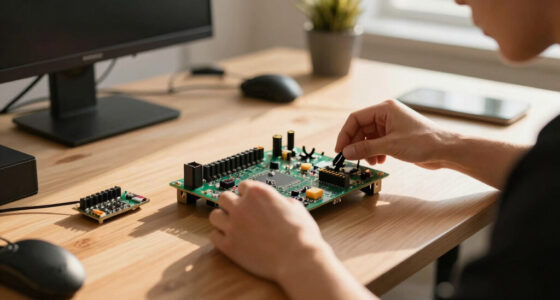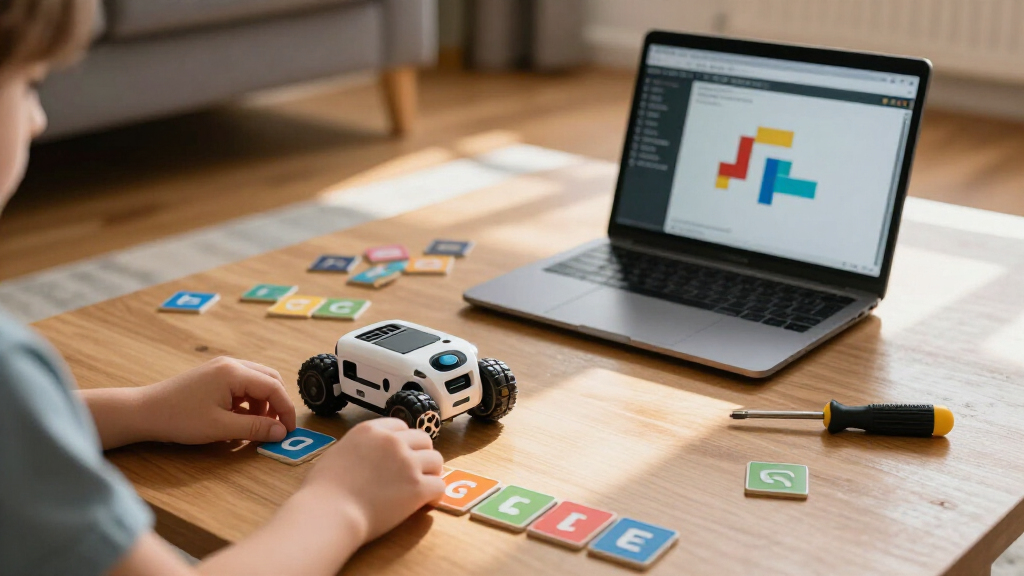
Coding robots for kids span a wide range, from screen-free floor robots that teach sequencing to five-year-olds, to Arduino-based kits that require real wiring and text-based coding. The Wonder Workshop Dash stands out as the best overall pick because it balances immediate playability with genuine coding depth through block-based apps. For younger children, the Learning Resources Botley 2.0 Activity Set delivers screen-free logic learning without a tablet, while the ELEGOO UNO R3 Smart Robot Car Kit V4 suits older kids ready for authentic electronics work. The main tradeoff you’ll face is between ease of start and long-term growth potential: simpler robots engage quickly but get outgrown, while build-it-yourself kits demand patience and parental help. Read on for the full breakdown of all 15 options.

Prime made for students and young adults
- Fast, free delivery for dorm and study essentials
- Prime Video and Amazon Music included
- Member-only deals
Key Takeaways
- Wonder Workshop Dash earned the top spot because it’s the only robot in this lineup that works right out of the box yet keeps scaling up to more advanced block coding challenges over years, not weeks.
- Screen-free robots (Botley, Code & Go Robot Mouse) are the strongest choice for ages 4-7, but nearly all of them lose their challenge ceiling by age 8, so budget for a second robot later.
- Build-first kits like the ELEGOO smart car, mBot, and Sillbird 5-in-1 offer the best long-term value per dollar, but they require an adult willing to help with assembly and troubleshooting.
- The Ozobot Evo and PYXEL occupy a useful middle ground — small footprint, app-based progression, and low frustration — making them ideal second robots rather than first ones.
- Several entries in this category are near-duplicates of each other (three Botley sets, two Robot Mouse sets, two mBot versions); choosing the right variant matters more than choosing between brands.
| ELEGOO UNO R3 Smart Robot Car Kit V4 with Camera |  | Best for Arduino Building | Brand: ELEGOO | Controller board: ELEGOO UNO R3 | Compatibility: Arduino IDE | VIEW LATEST PRICE | See Our Full Breakdown |
| Wonder Workshop Dash Coding Robot for Kids |  | Best for App-Guided Coding | Brand: Wonder Workshop | Model: DA03 | Age range: 6 years and up | VIEW LATEST PRICE | See Our Full Breakdown |
| Learning Resources Code & Go Robot Mouse |  | Best for First Coding Steps | Brand: Learning Resources | Recommended age: 4+ years | Included items: Robot mouse, 30 double-sided coding cards, activity guide | VIEW LATEST PRICE | See Our Full Breakdown |
| Learning Resources Botley the Coding Robot |  | Best Screen-Free Upgrade | Brand: Learning Resources | Recommended age: 5 years and up | Programming capacity: Up to 80 steps | VIEW LATEST PRICE | See Our Full Breakdown |
| Learning Resources Code & Go Robot Mouse Activity Set |  | Best for Maze-Based Group Play | Brand: Learning Resources | Recommended age: 4+ years | Robot: Colby robot mouse | VIEW LATEST PRICE | See Our Full Breakdown |
| Ozobot Evo Entry Coding Robot Kit for Kids (Ages 5-11) |  | Best for Screen-Free Starters | Included: 1 Evo robot, 5 dual-tip Color Code Markers, Get Started guide, zip case | Ages: 5-11 (grades K-12) | Coding Methods: Ozobot Blockly (online) and Color Codes (screen-free) | VIEW LATEST PRICE | See Our Full Breakdown |
| Makeblock mBot Arduino Robot Kit with Scratch Coding Box for Kids Ages 8-12 |  | Best Path to Real Programming | Recommended Age: 8-12 years | Assembly Time: Approximately 15 minutes | Included Projects: 4 (line-following, obstacle avoidance, remote control, and more) | VIEW LATEST PRICE | See Our Full Breakdown |
| BeAndge 6-in-1 STEM Robotics Kit for Kids Ages 8–12 |  | Best Value for Building Variety | Projects: 6 | Included Projects: Reptile robot, balance car, bubble machine, fiber lamp, buzzer wire game | Recommended Age: 8-12 years | VIEW LATEST PRICE | See Our Full Breakdown |
| Learning Resources Botley 2.0 Coding Robot Activity Set |  | Best Screen-Free Learning Set | Piece Count: 78 | Included Components: Coding robot, remote programmer, 40 coding cards, 6 double-sided boards, stackable obstacle pieces | Turn Increments: 45 degrees | VIEW LATEST PRICE | See Our Full Breakdown |
| Sillbird 5-in-1 Programmable Robot Building Kit with App and Remote Control |  | Best Build-and-Play Combo | Pieces: 488 | Build Options: Robot, car, tank, dinosaur, or custom model | Controls: Bluetooth app and remote control | VIEW LATEST PRICE | See Our Full Breakdown |
| Thames & Kosmos My Robotic Pet: Coding Chameleon STEM Building Kit |  | Best Screen-Free Building Project | Age Range: 8+ with adult help; 12+ for independent play | Model Length: 15 inches | Sensors: Color sensor, infrared sensor | VIEW LATEST PRICE | See Our Full Breakdown |
| Learning Resources Botley The Coding Robot Activity Set – 77 Pieces | 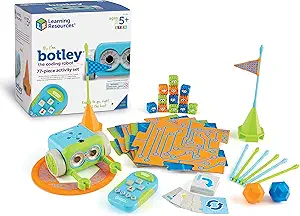 | Best for Young Beginners | Recommended Age: 5+ | Piece Count: 77 | Screen-Free: Yes | VIEW LATEST PRICE | See Our Full Breakdown |
| TEACH Tech Mech-5 Mechanical Coding Robot STEM Building Kit |  | Best Battery-Free Pick | Age Range: 10+ years | Power Source: Mechanical (no batteries required) | Programming Method: Snap-on coding buttons on a mechanical coding wheel | VIEW LATEST PRICE | See Our Full Breakdown |
| Makeblock mBot Robot Kit – STEM Coding Toy for Kids Ages 8-12 |  | Best Growth Path | Age Range: 8 years and up | Assembly Time: Approximately 15 minutes | Programming: Scratch-based mBlock and Arduino | VIEW LATEST PRICE | See Our Full Breakdown |
| Educational Insights PYXEL Coding Robot |  | Best for Learning Real Code | Recommended Age: 8 years and up | Coding Languages: Blockly and Python | Connectivity: Password-protected Wi-Fi; no internet or app required | VIEW LATEST PRICE | See Our Full Breakdown |
| coding robots for kid | Recommended age |
|---|---|
| ELEGOO UNO R3 Smart Robot Car | 12 years and up; 8+ with adult guidance |
| Wonder Workshop Dash Coding Ro | — |
| Learning Resources Code & Go R | 4+ years |
| Learning Resources Botley the | 5 years and up |
| Learning Resources Code & Go R | 4+ years |
| Ozobot Evo Entry Coding Robot | — |
| Makeblock mBot Arduino Robot K | 8-12 years |
| BeAndge 6-in-1 STEM Robotics K | 8-12 years |
| Learning Resources Botley 2.0 | — |
| Sillbird 5-in-1 Programmable R | 6 years and up |
| Thames & Kosmos My Robotic Pet | — |
| Learning Resources Botley The | 5+ |
| TEACH Tech Mech-5 Mechanical C | — |
| Makeblock mBot Robot Kit | — |
| Educational Insights PYXEL Cod | 8 years and up |
More Details on Our Top Picks
ELEGOO UNO R3 Smart Robot Car Kit V4 with Camera
For older kids who want to build a robot and change how it behaves in code, the ELEGOO UNO R3 Smart Robot Car Kit offers a more open-ended route than ready-to-play options such as Wonder Workshop Dash. The Arduino-compatible UNO R3, sensors, motors, and ESP32-WROVER camera module give learners real components to assemble, then explore through line tracking, obstacle avoidance, and FPV video. Guided tutorials and keyed connectors help with the build, while the rechargeable battery means the kit includes its power source.
The tradeoff is a steeper learning curve: customizing behavior means working with the Arduino IDE, and younger builders may need adult help with assembly and code. Choose Dash for app-led play with less setup; choose ELEGOO for a hands-on project that grows into electronics and programming.
Pros:- Combines an Arduino-compatible board, sensors, motors, and camera module in one build.
- FPV video, line tracking, and obstacle avoidance give coding projects visible outcomes.
- Keyed connectors and illustrated tutorials support first-time builders.
- Rechargeable battery is included.
Cons:- Assembly and programming can require adult guidance, especially for younger children.
- Custom coding relies on learning the Arduino IDE.
- The hardware-focused build takes more setup than ready-to-play Dash.
Best for: Families with older children who want to assemble a robot car and learn Arduino coding with adult support available.
Not ideal for: Children looking for an immediate, app-guided coding experience or families who do not want to help with assembly and programming.
- Brand:ELEGOO
- Controller board:ELEGOO UNO R3
- Compatibility:Arduino IDE
- Camera/Wi-Fi module:ESP32-WROVER-based
- Battery:2000 mAh rechargeable lithium-ion
- Features:FPV video, line tracking, obstacle avoidance, auto follow, app and IR control
- Recommended age:12 years and up; 8+ with adult guidance
- Warranty:6 months
Our verdict“Pick ELEGOO for an older child ready to build and code a sensor-equipped robot car, provided an adult can help with the learning curve.”
Wonder Workshop Dash Coding Robot for Kids
Wonder Workshop Dash is the easiest pick here for children ready to move from basic screen-free commands to coding concepts in apps. It arrives ready to play, and its five free apps introduce sequencing, loops, algorithms, and variables through activities involving movement, sounds, and obstacle navigation. That gives it a more guided, adaptable learning path than the button-based Code & Go Robot Mouse, while avoiding the assembly and Arduino setup of the ELEGOO car.
The tradeoff is reliance on a compatible phone or tablet; this is not a screen-free option like Botley. Dash also has no camera, so its appeal comes from interactive app activities rather than video features. Its listed age range is 6–11, making it a better fit for children ready to follow app-based challenges than preschool beginners.
Pros:- Ready to use without assembly.
- Five free apps teach concepts including sequencing, loops, algorithms, and variables.
- Voice response, movement, and obstacle navigation make activities interactive.
- Up to five hours of active play per charge.
Cons:- App control requires a compatible tablet or smartphone.
- No built-in camera.
- Offers less hands-on electronics building than the ELEGOO robot car.
Best for: Families with children ages 6–11 who have a compatible tablet or phone and want guided coding activities that progress beyond button commands.
Not ideal for: Screen-free households, children without access to a compatible mobile device, or buyers seeking a build-it-yourself robotics kit.
- Brand:Wonder Workshop
- Model:DA03
- Age range:6 years and up
- Battery life:Up to 5 hours of active play
- Charging:USB charging cable
- Included components:Dash robot, two building brick connectors, USB charging cord
- Camera:None
- Warranty:1 year against manufacturer defects
Our verdict“Choose Dash for a child who can use a compatible mobile device and wants a ready-to-play path into app-based coding.”
Learning Resources Code & Go Robot Mouse
For a preschooler taking a first step into coding, the Code & Go Robot Mouse keeps the task concrete: plan a route with cards, enter button commands, then watch the mouse move. Its screen-free play and included activity guide make sequencing and logic accessible without requiring a tablet, unlike Wonder Workshop Dash. Lights, sounds, and two speeds offer simple feedback as children try a path and adjust it.
This is a starter toy, not a growing robotics platform. The standalone mouse comes with coding cards but no maze grid or walls, so children who want to construct routes may find the larger Code & Go Robot Mouse Activity Set a better fit. Three AAA batteries are also required and sold separately. I’d choose this smaller set for straightforward command practice, especially when storage space matters.
Pros:- Introduces coding commands through hands-on, screen-free play.
- Includes 30 double-sided coding cards and an activity guide.
- Lights and sounds provide feedback during route attempts.
- Two speeds support different play paces.
Cons:- Three AAA batteries are not included.
- Maze-building components are not included with this product.
- Offers fewer ways to extend play than the larger Robot Mouse Activity Set.
Best for: Parents and preschool educators seeking a compact, screen-free way to introduce children ages 4+ to sequences and simple command planning.
Not ideal for: Buyers who want a complete maze-building activity or children ready for app-based coding and more advanced robotics projects.
- Brand:Learning Resources
- Recommended age:4+ years
- Included items:Robot mouse, 30 double-sided coding cards, activity guide
- Controls:Push-button
- Features:Lights, sounds, two speeds
- Screen-free:Yes
- Power:3 AAA batteries, not included
Our verdict“Choose the standalone mouse for an accessible first coding toy, and pick the Activity Set if building mazes is part of the goal.”
Learning Resources Botley the Coding Robot
Botley suits children who are ready for more than the Robot Mouse’s short button sequences but still need a screen-free introduction. Its remote programmer lets kids plan as many as 80 steps, while the coding cards, tiles, obstacles, and detachable arms turn those instructions into physical challenges. It reaches beyond basic sequencing into loops and if/then concepts, giving it a broader coding focus than the simpler Code & Go Robot Mouse.
That extra capacity asks more of the child: they need to plan a sequence and follow the instructions to see what happens. Botley has no screen-based interface, so children who learn best through visual app prompts may prefer Dash. I’d pick Botley for home or classroom play when the priority is longer, hands-on programming challenges without a device.
Pros:- Screen-free activities cover sequencing, logic, loops, and if/then programming.
- Programming capacity of up to 80 steps supports longer challenges.
- Includes cards, tiles, obstacles, and detachable arms for varied play.
- Remote programmer keeps coding commands hands-on.
Cons:- Children need to follow and plan sequences to use it effectively.
- No screen-based programming interface for visual app instruction.
- Has a steeper planning demand than the Robot Mouse.
Best for: Families and classrooms seeking a screen-free robot for children age 5+ who are ready to plan longer sequences and explore loops.
Not ideal for: Children who need app-based visual instruction or beginners who would benefit from shorter, simpler command activities.
- Brand:Learning Resources
- Recommended age:5 years and up
- Programming capacity:Up to 80 steps
- Included robot:Botley
- Programmer:Remote programmer
- Accessories:Detachable arms, 40 coding cards, tiles, and obstacles
- Learning features:Sequencing, logic, loops, and if/then programming
Our verdict“Choose Botley for a child ready to plan longer screen-free coding challenges, rather than a first toy for practicing a few basic commands.”
Learning Resources Code & Go Robot Mouse Activity Set
The Code & Go Robot Mouse Activity Set turns early coding into a path-planning game: children lay out a maze, use cards to map a route, and program Colby to reach the cheese. Compared with the standalone Code & Go Robot Mouse, this set supplies the grids, walls, tunnels, and activity cards needed to build and vary challenges from the start. That makes it a practical choice for classrooms, homeschool, or siblings who can take turns designing routes.
Its screen-free, button-based approach works well for early sequencing and logic, but the 20-by-20-inch board can limit the scale of more ambitious mazes. It also needs three AAA batteries, which are not included. For children ready for longer programs or concepts such as loops and if/then logic, Botley offers a more advanced coding focus.
Pros:- Includes maze grids, walls, tunnels, activity cards, and coding cards for varied challenges.
- Supports screen-free practice in sequencing, logic, and problem-solving.
- Two speeds, lights, and sounds give children feedback as Colby moves.
- Maze-building components make it more complete for group play than the standalone mouse.
Cons:- Requires three AAA batteries, not included.
- The 20-by-20-inch board can constrain more complex maze layouts.
- Button commands offer less coding depth than Botley’s longer programs and loop activities.
Best for: Preschool families, homeschoolers, and small groups who want a ready-to-build maze for screen-free coding activities.
Not ideal for: Buyers seeking a large-scale maze setup or children ready for extended programs and more advanced coding concepts.
- Brand:Learning Resources
- Recommended age:4+ years
- Robot:Colby robot mouse
- Maze board:16 grids; 20 x 20 inches
- Maze components:22 walls and 3 tunnels
- Cards:30 double-sided coding cards and 10 double-sided activity cards
- Other included items:Cheese wedge and activity guide
- Power:3 AAA batteries, not included
- Features:Lights, sounds, and two speeds
Our verdict“Choose this set when children will benefit from building and solving physical mazes together, and choose Botley for more advanced screen-free programming.”
Ozobot Evo Entry Coding Robot Kit for Kids (Ages 5-11)
What sets the Ozobot Evo Entry Kit apart from app-dependent options like the Sillbird 5-in-1 kit is its dual coding pathway: kids can draw Color Codes with the included markers for completely screen-free play, then graduate to Ozobot Blockly online when they’re ready for block programming. That flexibility makes it one of the few kits that genuinely works for a kindergartner and a fifth grader in the same house. The five skill levels and 700+ free lessons give it far more structured curriculum depth than the BeAndge 6-in-1 kit, which has no coding software at all. The tradeoffs are real, though: the robot is tiny and easy to lose in a toy bin, and the marker-based system means consumable supplies you’ll need to replace.
Pros:- Supports both screen-free Color Codes and online Blockly programming
- Five skill levels that grow with the child over years, not weeks
- 700+ free STEAM and coding lessons included
- Durable robot ships in a classroom-ready hard shell zip case
Cons:- Small robot size makes it easy to misplace
- Marker-based Color Codes require ongoing replacement supplies
Best for: Families with kids ages 5-11 who want one kit that starts screen-free and grows into real block-based programming
Not ideal for: Households that dislike small fiddly toys — the pocket-sized robot is easy to misplace and markers run out
- Included:1 Evo robot, 5 dual-tip Color Code Markers, Get Started guide, zip case
- Ages:5-11 (grades K-12)
- Coding Methods:Ozobot Blockly (online) and Color Codes (screen-free)
- Skill Levels:5 (beginner to master)
- Free Lessons:700+ STEAM, CS, and core subject lessons
Our verdict“This pick makes the most sense for families who want a long-run coding companion that starts with markers and paper and ends with real programming.”
Makeblock mBot Arduino Robot Kit with Scratch Coding Box for Kids Ages 8-12
The Makeblock mBot occupies a middle ground nothing else in this batch matches: it starts kids in Scratch block coding but opens a door to Arduino, the same platform used in the ELEGOO Smart Robot Car for older builders. Compared with the Sillbird kit, which is remote-control play first and coding second, the mBot puts programming at the center with four guided projects like line-following and obstacle avoidance that demonstrate sensors and logic. Assembly in about 15 minutes means the payoff comes fast, unlike the BeAndge 6-in-1 kit, where building is the whole experience. Be aware it needs a separate computer or tablet to program, and kids who already code will outgrow the included projects quickly.
Pros:- Progresses from Scratch to Arduino for a long-term learning runway
- Quick 15-minute assembly with clear building manuals
- Four sensor-driven projects teach real robotics concepts
- Game-based tutorials ease beginners in
Cons:- Requires a separate computer or tablet for coding
- Too basic for kids already familiar with programming
Best for: Kids ages 8-12 ready to move beyond toys into actual block and Arduino programming with a quick-build robot
Not ideal for: Kids who already know Scratch or Python — the guided projects will feel too basic
- Recommended Age:8-12 years
- Assembly Time:Approximately 15 minutes
- Included Projects:4 (line-following, obstacle avoidance, remote control, and more)
- Programming Languages:Scratch (block-based), Arduino
- Coding Device:Computer or tablet required (sold separately)
- Assembly Tools:Included building manuals and tools
Our verdict“The strongest choice in this group for a child who wants coding to be the main event, not a bolt-on to a toy.”
BeAndge 6-in-1 STEM Robotics Kit for Kids Ages 8–12
If your goal is maximum projects per dollar rather than actual coding, the BeAndge 6-in-1 kit delivers six separate builds — a reptile robot, balance car, bubble machine, fiber lamp, and buzzer wire game — where competitors like the Sillbird 5-in-1 give you one model at a time from shared pieces. It’s honest about what it is: a circuitry and physics kit, not a programming tool, so compared with the mBot there’s no software learning at all. Kids get real satisfaction from screwdriver-in-hand assembly, and the variety keeps the kit interesting across weeks. The hidden costs matter, though: AA batteries and bubble solution aren’t included, and younger kids in the 8-12 range will likely need an adult’s hands for the trickier builds.
Pros:- Six distinct projects provide weeks of varied building
- Teaches hands-on circuit and physics concepts
- Step-by-step instructions and mini screwdriver included
- Excellent project variety for the price
Cons:- AA batteries and bubble solution not included
- Some projects require adult help for younger children
Best for: Budget-conscious families who want six hands-on electronics builds and care more about tinkering than programming
Not ideal for: Parents seeking an actual coding education — there’s no app, software, or programming logic here
- Projects:6
- Included Projects:Reptile robot, balance car, bubble machine, fiber lamp, buzzer wire game
- Recommended Age:8-12 years
- Included Tools:Mini screwdriver
- Batteries:AA batteries required; not included
- Bubble Solution:Required; not included
Our verdict“A solid pick for curious builders on a budget, as long as you understand it’s an electronics craft kit, not a coding teacher.”
Learning Resources Botley 2.0 Coding Robot Activity Set
The Botley 2.0 Activity Set is the most complete no-screen coding environment in this lineup. Where the Ozobot Evo goes screen-free with markers and paper, Botley does it with a remote programmer and 40 coding cards, letting kids physically lay out a program before running it — a genuinely different way to grasp sequencing. The 78 pieces, including six double-sided boards and stackable obstacles, give it far more structured play value than a bare robot, and 16 secret code combinations plus object sensing add discovery moments that keep it from feeling like homework. The flip side: every activity requires setup and takedown of boards and cards, which demands patience younger kids may not have, and there’s no pathway to text or block coding when your child outgrows it.
Pros:- Completely app-free and device-free operation
- 78-piece set with boards, cards, and obstacles for custom courses
- Challenges progress from simple sequencing to complex logic
- Lights, sounds, and object sensing add interactive feedback
Cons:- Each activity requires arranging boards and cards beforehand
- No software pathway for kids who advance beyond the basics
Best for: Parents of kids roughly 5-9 who want zero screens and a complete, structured activity set out of the box
Not ideal for: Families wanting a coding skill ladder — there’s no app or software path once kids master the basics
- Piece Count:78
- Included Components:Coding robot, remote programmer, 40 coding cards, 6 double-sided boards, stackable obstacle pieces
- Turn Increments:45 degrees
- Secret Code Combinations:16
- App or Device Required:No
- Programming Method:Remote programmer with physical coding cards
Our verdict“The best fully screen-free option here for young kids, especially if you value tactile setup-and-play over app-based learning.”
Sillbird 5-in-1 Programmable Robot Building Kit with App and Remote Control
The Sillbird 5-in-1 kit splits the difference between building toys and coding robots. With 488 pieces that become a robot, car, tank, dinosaur, or a custom creation, it offers the construction depth of LEGO-style kits, then adds Bluetooth app and remote control that the purely mechanical BeAndge 6-in-1 kit can’t touch. Compared with the Makeblock mBot, the coding is lighter-weight — this is more about driving and controlling your build than learning programming concepts — but the five-model versatility means it stays in rotation far longer than a single-robot kit. Practical caveats: kids at the younger end of the 6+ rating will need adult help with assembly, and the 40-minute battery per charge cuts play sessions short, especially since recharging interrupts the fun mid-build-and-drive cycle.
Pros:- Five build options plus open-ended custom creations from 488 pieces
- Both Bluetooth app and physical remote included
- Illustrated instructions support independent building
- Rechargeable battery avoids ongoing battery costs
Cons:- Assembly may require adult help for younger children
- Play time limited to roughly 40 minutes per charge
Best for: Kids 6 and up who love building with blocks and want app-driven play after assembly
Not ideal for: Parents focused on coding fundamentals — the app control is basic and less educational than mBot or Ozobot
- Pieces:488
- Build Options:Robot, car, tank, dinosaur, or custom model
- Controls:Bluetooth app and remote control
- Battery:Rechargeable
- Play Time:Up to 40 minutes per charge
- Recommended Age:6 years and up
Our verdict“This model is better suited to builder-first kids who see coding as a bonus than to families chasing a programming curriculum.”
Thames & Kosmos My Robotic Pet: Coding Chameleon STEM Building Kit
This kit stands out for combining real engineering assembly with genuinely screen-free programming — kids snap together a 15-inch robotic chameleon and then code its behavior using physical colored action cards read by a color sensor. Compared with Botley, which comes pre-assembled and codes through a remote, the Chameleon demands hours of building first, which is exactly the point: the construction is half the education, reinforced by a 48-page manual. The three play modes (Coding, Wild, and Pet) give it more personality than the Mech-5, though the fun leans heavily on whether your child actually finishes the build. The 15-inch footprint also makes it more of a desk project than a floor toy.
Pros:- Truly screen-free coding via physical color-coded action cards
- Three play modes keep engagement varied after the build
- Articulated eyes, torso, and legs make movements feel lifelike
- 48-page manual teaches genuine engineering concepts
Cons:- Assembly is complex enough that ages 8-11 need adult assistance
- 15-inch length makes storage and play space a challenge
Best for: Kids 10 and up who love long-form building projects and parents who want coding without any screen time
Not ideal for: Impatient younger kids — children 8-11 will likely need adult help with assembly, and it’s too large for small play spaces
- Age Range:8+ with adult help; 12+ for independent play
- Model Length:15 inches
- Sensors:Color sensor, infrared sensor
- Lighting:RGB LEDs
- Play Modes:Coding, Wild, Pet
- Manual:48 pages
- Screen Required:No
- Power:Battery-operated (no device or software needed)
Our verdict“A great fit for patient builders who want a screen-free project where the assembly itself teaches as much as the coding.”
Learning Resources Botley The Coding Robot Activity Set – 77 Pieces
Botley works right out of the box, which is the single biggest difference between it and build-first kits like the Coding Chameleon or Mech-5. Aimed at ages 5 and up, it teaches sequencing and logic through a chunky remote programmer — no reading fluency and no tablet required. The 77 pieces, including obstacle blocks, tiles, and 40 coding cards, turn a single robot into a full course-building experience, with looping commands and object detection adding headroom beyond what the Code & Go Robot Mouse offers. The tradeoff is ceiling: an 8- or 9-year-old who has already mastered Scratch-style logic will outgrow it, and unlike PYXEL, there’s no path into text-based coding.
Pros:- Completely screen-free with no phone, tablet, or app needed
- Ready to play immediately — no assembly required
- Object detection, looping, and black-line following add depth
- 77 pieces support endless obstacle-course redesigns
Cons:- Requires 5 AAA batteries, none included
- Limited growth potential for older or more experienced kids
Best for: Parents and teachers of kids 5-7 who want a zero-setup, screen-free introduction to coding logic
Not ideal for: Families with kids 9 and up — the simplicity that suits young beginners becomes a limitation quickly
- Recommended Age:5+
- Piece Count:77
- Screen-Free:Yes
- Programming Method:Remote programmer with sequence buttons
- Smart Features:Object detection, looping commands, black-line following
- Batteries Required:5 AAA (not included)
- Includes:Robot, remote programmer, detachable arms, 40 coding cards, 6 tiles, 27 obstacle pieces, starter guide
Our verdict“The easiest on-ramp to coding for early-elementary kids, best bought young and passed down when mastered.”
TEACH Tech Mech-5 Mechanical Coding Robot STEM Building Kit
The Mech-5 takes a contrarian approach: instead of apps or sensors, kids program it by snapping coding buttons onto a mechanical wheel, making the programming logic visible and physical in a way even Botley’s remote doesn’t match. There’s genuine payoff too — the robot can throw, lift, kick, draw, and spin 360 degrees, so mission-based challenges feel like small engineering triumphs. Unlike the mBot, which needs 4 AA batteries plus a coin cell, the Mech-5 runs on pure mechanics with zero batteries. The cost is time and patience: expect a multi-hour assembly, and once built, the ceiling is low. This is a teaching tool about how programming works mechanically, not a platform kids will still be coding in a year.
Pros:- Mechanical coding wheel makes programming logic tangible
- Versatile actions: throw, lift, kick, draw, 360-degree rotation
- No batteries or charging ever required
- Multi-hour build teaches real engineering patience
Cons:- Requires hours of assembly before any play
- Entry-level only — offers little challenge for experienced coders
Best for: Kids 10+ (and parents) who want to understand coding as a mechanical concept without screens or batteries
Not ideal for: Anyone wanting instant gratification — hours of assembly precede the first successful run, and advanced kids will find it too basic
- Age Range:10+ years
- Power Source:Mechanical (no batteries required)
- Programming Method:Snap-on coding buttons on a mechanical coding wheel
- Actions:Forward, backward, 360° rotation, throw, lift, kick, draw
- Assembly:Required; multi-hour build
- Screen Required:No
- Educational Focus:Coding, problem solving, mechanical engineering
Our verdict“A one-of-a-kind battery-free build that demystifies how code becomes action, best treated as a project rather than a toy.”
Makeblock mBot Robot Kit – STEM Coding Toy for Kids Ages 8-12
The mBot earns its place for longevity: kids can assemble it in roughly 15 minutes, drive it as a remote-control car the same afternoon, then graduate from drag-and-drop Scratch to real Arduino programming over months. Compared with PYXEL, which tops out at Python within a closed system, the mBot is an open platform — compatible with 100+ electronic modules, 500+ Makeblock parts, and even LEGO — so it grows with add-on packs instead of being replaced. The metal chassis feels sturdier than typical plastic kits too. The catch is that this is a screen-heavy experience; families avoiding devices should look at the Coding Chameleon instead, and the entry-level kit alone may underwhelm kids who already code.
Pros:- Clear 15-minute build gives a fast first win
- Progresses from block coding (Scratch) to real Arduino programming
- Backed by coding cards, lessons, and 3 free apps
- Expands with 100+ modules, 500+ parts, and LEGO compatibility
Cons:- Batteries not included (4 AA plus a CR2025 for the remote)
- Base kit can feel too basic for kids with prior coding experience
Best for: Kids 8-12 who will stick with robotics and benefit from a Scratch-to-Arduino progression with expansion options
Not ideal for: Screen-free households and true beginners under 8 — the deepest features all require a device and some patience
- Age Range:8 years and up
- Assembly Time:Approximately 15 minutes
- Programming:Scratch-based mBlock and Arduino
- Built-in Modes:Remote control, line following, obstacle avoidance
- Software:3 Makeblock apps plus mBlock software
- Compatibility:100+ electronic modules, 500+ Makeblock parts, LEGO parts
- Chassis Material:Metal
- Batteries:4 AA + CR2025 (not included)
Our verdict“The strongest long-term investment for kids ready to move from toys toward real programming, provided screens are on the table.”
Educational Insights PYXEL Coding Robot
PYXEL is the pick that goes furthest toward actual programming languages: built-in tutorials walk kids from Blockly to Python, the same language used professionally. The clever engineering detail is its password-protected Wi-Fi connection — it links directly to a tablet or computer with no internet and no app download, sidestepping the account-and-update headaches common with app-dependent toys. Compared with the mBot, PYXEL needs no assembly and no expansion purchases, making it the cleaner first step for a motivated 8-year-old; the mBot pulls ahead only when expandability matters. The dependency on a Wi-Fi-enabled device is the real constraint, and once the tutorials run out, there’s no hardware ecosystem to grow into.
Pros:- Teaches both Blockly and Python with a genuine progression
- Built-in tutorials enable self-guided learning without a class or parent
- No internet connection or app download needed
- Rechargeable battery with USB-C charging included
Cons:- Requires a Wi-Fi-enabled tablet or computer to do anything
- Closed system — no add-ons or hardware expansion like the mBot
Best for: Kids 8+ who are ready to write real code and can work independently through built-in tutorials
Not ideal for: Screen-free families or households without a spare Wi-Fi-enabled tablet or computer
- Recommended Age:8 years and up
- Coding Languages:Blockly and Python
- Connectivity:Password-protected Wi-Fi; no internet or app required
- Power:Built-in rechargeable battery
- Charging:USB-C (cord included)
- Learning Support:Built-in tutorials, Code Activator, and guide
- Feedback:Lights, sounds, and color changes
Our verdict“The most direct route from toy coding to a real programming language, as long as a device is available to drive it.”
How We Picked
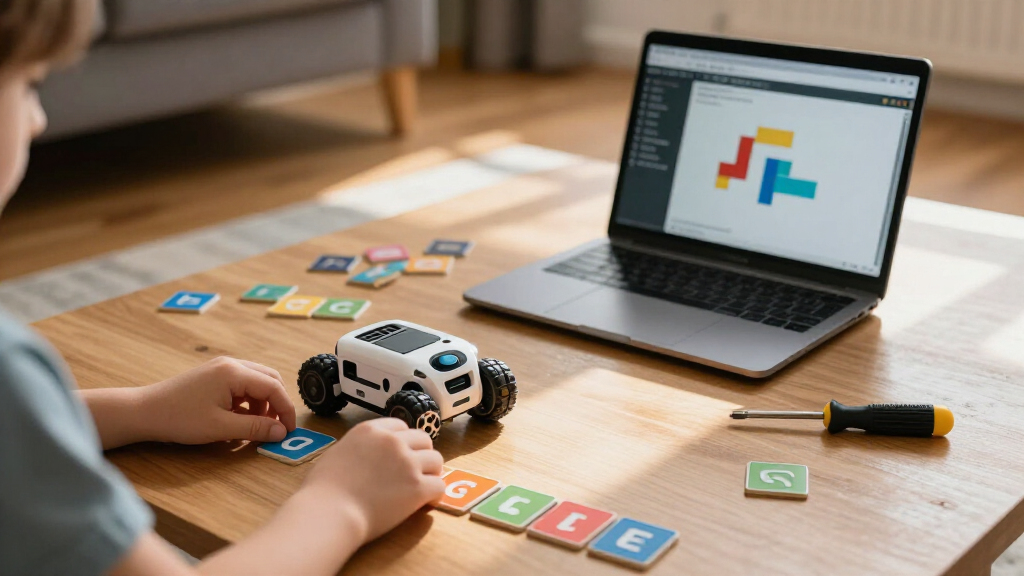
I evaluated each robot against five criteria: age-appropriate learning curve, coding depth over time, build and software quality, independence of play (how little adult help is needed), and durability. Robots that a child can engage with on day one but that also offer harder challenges months later scored highest, because the biggest failure mode in this category is a toy abandoned after a week. I also weighed how well the manufacturer’s app or interface is maintained, since a great robot with a buggy app becomes frustrating fast.
The ranking favors versatility and longevity: ready-to-play robots with layered curricula sit at the top, buildable STEM kits with real electronics follow for older kids, and single-concept robots round out the list as budget or starter picks. Duplicate variants of the same product family were consolidated in ranking logic and differentiated by their included accessories and age fit.
Factors to Consider When Choosing Coding Robots For Kids
Before choosing a coding robot, it helps to understand the landscape. The right pick depends less on the robot and more on your child’s age, patience level, and whether you’re willing to be involved.Screen-Free vs. App-Based Coding
The single biggest fork in this category is whether the robot requires a tablet or phone. Screen-free robots like Botley and the Code & Go Robot Mouse use physical buttons and simple command sequences, which makes them excellent for preschool and early elementary kids — and appealing to parents limiting screen time. The tradeoff is a hard ceiling: once a child masters sequencing and loops, there’s nowhere left to go. App-based robots like Dash, the mBot, and PYXEL use visual block coding (usually Scratch-based), which scales from drag-and-drop commands toward genuine programming logic. A common mistake is buying a screen-free robot for an eight-year-old who is already comfortable with tablets; that child will outgrow it within months. Match the interface to the child, not to your own preferences about screens.
Age Ratings Are Suggestions, Not Rules
Manufacturer age ranges in this category tend to be optimistic on the low end and pessimistic on the high end. A robot rated for ages 6-12 often frustrates a true six-year-old and bores a ten-year-old. I’d recommend buying toward the middle of the stated range for buildable kits like the ELEGOO car or Sillbird 5-in-1, because assembly steps labeled “ages 8+” frequently involve small parts, wiring, and fine motor work that younger kids can’t complete alone. Conversely, ready-to-play robots like Dash often engage kids slightly below the stated minimum because the entry-level apps are so simple. If you’re buying for a child at the boundary between two robots, choose the one with the higher challenge ceiling — kids grow into robots, but they rarely grow back into ones they’ve mastered.
Build-Yourself Kits Demand Adult Involvement
Kits like the ELEGOO UNO R3 Smart Car, Makeblock mBot, TEACH TECH Mech-5, and Thames & Kosmos Chameleon are genuinely educational partly because assembly is hard — building the robot is half the learning. But that means the purchase decision is really about your availability, not just your child’s ability. Expect one to three hours of assembly, occasional troubleshooting when something doesn’t work, and help interpreting instructions. If you want a robot your child can use independently while you cook dinner, buy a ready-built option like Dash, Botley, or PYXEL instead. The reward for the kit route is a much deeper understanding of electronics and mechanics, plus the pride of having built it — a payoff many kids remember far longer than the robot itself.
Block Coding, Arduino, and the Progression Question
Coding robots teach programming at three rough levels: button-press sequencing (Botley, Robot Mouse), visual block coding (Dash, mBot via Scratch, Ozobot Evo, PYXEL), and text-based Arduino/C++ coding (ELEGOO smart car, advanced mBot use). A common buying mistake is treating these as interchangeable. A child who has never sequenced commands may find block coding overwhelming, while a child who has already done Scratch at school will be bored by arrow-button robots. If your child has any coding exposure — from school, a coding app, or Minecraft mods — start at block coding minimum, and consider an Arduino-compatible kit around age 10-12. The mBot family is notable because it bridges both levels, starting in Scratch and unlocking Arduino code later.
Watch for Duplicate Variants and Bundle Traps
This roundup alone contains multiple versions of the same product: three Botley sets and two Robot Mouse sets, plus two mBot configurations. The differences usually come down to included accessories — extra arms, tiles, obstacle pieces, or expansion parts — rather than the robot itself. Before buying, check exactly what each variant includes and whether the accessories match how your child will actually play. A child who loves building obstacle courses gets real value from the larger activity sets; a child who just wants to program the robot will never touch the extra pieces. Also verify whether the kit includes batteries, a USB cable, or required tools, since missing components are a frequent frustration with budget kits like the BeAndge 6-in-1.
When to Pay More for Longevity
The price gap in this category reflects software ecosystems more than hardware. Wonder Workshop and Makeblock invest continuously in apps, challenges, and curriculum, which is why their robots stay engaging for years. Cheaper kits often have static apps or none at all — fine for a one-time build project, poor for ongoing play. My rule of thumb: if the robot is a gift for a child with sustained STEM interest, pay more for a supported ecosystem. If it’s an experiment to test whether the child likes robotics at all, a lower-cost buildable kit or screen-free starter is the smarter first investment — you can always upgrade once the interest proves real.
Frequently Asked Questions
Should I buy a screen-free coding robot or an app-based one for a 6-year-old?
For most six-year-olds, screen-free is the safer bet because it removes the tablet as a source of distraction and teaches sequencing through physical interaction. Robots like Botley 2.0 or the Code & Go Robot Mouse let a child see cause and effect directly: press the commands, watch the robot execute them, debug what went wrong. App-based robots like Dash or PYXEL aren’t wrong for this age — their entry-level modes are quite gentle — but they require a compatible device and a child who can resist switching apps. The practical middle path is starting screen-free at 5-6 and moving to a block-coding robot like Dash or Ozobot Evo around age 7-8, when the child begins reading independently.
Is the Makeblock mBot or the ELEGOO Smart Robot Car better for learning real coding?
They serve different stages. The ELEGOO UNO R3 car goes deeper into electronics — your child wires sensors, motors, and a camera module to an Arduino board and eventually works with C++ code — making it the stronger pick for ages 11 and up or for a parent-child project. The Makeblock mBot starts in Scratch-based block coding, which is far less intimidating for ages 8-10, and only later opens the door to Arduino programming. If your child has never coded before, the mBot’s gentle on-ramp will keep them engaged long enough to reach the advanced stage. If they’ve already done Scratch or Python at school, the ELEGOO kit offers more authentic engineering work per dollar.
Which coding robot needs the least parental supervision?
Ready-to-play robots are clearly the winners here: Wonder Workshop Dash, Botley, and PYXEL all work within minutes of unboxing with no assembly required. Dash and PYXEL need a paired tablet, but their apps are designed for independent child use, with voice hints and progressive challenges. Botley needs nothing but batteries. By contrast, every buildable kit in this category — ELEGOO, mBot, Sillbird, BeAndge, Mech-5, and the Coding Chameleon — assumes an adult nearby for assembly, small parts, and troubleshooting. If independent play is the priority, avoid any product with the word “kit” in the name.
What’s the difference between the different Botley and Robot Mouse versions?
The core robots are identical across variants; what changes is the accessory count. The base Botley includes the robot and a few cards, while the Activity Set versions add obstacle pieces, coding cards, tunnel accessories, and in Botley 2.0’s case, expanded features like LED lights and additional programming steps. Botley 2.0 also supports more complex sequences and object detection, making it the better long-term choice if the price difference is small. The Robot Mouse follows the same pattern: the standalone mouse is fine for playing on any floor surface, while the Activity Set adds a grid board and walls that make the maze-building challenges much more structured. If your child enjoys designing courses, the bigger sets earn their cost; if not, the base robots carry all the coding value.
At what age should a kid move from block coding to a real programming language?
Most kids are ready between ages 10 and 12, but interest matters more than age. Signs of readiness include finishing block-coding challenges quickly, asking how games “really” work, or tinkering beyond the app’s instructions. The transition is smoothest through products that bridge both worlds: the Makeblock mBot starts in Scratch and lets you edit the underlying Arduino code, and the ELEGOO smart car teaches C++ syntax directly with copy-ready example programs. Resist jumping to a text-only language too early — a child who is still enjoying block coding is still learning loops, conditionals, and debugging, which transfer completely. Pushing text coding before they’re ready is the fastest way to kill the interest entirely.
Conclusion
After comparing all 15 options, the right choice comes down to your child’s age and your involvement level. Best overall goes to the Wonder Workshop Dash — it combines instant playability with years of coding progression and the strongest app ecosystem in this lineup. Best value is the Code & Go Robot Mouse, which teaches core sequencing logic at the lowest cost, while the Makeblock mBot takes the value crown for older kids by bridging Scratch and Arduino in one purchase. Best for beginners is the Botley 2.0 Activity Set, the most complete screen-free package with room to grow within its format.
For best premium, the ELEGOO UNO R3 Smart Robot Car Kit V4 offers authentic electronics and camera-based projects that justify its steeper learning curve. By specific need: the Ozobot Evo suits space-constrained homes and travel, the PYXEL works well as a gentle second robot with a pet-like appeal, the Sillbird 5-in-1 and BeAndge 6-in-1 fit builders who want rebuildable variety, the TECH TECH Mech-5 teaches mechanical coding without any screen, and the Thames & Kosmos Coding Chameleon rewards patient kids who like craft-style projects. Whatever you pick, match the robot to the child in front of you today — not the engineer you hope they’ll become — and you’ll get the most from any of these.
Fall Picks
fall essentials
As an affiliate, we earn on qualifying purchases.