
📊 Full opportunity report: Effective Desktop Automation Strategies With Watch-Once Commands on IdeaNavigator AI — validation score, market gap, and execution plan.

Prime made for students and young adults
- Fast, free delivery for dorm and study essentials
- Prime Video and Amazon Music included
- Member-only deals
TL;DR
Watch-once spoken commands enable users to record desktop workflows that can be replayed automatically. This approach offers a new, accessible way to automate repetitive tasks without scripting, promising significant efficiency gains for power users.
Effective desktop automation strategies using watch-once spoken commands are emerging as a practical solution for power users who spend hours on repetitive desktop chores. This new approach allows users to record a workflow once and then replay it through a spoken command, reducing manual effort and minimizing setup friction. The development is based on advances in screen-understanding models that can generalize workflows after a single demonstration, making automation more accessible and trustworthy.
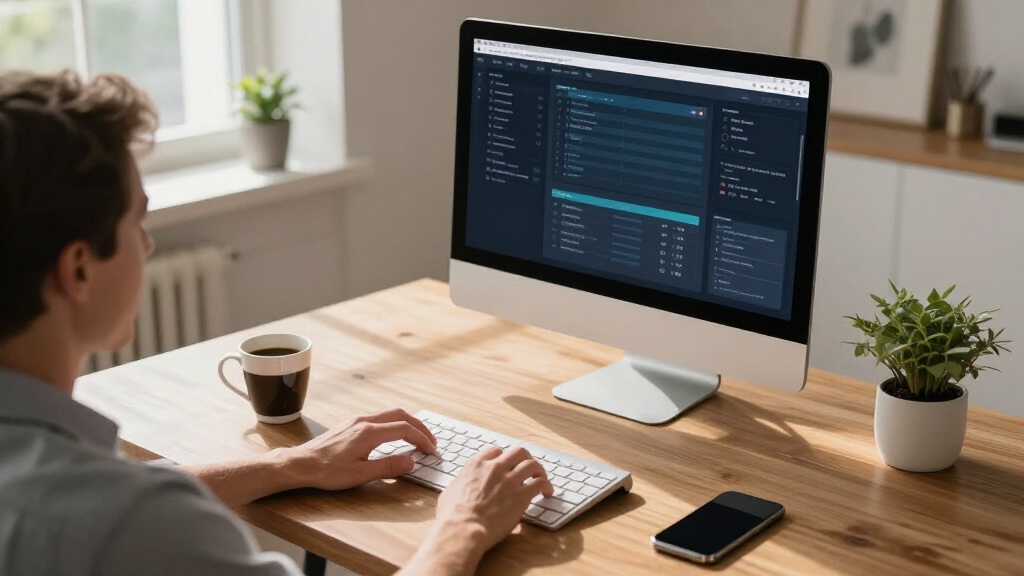
The core innovation involves capturing a user’s desktop workflow—clicks, file manipulations, data transfers—and converting it into a spoken command that can be replayed on demand. During playback, the system displays each step, pauses for user approval when necessary, and can roll back to a safe checkpoint if a step misfires. This process eliminates the need for scripting or brittle hotkey setups, which have traditionally hindered automation adoption among non-programmers.
According to an anonymous researcher from IdeaNavigator AI, this method addresses the common pain point: the gap between a task done daily and its automation. Scripting demands syntax knowledge, and hotkey apps often require complex configurations that discourage frequent use. By contrast, watch-once commands provide a straightforward, visual, and interactive way to automate workflows, making automation accessible to a broader range of users.
The initial MVP (minimum viable product) aims to handle five common workflow archetypes, including batch renaming or resizing files, report reformatting, and data transfer between applications. The goal is to ship a beta version and measure weekly retention among about 200 power users, focusing on how well this method reduces time spent on repetitive tasks and how easily users adopt the new system.
Why Watch-Once Commands Transform Desktop Productivity
This development matters because it offers a practical, low-friction pathway for power users to automate routine desktop tasks without deep scripting knowledge. By enabling recording and replay through natural language commands, it reduces setup time and increases adoption of automation tools. This can lead to significant productivity gains, especially for professionals who currently spend hours on repetitive chores, freeing their time for more strategic work. Moreover, it democratizes automation, making it accessible to users who find traditional scripting or hotkey-based tools too complex or brittle.
Market analysts suggest that this approach could reshape desktop productivity software, creating a new segment focused on ‘prosumer’ tools that combine ease of use with powerful automation. The subscription model, including team tiers for shared workflows, could generate revenue while fostering collaborative workflow libraries. As screen-understanding models improve, the reliability and complexity of workflows that can be automated are expected to grow, further expanding the potential impact.
As an affiliate, we earn on qualifying purchases.
Background on Desktop Automation and Emerging Technologies
Traditional desktop automation relies heavily on scripting languages like AutoHotkey or automation platforms like UIPath, which require technical expertise and often involve complex setup processes. These barriers have limited widespread adoption among non-technical users, despite the clear productivity benefits.
Recent advances in AI-driven screen-understanding models have made it possible to recognize and generalize user workflows after a single demonstration. Companies and developers are exploring how to leverage these models to create more intuitive automation experiences. The concept of watch-once commands builds on this technological progress, aiming to simplify automation by allowing users to record a workflow once and then replay it through spoken commands.
Initial prototypes and early testing suggest that this approach can handle common repetitive tasks effectively, with visible step-by-step replay and rollback options increasing user trust. The market for desktop automation tools remains competitive, but the focus on ease of use and immediate value could carve out a significant niche for watch-once commands in the coming years.
As an affiliate, we earn on qualifying purchases.
Unresolved Questions About Reliability and Adoption
It remains unclear how well the watch-once command system will perform across diverse workflows and complex tasks. Early prototypes show promise, but real-world testing on a broader user base is needed to confirm reliability, especially in scenarios involving sensitive data or multi-step processes. Additionally, the extent to which users will trust and adopt this new form of automation, replacing traditional scripting or hotkey setups, is still uncertain. The success of the beta rollout and user feedback will be critical in determining the viability of this approach.
As an affiliate, we earn on qualifying purchases.
Next Steps for Development and Market Validation
The immediate next step is to launch a beta version handling five common workflow archetypes, with a target of engaging around 200 power users. The focus will be on measuring weekly retention, ease of use, and time savings. Based on feedback, developers will refine the system’s robustness, expand workflow support, and improve user interface elements. If successful, a broader rollout could follow, along with potential integrations into existing productivity suites. Monitoring user adoption and satisfaction will determine the long-term viability and potential expansion of watch-once commands in desktop automation.
screen understanding automation software
As an affiliate, we earn on qualifying purchases.
As an affiliate, we earn on qualifying purchases.
Key Questions
How does watch-once command recording differ from traditional scripting?
Watch-once commands record a workflow through visual interaction, converting it into a spoken command that can be replayed. Unlike scripting, which requires syntax knowledge and complex setup, this method is more intuitive and interactive, focusing on visual step-by-step replay and approval.
What types of tasks can this system automate?
The initial focus is on common repetitive tasks such as batch renaming or resizing files, report reformatting, and data transfer between applications. Future support may include more complex workflows as the technology matures.
Will this require internet access or cloud connectivity?
Early prototypes are designed to run locally on the desktop, with no mandatory cloud dependency. However, cloud features for shared workflow libraries or updates could be added later.
How secure is this automation method for sensitive data?
Since workflows are recorded and replayed locally, the system is expected to be secure for sensitive data. Developers will need to implement best practices for data privacy and security before wider deployment.
When can users expect to try the beta version?
The beta rollout is targeted for the coming months, with initial testing focusing on a small group of power users to refine functionality before broader release.
Source: IdeaNavigator AI
Fall Picks
fall essentials
As an affiliate, we earn on qualifying purchases.