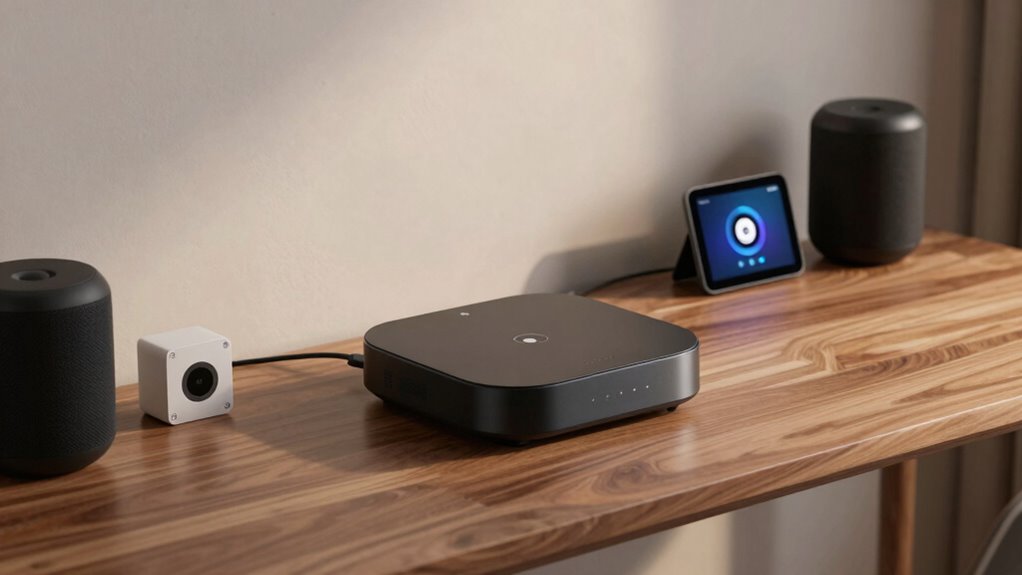

Smart home hubs serve as the central control point for connected devices, simplifying automation and management. The best options balance compatibility, ease of use, and expandability. The Aeotec Smart Home Hub2 stands out as the top overall pick thanks to its broad protocol support and Matter integration. The Hubitat Elevation C-8 Pro offers advanced automation for tech-savvy users, while the Amazon Echo Hub provides a user-friendly experience with built-in voice control. However, choosing the right hub involves tradeoffs between complexity, compatibility, and price. Keep reading to find out which model best fits your needs.

Prime made for students and young adults
- Fast, free delivery for dorm and study essentials
- Prime Video and Amazon Music included
- Member-only deals
Key Takeaways
- The top-ranked hubs combine broad protocol support (Zigbee, Z-Wave, Matter) with user-friendly interfaces.
- Compatibility with popular voice assistants like Alexa and Google Assistant remains a key factor for many buyers.
- Advanced automation features are more prominent in hubs like amazon.com/dp/B0CR4G1G8M?tag=thegeniusfactory-20&ascsubtag=dc-947348″ target=”_blank” rel=”nofollow sponsored noopener”>Hubitat and Home Assistant Green, appealing to power users.
- Built-in displays or panels, such as the Eufy Smart Display E10 and Echo Hub, enhance control but add cost and complexity.
- Price varies widely, with premium hubs offering more features but not always better value for casual users.
| Aeotec Smart Home Hub2 – V4, SmartThings Hub, Zigbee, Matter Gateway, Compatible with Alexa and Google Assistant |  | Best Overall Smart Home Hub | Supported Standards: Zigbee, Matter | Connectivity: Wi-Fi, Ethernet | Compatibility: Alexa, Google Assistant | VIEW ON AMAZON | See Our Full Breakdown |
| eufy Security eufy Smart Display E10, 8″ Control Panel |  | Best for Visual Monitoring and Security Integration | Display Size: 8 inches | Control Panel: Touchscreen | Storage: Local storage for video playback | VIEW ON AMAZON | See Our Full Breakdown |
| Hubitat Elevation C-8 Pro Smart Home Hub – Z-Wave, Zigbee, Matter |  | Best for Larger Homes and Local Response | Dimensions: 3.23 x 2.95 x 0.67 inches | Weight: 0.16 lbs | Protocols Supported: Matter 1.5, Z-Wave 800 Series with Long Range, Zigbee 3.0, Bluetooth | VIEW ON AMAZON | See Our Full Breakdown |
| Home Assistant Green – Smart Home Hub with Advanced Automation |  | Best for Custom Automation Enthusiasts | Processor: Quad-core | Storage: 32GB | RAM: 4GB | VIEW ON AMAZON | See Our Full Breakdown |
| Aqara Smart Home Hub M3 with Matter Support, Zigbee, Thread, IR Blaster, and PoE |  | Best for Versatile Protocol Support and IR Control | Protocols Supported: Zigbee, Thread, Matter, Bluetooth, Wi-Fi | Device Capacity: 127 Zigbee and 127 Thread devices | Connectivity: Wired PoE, USB-C; Wireless 2.4/5 GHz Wi-Fi | VIEW ON AMAZON | See Our Full Breakdown |
| Amazon Echo Hub (newest model), 8″ Smart Home Control Panel with Alexa+ |  | Best Overall Smart Home Control Panel | Display Size: 8 inches | Compatibility: WiFi, Bluetooth, Zigbee, Matter, Sidewalk, Thread | Control: Smart home devices, cameras, routines, media | VIEW ON AMAZON | See Our Full Breakdown |
| smart home hub | Connectivity | Storage |
|---|---|---|
| Aeotec Smart Home Hub2 | Wi-Fi, Ethernet | — |
| eufy Security eufy Smart Displ | — | Local storage for video playback |
| Hubitat Elevation C-8 Pro Smar | — | — |
| Home Assistant Green | USB expandability with Z-Wave, Zigbee, Thread | 32GB |
| Aqara Smart Home Hub M3 with M | Wired PoE, USB-C; Wireless 2.4/5 GHz Wi-Fi | 8GB encrypted local storage |
| Amazon Echo Hub | — | — |
More Details on Our Top Picks
Aeotec Smart Home Hub2 – V4, SmartThings Hub, Zigbee, Matter Gateway, Compatible with Alexa and Google Assistant
This option stands out for supporting the latest standards like Matter and Zigbee, making it ideal for integrating a wide range of devices. Its dual connectivity via Wi-Fi or Ethernet simplifies setup compared to hubs that rely solely on Wi-Fi, and local processing ensures automations continue during internet outages. Unlike the Hubitat Elevation C-8 Pro, it doesn’t support Z-Wave, which could be a limitation for users with Z-Wave devices already in their ecosystem. The absence of Z-Wave support means some device options may require additional hubs, adding complexity. This pick makes the most sense for homeowners seeking broad device compatibility and reliable automation that works offline.Pros:- Supports the latest Matter and Zigbee standards for broad compatibility
- Easy setup with Wi-Fi or Ethernet connection
- Local processing enables automations to run offline
Cons:- Does not support Z-Wave devices, limiting integration options
- Requires a compatible ecosystem for full functionality
Best for: Homeowners who want a versatile, future-proof hub supporting both Zigbee and Matter standards with easy setup.
Not ideal for: Users with a large Z-Wave device collection, since this hub doesn’t support Z-Wave directly.
- Supported Standards:Zigbee, Matter
- Connectivity:Wi-Fi, Ethernet
- Compatibility:Alexa, Google Assistant
- Supports Z-Wave:No
Our verdict“Ideal for users seeking a straightforward, reliable hub that emphasizes compatibility and offline automation.”
eufy Security eufy Smart Display E10, 8″ Control Panel
The eufy Smart Display E10 excels in providing a dedicated visual control point for security, with instant live feeds, facial recognition, and local storage, making it perfect for monitoring loved ones or packages. Compared to the Home Assistant Green, it offers a more intuitive touchscreen interface without requiring setup via Ethernet, although it lacks detailed info on compatibility with other smart devices, which could limit its versatility. Its four-view display is especially useful for multi-camera setups, but it doesn’t seem weather-resistant or suitable for outdoor use. This device makes sense for households prioritizing easy-to-use security monitoring with clear visuals and quick alerts.Pros:- Instant live video feeds and alerts for quick response
- Four-view display enables comprehensive monitoring
- Local storage supports immediate video playback
Cons:- Limited details on compatibility with other smart devices
- No outdoor or weather-resistant features
Best for: Families wanting a simple, dedicated security hub with visual monitoring and facial recognition.
Not ideal for: Tech-savvy users looking for extensive automation or integration beyond security monitoring.
- Display Size:8 inches
- Control Panel:Touchscreen
- Storage:Local storage for video playback
- Recognition Features:Facial and package recognition
Our verdict“Best suited for users needing an easy-to-operate security monitor with visual feeds and recognition features.”
Hubitat Elevation C-8 Pro Smart Home Hub – Z-Wave, Zigbee, Matter
The Hubitat Elevation C-8 Pro distinguishes itself through robust local processing and support for multiple protocols like Z-Wave, Zigbee, and Matter, making it ideal for larger, more complex homes that demand faster responses. Its external antennas extend wireless range, unlike the more compact Aeotec Hub2, but setup can be intimidating for less technical users, especially given the need for manual configuration. While it offers broad ecosystem compatibility with Alexa, Google, and Apple, some users may find it less user-friendly. This hub is best for those who prioritize privacy, speed, and extensive protocol support over simplicity.Pros:- Supports Z-Wave, Zigbee, and Matter for extensive device compatibility
- Extended range with external antennas for larger homes
- Local processing ensures quick response and privacy
Cons:- Setup may be complex for non-technical users
- Limited device compatibility without additional hubs for some devices
Best for: Tech-savvy homeowners with large properties needing reliable, fast automations with multiple protocols.
Not ideal for: Beginners or users seeking a plug-and-play experience, as setup may be complex.
- Dimensions:3.23 x 2.95 x 0.67 inches
- Weight:0.16 lbs
- Protocols Supported:Matter 1.5, Z-Wave 800 Series with Long Range, Zigbee 3.0, Bluetooth
- External Antennas:2
Our verdict“Ideal for advanced users managing large, multi-protocol smart homes with a focus on speed and privacy.”
Home Assistant Green – Smart Home Hub with Advanced Automation
Home Assistant Green offers powerful automation capabilities with a fanless, quiet design and a quad-core processor, making it a prime choice for users comfortable with DIY setups. Its support for Z-Wave, Zigbee, and Thread via USB allows for flexible expandability, but it requires an Ethernet connection for initial setup, which can be a hurdle for some. The 32GB storage limits its capacity for extensive device integrations, yet the open-source nature and continuous updates make it appealing for those who want full control over their smart home. Unlike plug-and-play hubs, this choice favors customization over simplicity.Pros:- Pre-installed with Home Assistant for easy initial setup
- Supports multiple protocols for expandability
- Fanless, silent operation keeps home quiet
Cons:- Requires Ethernet for setup, limiting flexibility
- Limited storage for extensive integrations
Best for: Experienced users seeking a customizable, local-control hub with advanced automation features.
Not ideal for: Beginners or those without stable Ethernet connections, as setup can be more involved.
- Processor:Quad-core
- Storage:32GB
- RAM:4GB
- Connectivity:USB expandability with Z-Wave, Zigbee, Thread
Our verdict“Best for users who want a customizable, privacy-focused hub with advanced automation capabilities.”
Aqara Smart Home Hub M3 with Matter Support, Zigbee, Thread, IR Blaster, and PoE
The Aqara M3 combines Zigbee, Thread, and Matter, offering a flexible platform for integrating diverse devices, with the added benefit of a built-in IR blaster for controlling traditional remote devices. Its support for PoE simplifies installation in many locations, and local encrypted storage enhances privacy. Compared to the Hubitat, it offers broader protocol support and a user-friendly approach, but placement distance from the router (6-19 feet) can be restrictive, and the power adapter isn’t included, requiring an extra purchase. This hub is perfect for those wanting a multi-protocol, all-in-one device with IR control and flexible placement.Pros:- Supports Zigbee, Thread, and Matter for broad compatibility
- Built-in IR blaster for traditional remote control
- Supports PoE for flexible installation
Cons:- Placement distance from router affects connectivity
- Power adapter sold separately
Best for: Homeowners looking for a versatile, multi-protocol hub with IR control and PoE installation options.
Not ideal for: Users needing a plug-and-play setup or with limited space for optimal placement away from the router.
- Protocols Supported:Zigbee, Thread, Matter, Bluetooth, Wi-Fi
- Device Capacity:127 Zigbee and 127 Thread devices
- Connectivity:Wired PoE, USB-C; Wireless 2.4/5 GHz Wi-Fi
- Storage:8GB encrypted local storage
- Additional Features:IR Blaster, local automations
Our verdict“Best suited for users who want a multi-protocol, versatile hub with IR control and flexible placement options.”
Amazon Echo Hub (newest model), 8″ Smart Home Control Panel with Alexa+
The Amazon Echo Hub stands out for its user-friendly interface and extensive compatibility, making it ideal for households seeking a centralized control point. Its 8-inch display offers a clear, customizable dashboard that simplifies managing multiple smart devices, more so than the smaller screens on some competitors like the eufy Security eufy Smart Display E10. The Hub’s support for WiFi, Bluetooth, Zigbee, Matter, Sidewalk, and Thread ensures broad device compatibility, but this versatility comes with a tradeoff: setup can be complex for users unfamiliar with smart home ecosystems. Privacy features such as a mic off button and thoughtful use of recycled materials make it appealing for eco-conscious buyers, though it requires separate purchases for accessories like wall mounts and a Ring subscription for full security features. Compared to dedicated hubs like the Hubitat Elevation C-8 Pro, it offers a more intuitive experience but may lag in advanced automation capabilities for power users.
Pros:- Customizable dashboard for personalized control
- Supports a wide array of smart home protocols including Zigbee and Thread
- Privacy features like mic off button and privacy controls
- Constructed from sustainable, recycled materials
Cons:- Requires separate purchase for wall mounts and accessories
- Full security features depend on a Ring subscription
- Setup can be complex for less experienced users
Best for: Tech-savvy homeowners who want a flexible, all-in-one control panel with a focus on privacy and environmental sustainability.
Not ideal for: Users seeking a plug-and-play setup or a device with built-in security subscriptions without additional costs.
- Display Size:8 inches
- Compatibility:WiFi, Bluetooth, Zigbee, Matter, Sidewalk, Thread
- Control:Smart home devices, cameras, routines, media
- Privacy Features:Mic off button, privacy controls
- Materials:27% recycled materials
- Packaging:97% recycled or responsibly sourced
Our verdict“This pick is best suited for homeowners who value broad compatibility, privacy, and sustainability, and are comfortable with some setup complexity.”

How We Picked
The products in this roundup were evaluated based on their protocol support, ease of setup, user interface, automation capabilities, build quality, and overall value. We prioritized hubs that support popular standards like Zigbee, Z-Wave, and Matter, ensuring broad device compatibility. Ease of use and integration with voice assistants were also key factors, as many buyers seek a seamless smart home experience without technical headaches. The ranking reflects a balance between advanced features for power users and straightforward options for beginners, with consideration for price and future-proofing.| smart home hub | Connectivity |
|---|---|
| Aeotec Smart Home Hub2 | Wi-Fi, Ethernet |
| eufy Security eufy Smart Displ | — |
| Hubitat Elevation C-8 Pro Smar | — |
| Home Assistant Green | USB expandability with Z-Wave, Zigbee, Thread |
| Aqara Smart Home Hub M3 with M | Wired PoE, USB-C; Wireless 2.4/5 GHz Wi-Fi |
| Amazon Echo Hub | — |
Factors to Consider When Choosing Smart Home Hubs
Choosing the right smart home hub involves more than just feature lists. It’s essential to consider your existing device ecosystem, desired automation complexity, and how much you’re willing to spend. The following factors will help you evaluate which hub best suits your needs, avoiding common pitfalls like compatibility issues or overspending on unnecessary features.Compatibility and Protocol Support
Ensure your chosen hub supports the communication protocols used by your existing or planned devices. Zigbee and Z-Wave are the most common standards, but Matter support is becoming increasingly important for future-proofing. A hub that supports multiple protocols offers greater flexibility and reduces the risk of needing replacement as your smart home grows.
Ease of Use and Interface
Consider how intuitive the hub’s setup process and interface are. Some hubs, like the Amazon Echo Hub, provide streamlined setup with voice control, ideal for beginners. Others, like Home Assistant Green, cater to users comfortable with more technical configuration but offer greater customization. Avoid hubs that require extensive technical knowledge if simplicity is a priority.
Automation and Integration Features
Look for hubs that offer robust automation options, including rules, routines, and advanced scripting. Compatibility with voice assistants can simplify control, but deeper automation capabilities are crucial for complex setups. Power users should prioritize hubs like Hubitat or Home Assistant Green, while casual users may prefer integrated panels with straightforward controls.
Build Quality and Expandability
A well-built hub with reliable connectivity ensures consistent operation. Consider whether the hub supports PoE (Power over Ethernet) for stable power or has a dedicated app for updates and troubleshooting. Future expandability, through firmware updates or additional modules, can extend the lifespan of your investment.
Price and Value
Hubs vary significantly in cost, from budget-friendly options to premium models with extensive features. Price should align with your intended use—casual users may not need the most advanced automation, while enthusiasts should consider investing in more capable, future-proof hubs. Always weigh features against the cost to ensure good value for your specific needs.
Frequently Asked Questions
Can I use multiple smart home hubs in my setup?
Using multiple hubs is possible but generally not recommended unless you have a highly complex setup requiring different protocols or specific device management. Most smart home ecosystems are designed to work best with a single, central hub that supports all your devices. Managing multiple hubs can introduce complexity and syncing challenges, so consider a single hub with broad protocol support first.
Is Matter support essential for my smart home hub?
Matter support is increasingly important because it promises greater device interoperability across brands and ecosystems. While not all devices or hubs currently support Matter, choosing a hub with this feature can future-proof your setup and reduce compatibility issues down the line. For now, ensure your existing devices are supported, but prioritize hubs that plan to incorporate Matter soon.
Do I need a display or control panel on my smart home hub?
Displays and control panels can make managing your smart home more convenient, especially for quick access or local control, but they also add cost and complexity. If you prefer voice control or app-based management, a hub without a display may suffice. However, if you want a dedicated control point in a common area, a display-equipped hub like the Eufy Smart Display E10 or Echo Hub can enhance usability.
Are more expensive hubs worth the extra cost?
Higher-priced hubs often include advanced automation features, better build quality, and broader protocol support. Whether they are worth it depends on your needs—casual users might find a budget-friendly hub sufficient, while enthusiasts or those with complex setups will benefit from the additional features. Evaluate your automation goals and device ecosystem before investing in a premium hub.
How important is user interface and app design when choosing a hub?
The user interface and app design greatly influence your overall experience. A well-designed app reduces setup time, simplifies device management, and makes automation adjustments more accessible. If you plan to interact with your hub frequently, prioritize options known for intuitive interfaces, like Amazon Echo Hub or Eufy Smart Display E10, especially if you’re less comfortable with technical configurations.
Conclusion
For most users seeking a reliable, easy-to-use experience, the Amazon Echo Hub offers seamless voice integration and straightforward control, making it ideal for beginners. Tech enthusiasts or those with complex setups will appreciate the Hubitat Elevation C-8 Pro or Home Assistant Green for their automation flexibility. If you prioritize compatibility with the latest standards and future-proofing, the Aeotec Smart Home Hub2 stands out as the best overall choice. Budget-conscious buyers should consider the eufy Smart Display E10 for its integrated control panel at a lower price point. Match your choice to your comfort level, device ecosystem, and automation ambitions to make the best decision.
As an affiliate, we earn on qualifying purchases.Fall Picks
fall essentials