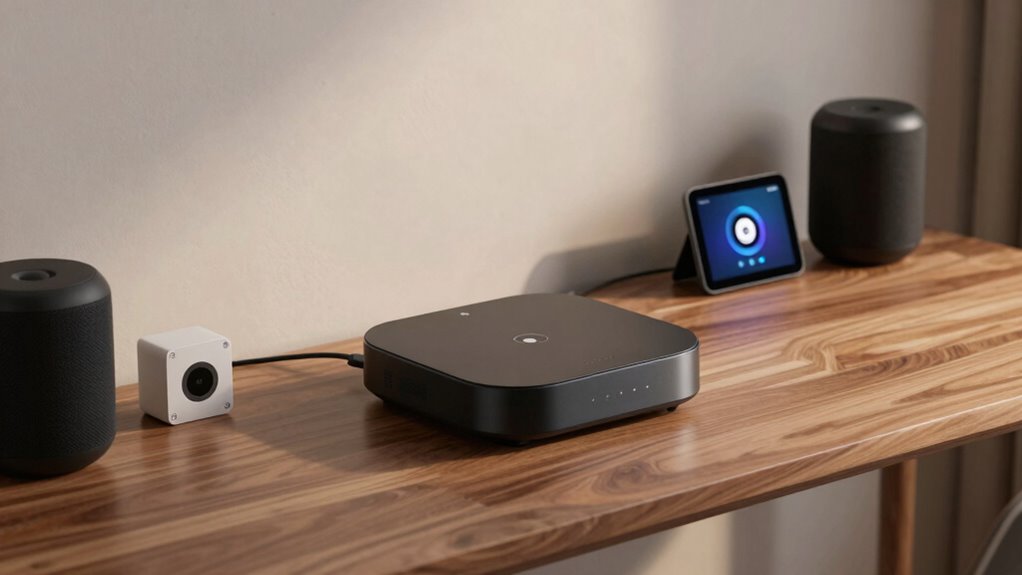

Smart home hubs seem easy at first, with simple controls and voice commands. But when you try to connect all your devices, compatibility issues often pop up. Different protocols like Zigbee, Z-Wave, and Wi-Fi can cause devices to respond inconsistently or not at all. Troubleshooting, firmware updates, and choosing the right hub make everything more complicated. Want to discover how to make your smart home truly work seamlessly? Keep going to find out more.
Key Takeaways
- Smart home hubs appear straightforward but can become complex when integrating multiple devices with different protocols.
- Compatibility issues arise when devices use varying protocols like Zigbee, Z-Wave, or Wi-Fi.
- Proper setup, firmware updates, and protocol support are essential for seamless device communication.
- Voice control adds convenience but may face challenges due to recognition errors or delays.
- Regular software updates ensure ongoing compatibility and easier integration of new devices over time.

Have you ever wondered how to simplify managing all your smart devices? It seems straightforward at first—plug in a hub, connect your gadgets, and you’re good to go. But the moment you want everything to work seamlessly, things get complicated. Smart home hubs promise to bring order to the chaos, but their real challenge lies in ensuring smooth device compatibility and offering easy voice control. Without these, your smart home can quickly turn into a frustrating maze of disconnected gadgets.
When you set up a smart home hub, you expect it to act as the central command center, letting you control everything with a few taps or voice commands. Voice control is a game-changer because it means you don’t have to juggle multiple apps or interfaces. Instead, you can simply ask your smart speaker or hub to turn on the lights, adjust the thermostat, or lock the doors. But for this to work smoothly, your devices need to be compatible with the hub’s ecosystem. If your smart bulbs, security cameras, or smart locks don’t support the same protocols or standards, they won’t communicate effectively. That’s where device compatibility becomes critical. You might find yourself frustrated when some devices respond to voice commands, while others ignore them entirely, forcing you to revert to manual controls or separate apps.
The reality is, many smart home hubs support a variety of protocols—like Zigbee, Z-Wave, or Wi-Fi—yet not all devices are compatible across these platforms. This inconsistency can lead to confusion and a sense that your smart home isn’t as “smart” as you hoped. You could spend hours troubleshooting, updating firmware, or replacing devices just to get everything talking to each other. That’s why it’s essential to choose a hub that supports your existing devices and future upgrades. Additionally, understanding device protocols is crucial for building a reliable smart home setup. Proper protocol support helps ensure your devices can communicate effectively and reduces setup headaches. Investing in a smart hub with broad compatibility can save you time and frustration in the long run. Furthermore, choosing a hub with regular software updates can help maintain security and compatibility as new devices and standards emerge. Having a clear understanding of these protocols can also help you plan for future device integration, making your smart home more adaptable over time.
Even with a compatible hub and voice control, you might encounter delays or misinterpretations. Voice commands aren’t always perfect, especially if your accent or pronunciation isn’t recognized well. When commands don’t go through as expected, you might feel like your smart home isn’t reliable. To avoid this, it’s best to set up routines and custom commands that streamline your daily tasks.
Ultimately, smart home hubs look simple on the surface, but making everything work together takes some effort. Ensuring device compatibility and leveraging voice control effectively can transform your home into a truly connected space. But be prepared for some initial setup and troubleshooting, because achieving harmony among your gadgets is worth the effort.

Aeotec Smart Home Hub, Works as a SmartThings Hub, Z-Wave, Zigbee, Matter Gateway, Compatible with Alexa, Google Assistant, WiFi
Connect & control your smart home — Easily link thousands of compatible devices from leading brands to create…
As an affiliate, we earn on qualifying purchases.
As an affiliate, we earn on qualifying purchases.
Frequently Asked Questions
How Secure Are Smart Home Hubs Against Hacking?
Smart home hubs can be fairly secure, but hacker vulnerabilities exist if you don’t take proper precautions. They often use encryption protocols to protect your data, but outdated firmware or weak passwords can still be exploited. To keep your system safe, regularly update software, enable two-factor authentication, and use strong, unique passwords. Staying vigilant minimizes risks and helps guarantee your smart hub remains secure against potential hacking threats.
Can a Smart Home Hub Replace All Individual Devices?
A smart home hub can replace many individual devices by centralizing device integration, but it might not cover all functionalities or brands. You’ll benefit from a streamlined user interface, making control easier. However, for specialized tasks or unique devices, you may still need standalone gadgets. While hubs simplify management, confirm they support your devices’ compatibility to fully replace individual smart devices effectively.
What Is the Average Setup Time for a Smart Home Hub?
The average setup time for a smart home hub is around 30 minutes to an hour, depending on your devices and familiarity. During setup, you’ll connect the hub to Wi-Fi, install the app, and configure voice control. Once done, you’ll enjoy seamless energy efficiency and easy voice control across all devices. Keep in mind, integrating multiple devices may extend setup, but the convenience makes it worthwhile.
How Do Smart Home Hubs Handle Software Updates?
Imagine your smart home hub as your trusty steed—updates keep it running smoothly. It handles software updates automatically, often during off-peak hours, so you won’t notice a thing. The user interface usually displays progress, and voice control commands might even pause momentarily. Once done, your devices seamlessly reconnect, ensuring everything works together effortlessly. This keeps your smart home running smoothly, much like a well-orchestrated symphony.
Are There Compatibility Issues With Different Smart Devices?
Compatibility issues can arise with different smart devices, especially if they’re from various brands. You might find that some devices don’t integrate seamlessly due to differing protocols or standards. To avoid frustration, choose a smart home hub known for strong device compatibility and brand integration. Always check device specifications and supported protocols before purchasing, ensuring your hub can handle all your devices and maintain smooth communication across your smart home ecosystem.
Aeotec Smart Home Hub, Works as a SmartThings Hub, Z-Wave, Zigbee, Matter Gateway, Compatible with Alexa, Google Assistant, WiFi
Connect & control your smart home — Easily link thousands of compatible devices from leading brands to create…
As an affiliate, we earn on qualifying purchases.
As an affiliate, we earn on qualifying purchases.
Conclusion
In the end, a smart home hub might seem like a simple magic box, but it’s really the conductor of a symphony that keeps your entire house humming smoothly. When everything works seamlessly, it’s almost like controlling the universe from your fingertips. But don’t be fooled—the real challenge is making all those devices dance together perfectly. With patience and the right hub, you’ll turn your home into a futuristic oasis where convenience reigns supreme—truly a marvel of modern living.
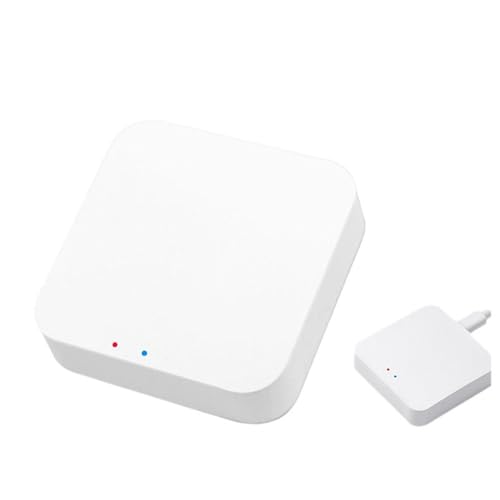
Coolwinds Zigbee 3.0 and Bluetooth Hub Gateway Matter Smart Home Hub Voice Control Via Compatible with Alexa & Google Home Intelligent Bridge Remote Controller(1 PC
APP & Voices Control: Adding devices, device reset, third-party control and group control to meet the needs of…
As an affiliate, we earn on qualifying purchases.
As an affiliate, we earn on qualifying purchases.

Hubitat Elevation C-8 Pro Smart Home Automation Hub – Latest Platform Updates – Matter 1.5, Z-Wave 800 LR, Zigbee 3.0 & Bluetooth – Local Control (No Cloud) – Alexa, Apple HomeKit & Google Home
POWERFUL SMART HOME PERFORMANCE – EVEN WITHOUT INTERNET Hubitat C-8 Pro runs automations inside your home instead of…
As an affiliate, we earn on qualifying purchases.
As an affiliate, we earn on qualifying purchases.