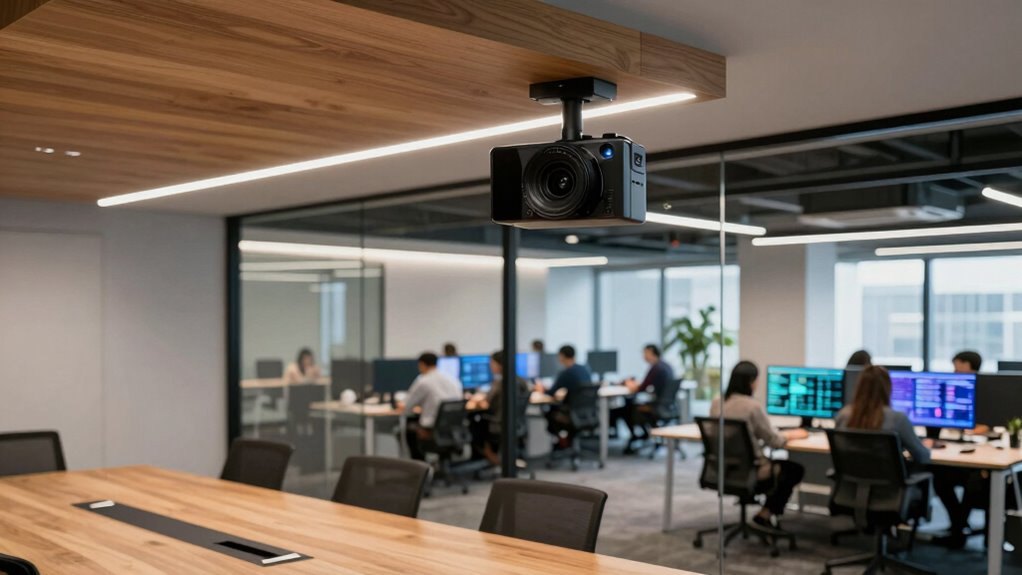

Choosing the right conference room camera can significantly enhance your meeting quality, whether for remote presentations or team collaboration. The best overall pick is the Yealink 4K Video Conference Camera System, known for its sharp image quality and reliability. For those prioritizing auto-tracking features, the TONGVEO All-in-One System offers impressive flexibility, while budget-conscious buyers should consider options like the Logitech MeetUp for solid performance at a lower price point. These choices highlight key tradeoffs: advanced features versus ease of use, and high-end versus budget-friendly options. Continue reading to see how these and other models stack up for your conference needs.

Prime made for students and young adults
- Fast, free delivery for dorm and study essentials
- Prime Video and Amazon Music included
- Member-only deals
Key Takeaways
- Auto-tracking and AI features significantly improve meeting fluidity but often come at a higher price.
- 4K resolution is increasingly common and offers better clarity, especially in larger rooms or for detailed visuals.
- Ease of setup and user-friendly controls are vital for quick deployment, especially in smaller or shared spaces.
- Microphone quality and coverage are just as important as the camera for clear audio-visual communication.
- Price ranges vary widely, with premium models offering more advanced features, while budget options still provide solid basic performance.


| conference room camera | Connectivity | Resolution | Field of view | Microphones |
|---|---|---|---|---|
| TONGVEO All-in-One Conference | USB3.0, HDMI, Bluetooth 5.0 | 1080p HD | 114° | — |
| 4K Conference Room Camera Syst | HDMI, USB 3.0, Bluetooth | — | — | 4 omnidirectional |
| TONGVEO 4K Conference Room Cam | USB3.0, RS232, RS485, Bluetooth | 4K UHD 30fps | 120° | 2 stereo, noise reduction |
| Yealink 4K Video Conference Ca | USB-B to USB-A, 7 meters | 4K Ultra HD | 120° | — |
| Logitech BCC950 Desktop Video | USB | — | — | — |
| Owl Labs Meeting Owl 3 | USB plug-and-play | — | 360° | — |
| 4K AI-Powered Conference Webca | USB | 4K | 120° | Dual noise-canceling |
| Logitech MeetUp Video Conferen | USB | 4K Ultra HD | 120° | 3 beamforming microphones |
| TONGVEO 3-in-1 4K Webcam with | USB 2.0/3.0 | 3840×2160 at 30fps | — | — |
| TOUCAN 360-Degree Video Confer | USB | 1080p HD | — | 4 noise reduction |
More Details on Our Top Picks
TONGVEO All-in-One Conference Room Video Camera System with Auto-Tracking, HD 1080P, 3X Optical Zoom, USB3.0, HDMI, and Bluetooth Conference Speakerphone
This all-in-one system stands out for its seamless integration of a full HD 1080p auto-tracking PTZ camera with a versatile Bluetooth speakerphone, making it ideal for small to medium sized rooms. Compared with the Yealink 4K Video Conference Camera, it offers slightly lower resolution but compensates with auto-tracking and a more straightforward setup. The wired PTZ camera may limit placement flexibility, but the combination of clear audio and reliable connectivity makes it a balanced choice for those who prioritize ease of use and comprehensive features in a compact package. The system’s 6-8 hour battery life supports extended meetings without immediate recharging, though the wired camera setup could be restrictive in some configurations.
Pros:- High-quality 1080p HD video with auto-tracking ensures focus stays on speakers
- Multiple connectivity options simplify integration with various conferencing platforms
- Clear audio with long-range microphone and Bluetooth speakerphone enhances remote communication
Cons:- Wired PTZ camera may restrict placement flexibility in some rooms
- Speakerphone is wireless but microphone is wired, which can be inconvenient
Best for: Small to medium-sized teams seeking a plug-and-play all-in-one video and audio solution with auto-tracking
Not ideal for: Large conference rooms or setups requiring wireless cameras, as the wired PTZ may limit placement options
- Resolution:1080p HD
- Zoom:3x optical zoom
- Frame rate:60fps
- Field of view:114°
- Connectivity:USB3.0, HDMI, Bluetooth 5.0
- Battery:2400mAh, 6-8 hours
Our verdict“This pick is best suited for small to medium teams valuing ease of setup and all-in-one functionality.”
4K Conference Room Camera System with Auto-Tracking and Wireless Bluetooth Speakerphone
This 4K system is designed for professionals who need crisp, detailed video with AI auto-tracking, combined with a portable Bluetooth speakerphone. Compared to the Yealink 4K Conference Camera, it offers similar resolution but emphasizes auto-tracking and portability, making it suitable for dynamic environments. Its wide-angle 93° lens and 3x optical zoom capture comprehensive room views, yet the battery life of 6 hours may be limiting for longer sessions. Mounting options are flexible but may require additional accessories to secure in various environments. Its focus on auto-focus and gesture control enhances hands-free operation, though the remote control’s focus functionality is somewhat limited.
Pros:- Sharp 4K video with AI auto-tracking for precise focus on speakers
- Portable design with multiple mounting options increases versatility
- Wide-angle view and 3x optical zoom ensure comprehensive coverage
Cons:- Battery life may not support lengthy meetings without recharging
- Requires compatible conferencing platforms for full feature access
Best for: Remote teams needing high-resolution video with mobility and AI auto-tracking capabilities
Not ideal for: Large rooms or fixed installations where power and mounting options are constrained or where extended meeting times are common
- Video Resolution:4K UHD 30fps
- Sensor:CMOS
- Lens:93° wide angle, 3x optical zoom
- Connectivity:HDMI, USB 3.0, Bluetooth
- Microphones:4 omnidirectional
- Battery:6 hours
Our verdict“Ideal for mobile, high-resolution meetings where auto-tracking and portability matter most.”
TONGVEO 4K Conference Room Camera System with Gesture Control, AI Auto-Tracking PTZ Camera 5X Digital Zoom with Speakerphone Set 120° Wide-Angle USB3.0 for Remote Meetings Zoom Teams OBS and More
This TONGVEO 4K system excels with gesture control and AI auto-tracking, making it suitable for interactive remote meetings. Compared to the Yealink 4K Conference Camera, it offers more flexible mounting options and a wider 120° field of view, though its 5X digital zoom may not match optical zoom clarity. The system’s noise reduction microphones and built-in speakerphone deliver clear audio, but the remote’s limited focus control could be a drawback for precise framing. Its compatibility with multiple conferencing apps and the ability to operate via remote makes it ideal for dynamic, hands-free environments, though software support for some features might require additional configuration.
Pros:- 4K UHD video with AI auto-tracking and gesture control for intuitive operation
- Flexible mounting options and compatibility across major platforms
- Clear audio with noise reduction microphones and speakerphone
Cons:- Remote control’s focus functions are limited, affecting precise framing
- Requires compatible software support for full feature utilization
Best for: Teams that prioritize gesture controls and flexible mounting in interactive remote sessions
Not ideal for: Rooms needing higher optical zoom or longer battery life, as the system relies on digital zoom and is wired for power
- Resolution:4K UHD 30fps
- Zoom:5X digital zoom
- Field of view:120°
- Connectivity:USB3.0, RS232, RS485, Bluetooth
- Microphones:2 stereo, noise reduction
- Power:12V/2A
Our verdict“Best for users seeking hands-free operation with gesture control in interactive remote meetings.”
Yealink 4K Video Conference Camera System for PC, Huddle Room, Teams & Zoom
This Yealink system offers crisp 4K video with AI-powered auto framing and speaker tracking, making it highly suitable for larger or more formal huddle rooms. Compared with the Owl Labs Meeting Owl 3, it emphasizes AI features over 360° coverage, which may suit rooms where focused framing is preferred. Its 8-microphone array and privacy shutter add security and clarity, although the reliance on USB connection limits placement options. The broad platform certification ensures seamless integration with tools like Teams and Zoom, but it does not include a built-in speaker, relying on external audio solutions. This setup is ideal for organizations that prioritize high-quality AI features and broad platform compatibility over wireless flexibility.
Pros:- Sharp 4K video with AI auto framing and speaker tracking for professional presentations
- Enterprise-grade privacy with an automatic privacy shutter
- Broad platform certification simplifies integration with major conferencing apps
Cons:- Limited placement flexibility due to USB cable requirement
- No built-in speaker, depends on external audio devices
Best for: Medium to large organizations seeking advanced AI framing with broad platform support
Not ideal for: Small or informal teams that need a simple, budget-friendly option without sophisticated AI features
- Resolution:4K Ultra HD
- Field of view:120°
- Microphone array:8 microphones
- Microphone range:5 meters
- Connectivity:USB-B to USB-A, 7 meters
- AI features:Auto framing, speaker tracking
Our verdict“This is a strong choice for enterprise environments prioritizing AI-driven features and compatibility.”
Logitech BCC950 Desktop Video Conferencing Webcam & Speakerphone – Black
The Logitech BCC950 balances solid 1080p HD video with a full duplex speakerphone, making it suitable for small businesses or personal conference needs. Compared with the TONGVEO All-in-One, it offers a simpler, more compact design focused on basic video quality and audio clarity, but lacks the auto-tracking and pan-tilt capabilities that make higher-end systems more dynamic. Its plug-and-play USB connection is straightforward, yet it is limited to Windows and compatible platforms, which could restrict flexibility. The built-in Carl Zeiss lens ensures sharp imaging, but the absence of advanced AI or zoom features means it’s less suited for larger, more complex rooms.
Pros:- 1080p HD video with smooth 30 fps for clear conferencing
- High-quality Carl Zeiss lens enhances image sharpness
- Full duplex microphone with noise reduction improves audio clarity
Cons:- Limited to Windows and compatible platforms, reducing flexibility
- Lacks advanced features like auto-tracking or digital zoom
Best for: Small teams or individual professionals needing reliable, easy-to-use video and audio for daily meetings
Not ideal for: Large or equipment-heavy conference rooms where advanced tracking or zoom is required
- Video Resolution:1080p HD
- Lens:Carl Zeiss
- Microphone:Noise-cancelling, full duplex
- Connectivity:USB
- Compatibility:Windows, Skype for Business, Cisco Jabber
- Frame rate:30 fps
Our verdict“This webcam is best for small-scale, straightforward video calls where simplicity and reliability matter.”
Owl Labs Meeting Owl 3 – 360° 1080p HD Conference Room Camera with AI-Driven Speaker Tracking and 18-Foot Microphone Pickup
The Meeting Owl 3 stands out as the most comprehensive all-in-one solution, combining 360° video and audio with AI-driven speaker tracking. Unlike the Logitech MeetUp, which offers high-quality 4K but limited audio pickup, the Owl excels in hybrid environments where active speaker focus is essential. Its simple USB plug-and-play setup makes it accessible for various room sizes, though larger spaces might need additional microphones. The tradeoff is that it is limited to USB connectivity, which could restrict compatibility with some legacy systems. Overall, this model is ideal for organizations seeking a seamless, interactive experience that emphasizes dynamic speaker focus and easy deployment in diverse room configurations.
Pros:- Automatic speaker tracking enhances meeting engagement
- Plug-and-play USB setup simplifies installation
- Compatible with major platforms like Zoom, Teams, Google Meet
- Expandable with extra microphones and accessories
Cons:- May require additional accessories for larger rooms
- Limited to USB connectivity, restricting hardware choices
Best for: Organizations that prioritize engaging hybrid meetings with automatic speaker focus and flexible room setups.
Not ideal for: Large conference rooms that require multiple fixed cameras or extensive audio coverage, since additional accessories are necessary.
- Video Resolution:1080p HD
- Audio Pickup Range:18 feet
- Field of View:360°
- Connectivity:USB plug-and-play
- Compatibility:Microsoft Teams, Zoom, Google Meet
Our verdict“This pick is best for teams seeking a user-friendly, AI-powered hybrid meeting experience in medium-sized spaces.”
4K AI-Powered Conference Webcam with Microphones, 120° FOV, Zoom Certified
The 4K AI-Powered Conference Webcam offers crisp, professional-quality visuals with 4K resolution, making it a strong choice for small meeting rooms where clarity is key. Its AI auto framing and presenter tracking outperform the Meeting Owl 3 in smaller spaces by providing more detailed, close-up views of participants. However, unlike the Owl, it doesn’t feature 360° audio or microphone pickup, so audio quality may fall short in larger rooms. Its plug-and-play setup simplifies deployment, but limited room size suitability means it’s less flexible for bigger spaces. This camera is perfect for professional remote meetings where image quality takes precedence over expansive audio coverage.
Pros:- Ultra HD 4K resolution for sharp visuals
- AI auto framing and presenter tracking improve engagement
- Wide 120° field of view covers entire small room
- Plug-and-play with popular platforms
Cons:- Limited to small rooms due to narrow audio coverage
- No built-in speakers or extensive microphone array
Best for: Small teams or individual professionals requiring high-definition video and AI auto-framing for intimate meetings or streaming.
Not ideal for: Large conference rooms or hybrid setups needing broad audio coverage, as it lacks built-in microphones or 360° audio pickup.
- Resolution:4K
- Field of View:120°
- Microphones:Dual noise-canceling
- Compatibility:Zoom, Teams, Webex
- Connectivity:USB
Our verdict“This camera is ideal for small, detail-focused meetings where high image quality and auto-framing are priorities.”
Logitech MeetUp Video Conferencing System 4K, 3 Microphones, Black
The Logitech MeetUp offers a compelling combination of 4K ultra HD video and wide coverage, with motorized pan/tilt providing flexible room framing. Compared to the Meeting Owl 3, it excels in precise room coverage with its motorized adjustments and multiple mounting options, making it suitable for varied small room layouts. Its beamforming microphones deliver clear audio, but expansion microphones are sold separately, which could increase costs. While easy to set up with USB, its primary focus on small and huddle rooms means it might struggle in larger spaces where coverage or microphone range is insufficient. This system suits teams needing high-quality visuals and audio with room flexibility.
Pros:- High-quality 4K video with motorized pan/tilt
- Clear audio with beamforming microphones
- Flexible mounting options for various room configurations
- Supports multiple conferencing platforms
Cons:- Expansion microphones are sold separately
- Motorized pan/tilt may require calibration
Best for: Small conference or huddle rooms where flexible coverage and premium audio are desired.
Not ideal for: Large conference spaces requiring extensive microphone arrays or multiple camera angles, as it is optimized for smaller environments.
- Resolution:4K Ultra HD
- Field of View:120°
- Zoom:5x HD zoom
- Microphones:3 beamforming microphones
- Connectivity:USB
Our verdict“This system is a strong choice for small rooms needing versatile camera control and high-quality audio at a premium level.”
TONGVEO 3-in-1 4K Webcam with Microphones and Speaker, AI Auto-Tracking, 5X Digital Zoom, Adjustable FOV, Remote Control
The TONGVEO 4K Webcam combines high-resolution video with AI auto-tracking and a range of FOV adjustments, making it well-suited for personal professional streaming or small meetings. Its built-in dual microphones and speaker are convenient, but compared to larger dedicated systems like the Logitech MeetUp, it offers less room coverage and audio range. The 5x digital zoom and remote control add flexibility, yet the reliance on USB 2.0/3.0 ports limits compatibility with older systems. This camera makes the most sense for individual professionals or small teams who want high-quality, auto-tracked video without extensive setup or room coverage needs.
Pros:- High-quality 4K video with auto-framing
- Built-in dual microphones and speaker
- Multiple FOV modes and 5x digital zoom
- Easy setup with remote control
Cons:- Limited to USB 2.0/3.0, restricting older system compatibility
- No wireless connectivity options
Best for: Freelancers, educators, or small teams needing high-quality auto-tracking and versatile FOV modes for personal or small-group meetings.
Not ideal for: Large conference rooms or environments requiring extensive audio coverage and multiple camera angles, as it is designed for smaller spaces.
- Resolution:3840×2160 at 30fps
- FOV Modes:118°, 100°, 88°
- Zoom:5x digital
- Audio:Dual noise-canceling microphones
- Connectivity:USB 2.0/3.0
Our verdict“This webcam fits best for users seeking high-quality auto-tracking and flexible view modes for small-scale professional use.”
TOUCAN 360-Degree Video Conference Camera, 1080p HD Webcam with Noise Reduction Microphones, AI Tracking, Compatible with Zoom, Teams, and More
The TOUCAN 360° Camera provides comprehensive coverage with its omni-directional 1080p HD video and AI tracking, making it a flexible choice for various room sizes. Its broad device compatibility and plug-and-play design simplify deployment for different setups, unlike the Meeting Owl 3, which may need additional microphones in larger rooms. The dual microphones and noise reduction enhance clarity, yet at 1.28 kg, it’s less portable for mobile use. The fixed focus might limit close-up detail, but overall, it excels in delivering broad, clear coverage suitable for collaborative environments where everyone needs to be seen and heard.
Pros:- Omni-directional 1080p video for full-room coverage
- AI tracking and noise reduction microphones
- Plug-and-play with broad device compatibility
- Compact design for versatile placement
Cons:- Fixed focus may not suit close-up shots
- Weight of 1.28 kg affects portability
Best for: Teams or small organizations needing full-room coverage with easy setup and AI tracking for dynamic meetings.
Not ideal for: Large auditoriums or rooms that demand multiple fixed cameras and extensive audio solutions, due to its fixed focus and weight.
- Sensor Type:CMOS
- Viewing Angle:360°
- Resolution:1080p HD
- Microphones:4 noise reduction
- Connectivity:USB
Our verdict“This model is well-suited for environments that need wide, reliable coverage with simple installation and AI tracking.”

How We Picked
The products in this roundup were evaluated based on performance, usability, build quality, and value for money. We prioritized cameras that deliver clear video at various room sizes and lighting conditions, with features like auto-tracking, zoom, and wide-angle views. Ease of setup and compatibility with common conferencing platforms also influenced rankings, as did microphone quality and overall design durability. To ensure relevance, the list includes options across different price points and feature sets, helping buyers match their specific needs and budgets. Our ranking reflects a balance of technical excellence, user-friendliness, and long-term value.Factors to Consider When Choosing Conference Room Cameras
Selecting the perfect conference room camera involves weighing several key factors beyond just resolution. It’s essential to consider room size, camera features, ease of use, and integration with existing systems. A well-chosen camera can streamline meetings, improve clarity, and foster better collaboration. However, investing in overly complex or underpowered models can lead to frustration or inadequate coverage. Here are some critical aspects to keep in mind when making your decision.Room Size and Camera Field of View
Understanding your room size is essential when choosing a camera. Smaller huddle rooms benefit from compact webcams with wide-angle lenses, like the Logitech MeetUp, which covers more area without distortion. Larger conference rooms may require PTZ (pan-tilt-zoom) cameras with optical zoom, such as the TONGVEO 4K System, to ensure every participant is visible. Selecting a camera with the right field of view prevents the need for multiple devices or constant adjustments, saving time and money in the long run.
Auto-Tracking and AI Capabilities
Features like auto-tracking and AI-driven framing help keep the speaker in focus, reducing the need for manual camera control. These are especially valuable in dynamic meeting environments or when multiple presenters share the stage. However, they often come with a higher cost and can sometimes misfire in cluttered or poorly lit rooms. Consider whether these features align with your meeting style and room setup to avoid unnecessary complexity or expense.
Video Resolution and Quality
Higher resolution cameras, like 4K models, deliver sharper images and are better suited for larger rooms or situations where visual detail matters. Keep in mind that higher resolution often requires more bandwidth and processing power, which could impact system stability if your network isn’t robust. Conversely, 1080p cameras may suffice for small rooms or casual meetings, offering a balance of quality and affordability. Think about your primary use case before investing in ultra-high-def options.
Audio Quality and Microphone Coverage
Clear audio is just as critical as video in effective communication. Many conference cameras include built-in microphones, but coverage varies. Omnidirectional microphones with wide pickup, like those in the Owl Labs Meeting Owl, can pick up voices across larger rooms. Noise reduction features help eliminate background distractions, but poor microphone placement or quality can undermine even the best video. Combining a good camera with dedicated audio equipment often results in the best overall experience.
Ease of Use and Compatibility
Intuitive controls, simple setup, and compatibility with platforms like Zoom, Teams, or Webex are key for seamless deployment. Cameras with remote controls or app-based management reduce setup time and allow quick adjustments during meetings. Beware of models that require complex configurations or proprietary software that might limit flexibility. For shared spaces, ease of use can significantly reduce frustration and technical support needs.
Budget and Long-Term Value
Prices for conference room cameras span from budget-friendly options to premium systems with advanced features. While investing more can yield better quality, it’s important to assess whether those features genuinely add value for your specific environment. Consider not only initial costs but also durability, maintenance, and future scalability. A slightly higher upfront investment in a reliable, scalable solution often pays off through fewer support issues and better meeting experiences.
Frequently Asked Questions
Do I need a 4K camera for my small conference room?
Not necessarily. For small rooms, 1080p cameras usually provide sufficient clarity, especially if the lighting is good. 4K cameras excel in larger spaces or when visual detail is critical, such as for presentations involving detailed graphics or fine print. Consider your room size, the importance of image quality, and your bandwidth capacity, as 4K streams require more network resources. Matching resolution to actual needs prevents overspending on unnecessary features.
Are auto-tracking cameras worth the extra cost?
Auto-tracking can greatly enhance meeting fluidity by keeping the speaker in frame without manual adjustments. However, they tend to be more expensive and sometimes less reliable in cluttered or dim environments. If your meetings involve multiple presenters or spontaneous discussions, auto-tracking may justify the investment. For static setups or small, controlled rooms, simpler fixed-angle cameras might be more practical and cost-effective.
How important is microphone coverage in choosing a conference camera?
Microphone coverage is vital because poor audio quality or limited pickup range can undermine even the clearest video. In larger rooms, wide-range microphones or multiple microphones may be necessary to pick up voices clearly. Many cameras include basic microphones, but dedicated audio solutions often deliver better clarity. Combining good video with high-quality audio ensures your meetings are as effective as possible, especially in remote or hybrid setups.
Can I use a regular webcam for conference calls?
While a standard webcam can work for casual or small meetings, dedicated conference room cameras offer features like auto-tracking, wide-angle lenses, and higher resolutions that improve overall quality. They are designed to accommodate larger spaces and multiple participants, providing a more professional experience. For frequent video meetings or larger rooms, investing in a dedicated system enhances clarity, reliability, and ease of use.
What should I prioritize: resolution or ease of use?
It depends on your specific needs. High resolution is important if visual detail is critical, but it often comes with increased complexity and cost. Ease of use, on the other hand, ensures quick setup and minimal frustration, especially in shared spaces or for less tech-savvy users. For most environments, a balance is best: choose a camera with decent resolution and simple controls that suit your technical comfort level and meeting requirements.
Conclusion
For organizations seeking the best overall performance, the Yealink 4K Conference Room Camera System offers a reliable, high-quality experience. Budget-conscious buyers will find the Logitech MeetUp provides solid value without sacrificing essential features. For those who want cutting-edge automation, the TONGVEO All-in-One System is a compelling choice. New users or smaller setups should consider simpler models with intuitive controls, like the Logitech BCC950. Larger, dynamic rooms with demanding needs benefit from advanced PTZ and auto-tracking features, making models like the Owl Labs Meeting Owl 3 ideal. Your specific environment and priorities should guide your choice, but these recommendations aim to fit diverse needs and budgets effectively.
Fall Picks
fall essentials
As an affiliate, we earn on qualifying purchases.