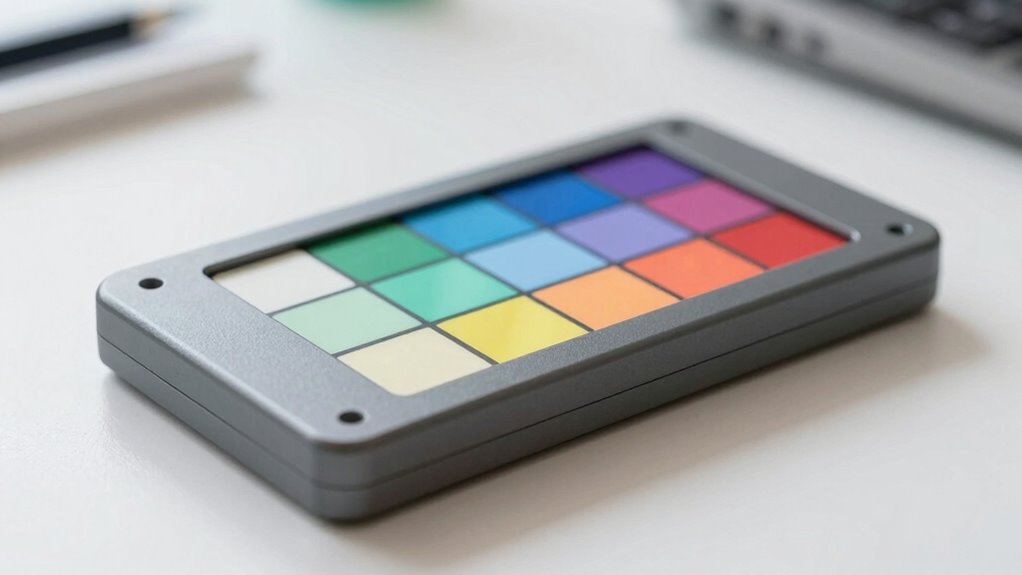

Color calibration tools are essential for achieving accurate and consistent color display across monitors, cameras, and printers. The Datacolor SpyderExpress stands out as the best overall pick for its balance of performance and affordability, making it ideal for most users. For photographers and video professionals, the Calibrite ColorChecker Passport Photo 2 offers portable, precise calibration. A common challenge is balancing cost with calibration accuracy—more advanced tools tend to be pricier but deliver better results. Continue reading to see how these options compare and which one suits your specific needs.

Prime made for students and young adults
- Fast, free delivery for dorm and study essentials
- Prime Video and Amazon Music included
- Member-only deals
Key Takeaways
- Top calibration tools balance ease of use with professional-grade accuracy, making them suitable for both amateurs and pros.
- Price varies significantly; high-end options usually offer more precise and consistent color matching but come at a higher cost.
- Some tools focus on monitor calibration, while others include print and camera calibration features—choose based on your workflow.
- Portability and quick setup are key considerations for photographers and videographers working on location.
- Calibration tools with automatic profiling tend to be more user-friendly, but manual adjustments can offer finer control for advanced users.
| Datacolor SpyderExpress Monitor Calibrator & Screen Color Calibrator |  | Best Overall for Quick, High-End Display Calibration | Compatibility: Supports Liquid Retina XDR, OLED, mini-LED | Calibration Speed: 90 seconds | Display Support: Up to 3 displays | VIEW ON AMAZON | See Our Full Breakdown |
| Datacolor SpyderPro Monitor Calibrator & Screen Color Calibration Tool |  | Best for Professional Color Accuracy and Versatility | Compatibility: Windows 10/11, macOS 10.14 to 14 | Supported Devices: Unlimited displays, USB-C | Features: Gamma, whitepoint, brightness, projector calibration | VIEW ON AMAZON | See Our Full Breakdown |
| DKK 5″ x 7″ Set of 2 White Balance and Color Calibration Charts with Frame Stand and User Guide |  | Best for On-Set Video Calibration | Size: 5×7 inches | Quantity: 2 | Includes: Frame stand, User guide | VIEW ON AMAZON | See Our Full Breakdown |
| Digital Kolor Pro 16:9 Large Color Calibration and Video Chip Chart, 2-Pack |  | Best for On-Location Video and Photography Calibration | Size: 14 x 7.88 inches | Material: Heavyweight matte paper | Quantity: 2 | VIEW ON AMAZON | See Our Full Breakdown |
| DKC-Pro 5″ x 7″ Set of 2 White Balance and Color Calibration Charts with Gray and Color Patches |  | Best for Professional Photo and Video Color Calibration | Size: 5×7 inches | Number of Charts: 2 | Gray References: 12% and 18% | VIEW ON AMAZON | See Our Full Breakdown |
| Datacolor Spyder Monitor Calibrator & Screen Color Calibration Tool |  | Best Overall for Versatile Display Calibration | Compatibility: Windows and Mac | Display Types: OLED, mini-LED, Apple Liquid Retina XDR | Calibration Time: Approximately 90 seconds | VIEW ON AMAZON | See Our Full Breakdown |
| Calibrite Display Pro HL Monitor Calibration Colorimeter for LCD, Mini LED, and OLED Displays |  | Best for High Luminance and Professional Calibration | Measurement Range: up to 3000 nits | Display Compatibility: LCD, Mini LED, OLED, projectors | Software: Calibrite PROFILER for Mac and Windows | VIEW ON AMAZON | See Our Full Breakdown |
| Calibrite ColorChecker Passport Photo 2 Portable Color Calibration Kit for Photo and Video, 4 Target Set |  | Best for On-the-Go Photography and Videography | Targets: 4 | Includes: Folding protective case, lanyard | Software support: Calibrite PROFILER for DNG and ICC profiling | VIEW ON AMAZON | See Our Full Breakdown |
| Pixel Perfect Camera Colour Correction Card – 4×6 Set of 2 for Photo and Video |  | Best for Precise Color Calibration in Photos and Videos | Quantity: Set of 2 | Material: SmartFlex Synthetic Paper | Finish: Matte | VIEW ON AMAZON | See Our Full Breakdown |
| Calibrite Display 123 Monitor Calibration Colorimeter for Photo Editing and Color Accurate Viewing |  | Best for Easy Multi-Monitor Calibration | Connection: USB C | Height: 34mm | Diameter: 37mm | VIEW ON AMAZON | See Our Full Breakdown |
More Details on Our Top Picks
Datacolor SpyderExpress Monitor Calibrator & Screen Color Calibrator
The Datacolor SpyderExpress stands out for its rapid calibration process, supporting the latest Liquid Retina XDR, OLED, and mini-LED displays in just 90 seconds. Compared with the SpyderPro, it offers a more streamlined, faster setup ideal for creators with multiple high-end screens, but it sacrifices some advanced customization options. Its simple software interface makes it accessible for users who want quick, reliable results without deep technical involvement. While it supports up to three displays, its software upgradeability ensures it remains useful as display technology evolves. The main tradeoff is that it requires software installation and setup, making it less plug-and-play than basic tools like the charts, but it delivers professional-grade calibration efficiently. This pick is perfect for creators needing rapid, consistent color accuracy across multiple cutting-edge screens.
Pros:- Fast calibration process (90 seconds)
- Supports the latest high-end display types
- Easy to use with minimal technical knowledge
- Upgradeable software with advanced features
Cons:- Requires downloading and installing software
- Limited to calibration of three displays
- Software updates may be necessary over time
Best for: Creative professionals who need fast, accurate calibration for multiple high-end displays
Not ideal for: Casual users or those with only one or two monitors who prefer a simple, hardware-only solution
- Compatibility:Supports Liquid Retina XDR, OLED, mini-LED
- Calibration Speed:90 seconds
- Display Support:Up to 3 displays
- Software Features:Ambient light adjustment, multi-display profiling, DevicePreview
Our verdict“Ideal for professionals seeking rapid, reliable calibration across multiple high-end screens without complex setup.”
Datacolor SpyderPro Monitor Calibrator & Screen Color Calibration Tool
The SpyderPro excels at delivering precise color calibration for photographers, designers, and video editors who deal with diverse display setups. Compared to the SpyderExpress, it offers support for an unlimited number of screens and broad compatibility with Windows and macOS, making it more suitable for multi-monitor workflows. Its user-friendly interface simplifies complex calibration tasks like gamma, whitepoint, and brightness adjustments, along with projector calibration and display analysis. The price is not specified, but its feature set indicates a higher investment aimed at serious users. The main tradeoff is that it can be overwhelming for casual users unfamiliar with calibration parameters. This device is best suited for professionals who need detailed control and consistent color accuracy across various display types.
Pros:- Supports unlimited displays and USB-C connectivity
- Offers detailed calibration options (gamma, whitepoint, brightness)
- Compatible with Windows and macOS
- User-friendly interface with multi-language support
Cons:- No specific pricing info available
- Might be complex for casual users
- Requires some technical knowledge for optimal use
Best for: Professional photographers and video editors requiring comprehensive, multi-display calibration
Not ideal for: Casual hobbyists or users with only a single monitor who prefer a straightforward, less technical tool
- Compatibility:Windows 10/11, macOS 10.14 to 14
- Supported Devices:Unlimited displays, USB-C
- Features:Gamma, whitepoint, brightness, projector calibration
- Connectivity:USB-C cable
Our verdict“Best suited for professionals demanding detailed, multi-device calibration with maximum control.”
DKK 5″ x 7″ Set of 2 White Balance and Color Calibration Charts with Frame Stand and User Guide
This set of calibration charts is designed for video professionals needing quick, portable color references. Compared with digital tools like SpyderExpress or SpyderPro, these charts provide a physical, visual reference for color and gray scale calibration, ideal for on-location shoots. Their compact 5×7-inch size makes them easy to carry, while the included frame stand and user guide facilitate straightforward setup. These charts excel at providing accurate color and grayscale references but do not replace digital calibration systems, making them less suited for ongoing monitor calibration. The main limitation is that they require some technical understanding to interpret correctly. This option is perfect for videographers and filmmakers who need reliable, portable calibration references in the field.
Pros:- Provides accurate color and grayscale calibration references
- Compact, portable, and easy to transport
- Includes frame stand and user guide for quick setup
- Durable construction for long-term use
Cons:- Limited to physical color reference, not digital calibration
- Requires some technical knowledge to interpret correctly
- Not suitable for calibration of electronic displays
Best for: Video producers and on-set color calibration in the field
Not ideal for: Users seeking ongoing digital calibration for monitors or high-precision workflows
- Size:5×7 inches
- Quantity:2
- Includes:Frame stand, User guide
- Gray percentages:12%, 18%
Our verdict“Ideal for videographers who need portable, reliable color references on location or set.”
Digital Kolor Pro 16:9 Large Color Calibration and Video Chip Chart, 2-Pack
The Digital Kolor Pro 2-pack offers large, detailed calibration charts for photographers and videographers. Its 14 x 7.88-inch size, combined with heavy-duty matte-coated paper, provides durability and visibility in challenging environments. Compared with smaller charts, it allows for broader scene calibration, which benefits on-location shoots. Its double-sided design with color targets and NTSC color bars makes it versatile for both camera setup and broadcast calibration. While it’s portable and tough enough for fieldwork, it requires users to have some understanding of how to interpret calibration charts for best results. It’s not a complete calibration system but a valuable supplement for accurate color profiling in demanding environments.
Pros:- Provides accurate color and gray scales for field calibration
- Heavyweight, durable material withstands tough environments
- Large size allows for broader scene calibration
- Includes comprehensive color targets and NTSC bars
Cons:- Requires calibration knowledge for effective use
- Limited to physical charts, not a digital calibration system
- Setup may be less precise than digital tools
Best for: On-location photographers and videographers needing portable, high-quality calibration charts
Not ideal for: Beginners or those seeking a digital calibration solution for monitors
- Size:14 x 7.88 inches
- Material:Heavyweight matte paper
- Quantity:2
- Features:Color targets, NTSC color bars
Our verdict“Best for professionals who need rugged, portable calibration charts for on-location video and photography work.”
DKC-Pro 5″ x 7″ Set of 2 White Balance and Color Calibration Charts with Gray and Color Patches
The DKC-Pro set provides a high-precision, professional-grade option for color and white balance calibration. Its inclusion of 12% and 18% gray references along with 18 vibrant color patches makes it especially suited for fine-tuning digital images. Compared with physical charts like DKK-Pro, it emphasizes high saturation and luminance, making it ideal for photographers and videographers using software like Adobe Photoshop or Lightroom. The charts require some understanding of calibration procedures, which might deter very casual users. While they excel at detailed color correction, they don’t offer digital calibration features, so ongoing monitor calibration needs are not directly addressed. This set offers a reliable, high-saturation reference for detailed color work.
Pros:- High saturation and luminance for accurate color correction
- Includes gray references and multiple color patches
- Compatible with popular editing software
- High-quality, professional-grade materials
Cons:- Requires understanding of calibration processes
- Limited to calibration charts, not a digital system
- Designed for experienced users
Best for: Professional photographers and videographers needing precise, high-saturation calibration references
Not ideal for: Beginners or hobbyists who do not have calibration experience
- Size:5×7 inches
- Number of Charts:2
- Gray References:12% and 18%
- Color Patches:18
Our verdict“Ideal for advanced users demanding detailed, high-saturation calibration references for professional editing workflows.”
Datacolor Spyder Monitor Calibrator & Screen Color Calibration Tool
This option stands out for its broad compatibility with a wide range of modern displays, including OLED and mini-LED, making it a strong choice for those who need reliable calibration across multiple devices. Compared with the Calibrite Display 123, the Spyder offers more advanced ambient light adjustment features and faster calibration times, which can be a real time-saver for busy workflows. However, its software setup may be more involved for casual users and it requires installation, unlike simpler solutions like the Pixel Perfect Card. Its quick calibration process and compatibility with high-end screens make it suitable for both professionals and dedicated enthusiasts.
Pros:- Fast and intuitive calibration process
- Compatible with OLED, mini-LED, and Liquid Retina XDR screens
- Ambient light sensor for automatic adjustments
- Suitable for both beginners and professionals
Cons:- Requires software installation and setup
- May be more advanced than necessary for casual users
Best for: Creative professionals and serious hobbyists who work with various high-end displays and need quick, accurate calibration
Not ideal for: Casual users or those seeking a simple plug-and-play device without software installation
- Compatibility:Windows and Mac
- Display Types:OLED, mini-LED, Apple Liquid Retina XDR
- Calibration Time:Approximately 90 seconds
- Features:DevicePreview Beta, ambient light sensor, customizable profiles
Our verdict“This tool is ideal for users who want comprehensive, quick calibration across a variety of high-end displays without sacrificing accuracy.”
Calibrite Display Pro HL Monitor Calibration Colorimeter for LCD, Mini LED, and OLED Displays
Compared with the Datacolor Spyder, the Calibrite Display Pro HL offers superior measurement capabilities for very bright displays, supporting luminance levels up to 3000 nits. This makes it ideal for calibrating high-end monitors, projectors, and XDR screens, especially in professional environments. Its flexible profiling and support for custom patch sets provide greater control and validation options. The tradeoff is that it requires more setup and a higher investment, making it less suitable for casual users or those with standard displays. Its advanced features make it a clear choice for those working with high luminance content.
Pros:- High measurement range up to 3000 nits
- Supports a wide variety of modern screens and projectors
- Custom profiling with patch sets and validation tools
- Flexible mounting options
Cons:- Requires software installation and setup
- Higher price point than basic calibrators
- Designed mainly for professional use
Best for: Professionals and advanced users calibrating high-brightness displays or projectors
Not ideal for: Casual photographers or users with standard monitors seeking simple calibration tools
- Measurement Range:up to 3000 nits
- Display Compatibility:LCD, Mini LED, OLED, projectors
- Software:Calibrite PROFILER for Mac and Windows
- Connection:USB C with USB A adapter
- Mounting:Built-in 1/4″ mount thread
Our verdict“This calibration device is best suited for professionals needing precise high-luminance calibration and validation tools.”
Calibrite ColorChecker Passport Photo 2 Portable Color Calibration Kit for Photo and Video, 4 Target Set
This pick excels in portability, offering four color targets for white balance, exposure, and camera profiling, making it perfect for photographers and videographers who need reliable calibration in the field. Unlike the more comprehensive monitor calibrators like the Spyder, this kit focuses on camera calibration and quick workflow integration. Its lightweight design and included protective case prioritize mobility, but it requires compatible software and camera setup, making it less suitable for those primarily looking to calibrate displays. It’s a practical choice for professionals who need portable, accurate color references during shoots.
Pros:- Highly portable and lightweight
- Supports white balance, exposure, and camera profiling
- Includes protective case and lanyard
- Compatible with Calibrite PROFILER software
Cons:- Requires compatible camera setup and software
- Limited to camera and white balance calibration, not monitor calibration
- More suited for professionals than casual shooters
Best for: Photographers and videographers needing portable calibration targets for on-location work
Not ideal for: Users seeking to calibrate monitors or display screens directly
- Targets:4
- Includes:Folding protective case, lanyard
- Software support:Calibrite PROFILER for DNG and ICC profiling
- Use:White balance, exposure, camera profiling
Our verdict“This kit is ideal for mobile professionals who need quick, accurate color references during photo and video shoots.”
Pixel Perfect Camera Colour Correction Card – 4×6 Set of 2 for Photo and Video
This set provides highly accurate gray and color patches printed on matte synthetic paper, making it excellent for detailed white balance and exposure calibration. The compact 4×6 inch size allows for easy inclusion in camera bags, and the free Adobe software enhances calibration accuracy. Compared to the Calibrite Passport, these cards are more straightforward for quick calibration but require familiarity with Adobe DNG profile editing to maximize their potential. They are best suited for professionals who need precise color correction in their workflow, but less so for beginners or casual shooters who prefer automated solutions.
Pros:- Highly accurate gray and color patches
- Portable and easy to carry
- Includes free Adobe correction software
- Clear instructions for calibration
Cons:- Requires familiarity with Adobe DNG profile editor
- Limited to 4×6 size, may not suit all setups
- Not a monitor calibration device
Best for: Photographers and videographers requiring precise color patches for fine-tuned calibration
Not ideal for: Beginners or casual users without experience with Adobe DNG profiles
- Quantity:Set of 2
- Material:SmartFlex Synthetic Paper
- Finish:Matte
- Size:4×6 inches
Our verdict“This set is best for professionals who need meticulous color calibration and have some experience with Adobe software.”
Calibrite Display 123 Monitor Calibration Colorimeter for Photo Editing and Color Accurate Viewing
Designed for simplicity, the Calibrite Display 123 makes calibrating up to two monitors straightforward with its guided software workflow, making it accessible for both beginners and seasoned users. Unlike the Calibrite Display Pro HL, it doesn’t support extremely high luminance or complex profiling but excels in delivering consistent, accurate color across a small multi-monitor setup. Its built-in before-and-after comparison tools help verify calibration quality. The main limitation is its support for only two displays, which could be restrictive for users with larger multi-monitor arrangements, and its reliance on USB C may affect compatibility with older systems.
Pros:- Simple, guided calibration process
- Supports up to two displays for consistent color
- Built-in comparison tools for verification
- Compact size for easy handling
Cons:- Limited to two monitors only
- Requires USB C connection, not compatible with all systems
- Size may require careful handling to avoid damage
Best for: Photographers and creators with a dual-monitor setup seeking an easy, reliable calibration process
Not ideal for: Power users with more than two monitors or those with older computers lacking USB C ports
- Connection:USB C
- Height:34mm
- Diameter:37mm
- Supports:2 displays
Our verdict“This device offers a straightforward, reliable way to calibrate a dual-monitor setup with minimal fuss.”

How We Picked
Products were evaluated based on calibration accuracy, ease of use, build quality, compatibility with different displays or media, and value for money. We prioritized tools that provide reliable, repeatable results for both professional and amateur workflows. The ranking reflects a balance between performance and accessibility, with a focus on versatility and long-term usability. Price was also a factor, but not at the expense of core calibration quality, ensuring that each product offers a distinct role and value proposition.Factors to Consider When Choosing Color Calibration Tools
Choosing the right color calibration tool depends on your specific needs, budget, and workflow. Beyond basic accuracy, consider how easy the device is to use, its compatibility with your equipment, and whether you need additional features like print calibration or portability. Understanding these factors can help you avoid common pitfalls, such as overpaying for features you won’t use or selecting an incompatible device. The following sections outline key considerations, so you can make an informed decision.Calibration Accuracy and Consistency
Accuracy is the core reason for investing in a calibration tool. Look for devices with proven performance in producing consistent profiles over time. Avoid overly complex setups if you prefer quick adjustments, but be aware that some lower-cost options may sacrifice precision. A calibration tool that offers regular updates and easy profiling can save time and improve results, especially for professional work where color fidelity is critical.
Ease of Use and Setup
Simplicity matters, especially if you plan to calibrate frequently. Devices with automated profiling and intuitive software reduce the learning curve and minimize user error. Beware of overly complicated interfaces if you’re a beginner; in such cases, a straightforward device with guided instructions will be more effective. Consider whether the calibration process integrates smoothly with your existing software and hardware environment.
Compatibility and Media Types
Verify that your chosen tool supports your display type—be it LCD, OLED, or mini-LED—and any other media you work with, like printers or cameras. Some calibration tools excel in monitor profiling but lack features for print or camera calibration, which could be a limitation depending on your workflow. Ensuring compatibility minimizes additional costs and prevents frustration from unsupported devices.
Portability and Speed
If you often work on location or in different environments, a portable calibration device can be a major advantage. Quick setup and calibration times also matter for busy professionals who need reliable results without delays. Prioritize tools that offer fast profiling without sacrificing accuracy, especially if your schedule demands rapid turnarounds.
Long-term Value and Support
Investing in a calibration tool with good manufacturer support and software updates can extend its usefulness over time. Consider the availability of customer service, firmware updates, and calibration databases. Cheaper options may lack ongoing support, leading to potential issues down the line. Sometimes spending a bit more initially results in better reliability and fewer headaches later.
Frequently Asked Questions
Can I use a color calibration tool with any monitor?
Most calibration tools are compatible with a wide range of monitors, but it’s important to check the specifications for your device. Some tools are optimized for certain screen types like LCD or OLED, and others may have limitations with newer display technologies. Additionally, calibration accuracy can vary depending on the monitor’s age and quality, so selecting a device that supports your specific hardware ensures better results. Always verify the device’s compatibility before purchase to avoid surprises.
How often should I calibrate my monitor?
The frequency of calibration depends on your workflow, display type, and environment. For professional work requiring color precision, calibrating weekly or biweekly can maintain consistency. Less critical uses, like casual browsing, might only need calibration every few months. Environmental factors such as lighting changes can also influence the need for recalibration. Regular calibration ensures your colors stay true over time, especially with displays that drift or age.
Are portable calibration tools as accurate as desktop ones?
Portable calibration tools can deliver high accuracy, especially models designed for professional use, but they may not match the precision of high-end, desktop-grade devices. Portability often involves compromises in sensor quality or features, but many portable options include sophisticated software for reliable profiling. Evaluate the specific device’s specifications and reviews to determine if it meets your accuracy needs, particularly if color precision is critical for your work.
Is it worth investing in a color calibration bundle with print profiles?
Yes, if your work involves both digital display and print output, a bundle that includes print profiling can save time and improve consistency across media. These kits typically contain color charts and software tailored for printers, ensuring your prints match on-screen colors. However, for strictly digital workflows, a monitor calibration alone may suffice. Assess your output needs to decide if the additional investment aligns with your workflow.
What is the main difference between entry-level and professional calibration tools?
Entry-level tools generally focus on basic calibration tasks, offering decent accuracy for casual or amateur use. They tend to be more affordable and easier to use but may lack features like advanced profiling, multi-device support, or frequent software updates. Professional-grade tools provide higher precision, more detailed profiling options, and ongoing support, which justify their higher price for those who require precise, consistent color management in their work. Consider your workflow demands and budget when choosing between the two.
Conclusion
For most users seeking reliable, straightforward calibration, the Datacolor SpyderExpress offers excellent value with solid accuracy. Professionals or those with demanding workflows may prefer the Calibrite Display Pro HL for its advanced features and compatibility. Beginners should consider simpler, user-friendly options like the Pixel Perfect Camera Colour Correction Card or SpyderExpress. If you work extensively with print or video, specialized tools like the ColorChecker Passport Photo 2 can streamline your process. Ultimately, your choice depends on your specific needs—whether budget, ease of use, or maximum precision drives your decision.