
🔍 Read the full analysis: 9 Best Wi-Fi 7 Routers For Improving Home Network Performance In 2027 on ThorstenMeyerAI.com

Prime made for students and young adults
- Fast, free delivery for dorm and study essentials
- Prime Video and Amazon Music included
- Member-only deals
TL;DR
ThorstenMeyerAI.com names the TP-Link Archer BE550 its best overall pick among nine Wi-Fi 7 routers, citing its tri-band design and practical wired connections. The comparison also includes dual-band entry options and a quad-band gaming model, but stresses that real-world benefits depend on home layout, compatible devices, internet service and wired equipment.
ThorstenMeyerAI.com has compared nine Wi-Fi 7 routers for home use in its original analysis, naming the TP-Link Archer BE550 its best overall pick for a balance of tri-band wireless capacity and wired connections. The guide also highlights a quad-band ASUS gaming model and several dual-band alternatives, while warning that a newer Wi-Fi standard alone does not guarantee better performance in every home.
The guide ranks routers by how their band configuration, wired ports and feature sets fit different household needs. The BE550 takes the general-purpose lead; the ASUS ROG Rapture GT-BE98 Pro is positioned for demanding gaming or high-capacity setups, and the TP-Link Archer BE230 is presented as a simpler option for smaller networks. See also other Wi-Fi 7 router picks.
The other models covered are the NETGEAR BE9300, TP-Link BE600, TP-Link Archer BE400, ASUS RT-BE82U, NETGEAR RS90 and NETGEAR RS140. The guide describes the BE9300 and BE600 as tri-band alternatives, while the BE400, RT-BE82U, RS90 and RS140 join the BE230 among its dual-band choices. It does not provide a numerical performance ranking or test results in the supplied material. For another comparison, see Wi-Fi 7 router recommendations.
Its selection method weighs whether a router has two, three or four bands, whether its ports suit a household’s internet plan and wired devices, and whether its controls match everyday, gaming or more involved use. The guide says advertised capabilities are selection clues, not promises of a particular result: actual performance can vary with construction, placement, client hardware and service speed.
The 9 picks
- 1
 ASUS ROG Rapture GT-BE98 Pro Quad-Band WiFi 7 Gaming RouterView on Amazon →
- 2
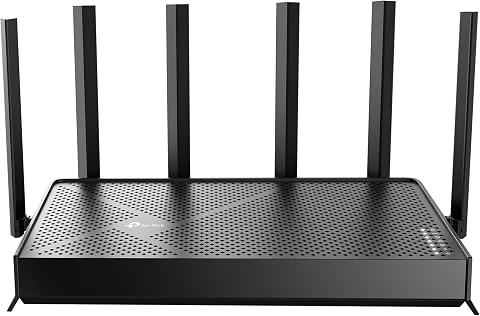 TP-Link Archer BE600 Tri-Band Wi-Fi 7 RouterView on Amazon →
- 3
 NETGEAR Nighthawk BE9300 Tri-Band WiFi 7 RouterView on Amazon →
- 4
 TP-Link Archer BE550 Tri-Band Wi-Fi 7 RouterView on Amazon →
- 5
 NETGEAR Nighthawk RS140 Dual-Band WiFi 7 RouterView on Amazon →
- 6
 ASUS RT-BE82U Dual-Band Wi-Fi 7 RouterView on Amazon →
- 7
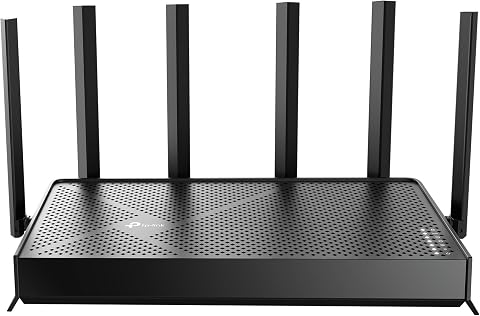 TP-Link Archer BE400 BE6500 Dual-Band Wi-Fi 7 RouterView on Amazon →
- 8
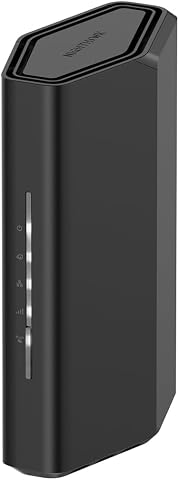 NETGEAR Nighthawk RS90 WiFi 7 Dual-Band RouterView on Amazon →
- 9
 TP-Link Archer BE230 Dual-Band Wi-Fi 7 RouterView on Amazon →
Match Router Capacity to Household Needs
The comparison matters to shoppers because Wi-Fi 7 labels do not identify one universal upgrade. A multi-band router may offer more flexibility when many clients are active, but households with lighter traffic may not benefit from paying for extra bands or a complex setup. The BE550’s overall ranking reflects the guide’s preference for a balance of features rather than the highest stated capacity or a specialist gaming focus.
Port selection can also determine whether an upgrade addresses the actual bottleneck. A home with a desktop, network storage or wired access point should check port types and speeds against its internet service and equipment. If the main complaint is weak coverage in a distant room, router placement or mesh and access-point expansion may matter more than headline wireless capability.
Popular right now

Apple AirPods Pro with Wireless Charging Case

Dyson V15s Detect Submarine Wet and Dry Vacuum, Yellow/Nickel

De'Longhi Classic Signature Espresso Machine with Adjustable Milk Frother
As an affiliate, we earn on qualifying purchases.
What the Nine Models Offer
The guide groups the options around band count and intended use. The tri-band BE550, BE9300 and BE600 are presented as choices to compare for households with more simultaneous wireless traffic. The quad-band GT-BE98 Pro is a more specialized, gaming-oriented option. The BE230, BE400, RT-BE82U, RS90 and RS140 are dual-band models aimed at simpler or more constrained setups.
Wi-Fi 7 routers can connect older wireless devices, but those clients do not gain every feature of the newer standard simply by joining the network. The guide recommends checking the standards supported by the laptops, phones, consoles and adapters that matter most. A router upgrade may still offer management or future-readiness benefits, but immediate wireless gains can be limited if most active devices are older.
“The Archer BE550 earns the overall lead by pairing tri-band Wi-Fi 7 with a practical feature mix, rather than focusing only on extreme throughput or gaming extras.”
— ThorstenMeyerAI.com buying guide
Real-World Results Depend on the Home
The supplied comparison does not include prices, a publication date, numerical benchmark results or a detailed testing protocol. It is not possible from the material provided to compare measured throughput, latency, coverage or value at specific prices. The rankings should be read as editorial recommendations based on stated design and feature priorities, not as proof that one router will be fastest in every home.
It is also unclear which household will see a noticeable improvement without knowing its client devices, service speed, floor plan and existing network. Router placement, walls, neighboring networks and wired links can affect results. The guide says older devices remain compatible, but compatibility does not mean they can use every Wi-Fi 7 feature.
Check Devices, Ports and Coverage
Shoppers can use the nine-model list as a shortlist, then check current pricing, port layouts and device compatibility before buying. A simple map of wired equipment and a list of frequently used wireless clients can help identify whether a dual-band, tri-band or quad-band model fits the household.
For homes with dead zones, the next step is to compare placement and mesh or access-point options rather than assume a higher-capacity router will fix coverage. The guide does not announce a follow-up test or new product release, so further performance comparisons and market changes remain outside the information provided.
Key Questions
Which Wi-Fi 7 router does the guide rank first?
ThorstenMeyerAI.com ranks the TP-Link Archer BE550 as its best overall pick, citing tri-band flexibility and a practical mix of wired connections.
Which model is aimed at gaming-focused or demanding setups?
The guide positions the ASUS ROG Rapture GT-BE98 Pro as its specialist option, citing its quad-band design and gaming-oriented controls. It also cautions that many homes may not need that scale or complexity.
Will older devices benefit from a Wi-Fi 7 router?
Older Wi-Fi clients can connect, but they do not gain every Wi-Fi 7 capability. The immediate benefit depends on the devices in use and the rest of the network.
Does a tri-band or quad-band router guarantee faster Wi-Fi?
No. More bands can provide flexibility for sharing wireless traffic, but they are not a direct speed guarantee. Results also depend on client hardware, network use, placement, home construction and internet service.
What should buyers check before choosing a model?
Check the number of active clients, supported Wi-Fi standards, available wired ports and their speeds, coverage needs and compatibility with mesh or access-point expansion. Compare those requirements with current prices before deciding.
Source: ThorstenMeyerAI.com