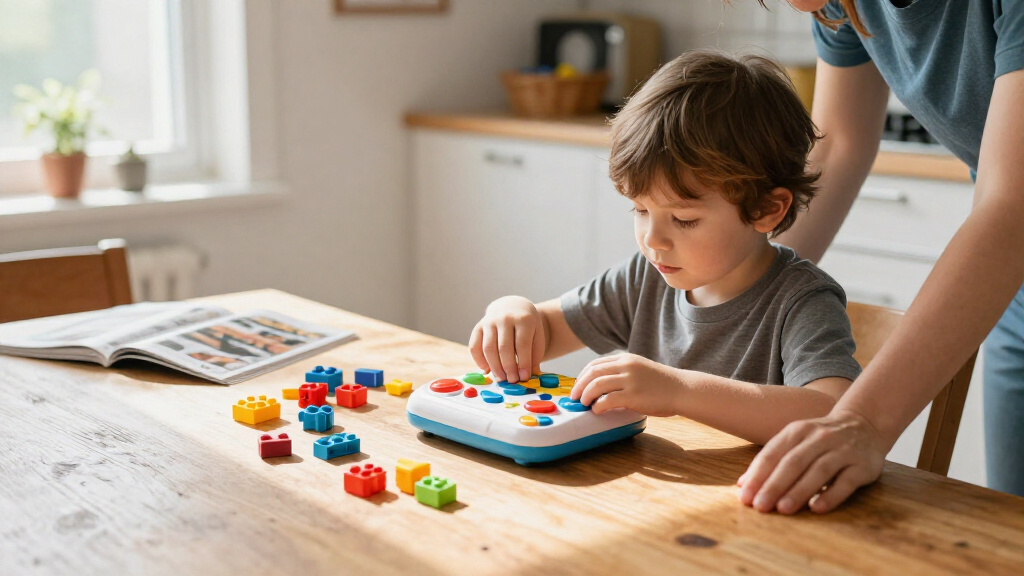

The best coding toys for kids turn sequencing, logic, and problem-solving into hands-on play, but the right choice depends on a child’s age, patience, and appetite for screens or building. I’d make Botley the Coding Robot my best overall pick for its screen-free activities and room to practice coding concepts. For younger beginners, Code & Go Robot Mouse Activity Set makes commands tangible with a maze, while Osmo Coding Family Bundle suits kids who enjoy guided tablet play. The main tradeoffs are simplicity versus room to grow, and screen-free play versus app-based feedback. Read on for the full breakdown of all 14 options and who each one suits best.

Get school and study supplies delivered free — and shop member deals
- Fast, free delivery on millions of items
- Access to Prime Big Deal Days deals on October 6–7
- Prime Video, Amazon Music and more included
Key Takeaways
- Botley the Coding Robot is the strongest all-around screen-free choice, while Botley 2.0 is the alternative for families who want another activity-set format.
- Code & Go Robot Mouse Activity Set pairs a physical maze with sequencing practice; the standalone Robot Mouse is a simpler route if a full activity set is not the priority.
- The three Coding Critters options use character-led play, but their animal themes and activity formats make them better suited to kids drawn to pretend play than to construction.
- Osmo and Sphero Mini bring screens into the experience, offering different forms of digital interaction from the lineup’s screen-free toys.
- For older kids ready to build and troubleshoot, kits such as mBot, Apitor Robot J, and Mech-5 trade quick-start simplicity for deeper construction and coding challenges.
| Learning Resources Code & Go Robot Mouse Activity Set | 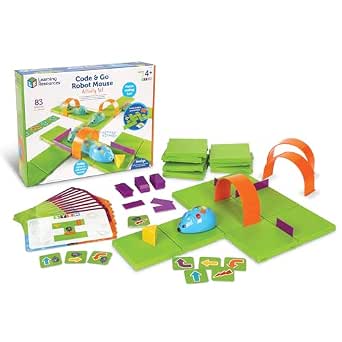 | Best for Maze-Based First Coding | Brand: Learning Resources | Age range: 4 years and up | Maze board size: 20 x 20 inches | VIEW LATEST PRICE | See Our Full Breakdown |
| Learning Resources Coding Critters Scamper & Sneaker |  | Best for Story-Led Coding Play | Brand: Learning Resources | Model: LER3081 | Age range: 4 years and up | VIEW LATEST PRICE | See Our Full Breakdown |
| Learning Resources Coding Critters Ranger & Zip Interactive Coding Toy, 22-Piece Set |  | Best for Interactive Pet Play | Brand: Learning Resources | Model number: LER3080 | Age range: 4–10 years | VIEW LATEST PRICE | See Our Full Breakdown |
| Learning Resources Botley the Coding Robot |  | Best for Growing Coding Skills | Brand: Learning Resources | Model: LER2936 | Age range: 5–8 years | VIEW LATEST PRICE | See Our Full Breakdown |
| Sphero Mini Green Coding Robot Ball |  | Best Compact App-Based Pick | Brand: Sphero | Color: Green | Recommended age: 8 years and up | VIEW LATEST PRICE | See Our Full Breakdown |
| Learning Resources Code & Go Robot Mouse |  | Best for First Coding Steps | Brand: Learning Resources | Recommended age: 4–7 years | Included components: Programmable robot mouse, 30 double-sided coding cards, activity guide | VIEW LATEST PRICE | See Our Full Breakdown |
| Osmo Coding Family Bundle for Kids, 3 Coding Games, Ages 5–10+ |  | Best for Varied, Tablet-Based Learning | Age range: 5–10+ years | Games included: Coding Awbie, Coding Jam, Coding Duo | Coding Duo puzzles: 60+ | VIEW LATEST PRICE | See Our Full Breakdown |
| Makeblock mBot STEM Coding Robot Kit for Kids Ages 8–12 |  | Best for Growing Programmers | Brand: Makeblock | Model: 90053 | Recommended age: 8 years and up | VIEW LATEST PRICE | See Our Full Breakdown |
| Thames & Kosmos My Robotic Pet: Coding Chameleon STEM Kit |  | Best Screen-Free Robotic Pet | Brand: Thames & Kosmos | Recommended age: 8–12 years | Length: 15 inches | VIEW LATEST PRICE | See Our Full Breakdown |
| Teach Tech Mech-5 STEM Coding Robot Building Kit for Kids Ages 10+ |  | Best for Mechanical Coding | Brand: Teach Tech | Model: TTC-895 | Recommended age: 10 years and up | VIEW LATEST PRICE | See Our Full Breakdown |
| Playz Coding and Computer Science Kit for Kids |  | Best for Offline Computer Science Activities | Brand: Playz | Age range: 6 years and up | Educational objectives: Coding skills and sorting | VIEW LATEST PRICE | See Our Full Breakdown |
| Apitor Robot J 6-in-1 STEM Coding Robot Building Kit, 480 Pieces |  | Best for Rebuildable Robot Projects | Brand and model: Apitor Robot J | Pieces: 480 | Build options: 6 models | VIEW LATEST PRICE | See Our Full Breakdown |
| Learning Resources Coding Critters Go-Pets Scrambles the Fox Coding Robot |  | Best for Story-Led Screen-Free Coding | Brand: Learning Resources | Character: Scrambles the Fox | Age range: Preschool and early elementary; ages 5–7 mentioned | VIEW LATEST PRICE | See Our Full Breakdown |
| Learning Resources Botley 2.0 Coding Robot Activity Set |  | Best for Screen-Free Maze Challenges | Brand: Learning Resources | Model: LER2938 | Pieces: 78 | VIEW LATEST PRICE | See Our Full Breakdown |
| coding toys for kid | Brand | Included components | Age range | Recommended age |
|---|---|---|---|---|
| Learning Resources Code & Go R | Learning Resources | Robot mouse, 16 maze grids, 22 walls, 3 tunnels, cheese wedge, activity guide | 4 years and up | — |
| Learning Resources Coding Crit | Learning Resources | — | 4 years and up | — |
| Learning Resources Coding Crit | Learning Resources | — | 4–10 years | — |
| Learning Resources Botley the | Learning Resources | Botley robot, remote programmer, detachable arms, coding cards, tiles, and obstacles | 5–8 years | — |
| Sphero Mini Green Coding Robot | Sphero | Mini robot, Micro USB charging cable, 3 mini cones, and 6 mini bowling pins | — | 8 years and up |
| Learning Resources Code & Go R | Learning Resources | Programmable robot mouse, 30 double-sided coding cards, activity guide | — | 4–7 years |
| Osmo Coding Family Bundle for | — | — | 5–10+ years | — |
| Makeblock mBot STEM Coding Rob | Makeblock | — | — | 8 years and up |
| Thames & Kosmos My Robotic Pet | Thames & Kosmos | Plastic building parts, manual | — | 8–12 years |
| Teach Tech Mech-5 STEM Coding | Teach Tech | Assembly parts and English instruction manual | — | 10 years and up |
| Playz Coding and Computer Scie | Playz | 30+ tools, ingredients, and parts; illustrated lab guide | 6 years and up | — |
| Apitor Robot J 6-in-1 STEM Cod | — | Building blocks, instructions, user guide, control module with 2 motors, and sorting tray | — | 7–12 years |
| Learning Resources Coding Crit | Learning Resources | — | Preschool and early elementary; ages 5–7 mentioned | — |
| Learning Resources Botley 2.0 | Learning Resources | — | — | 5–10 years |
More Details on Our Top Picks
Learning Resources Code & Go Robot Mouse Activity Set
I’d pick the Code & Go Robot Mouse Activity Set for a young child who learns best by building a path and watching a robot follow it. Its maze, coding cards, and activity guide turn sequencing into a visible, hands-on task, while the mouse’s lights, sounds, and two speeds help keep play lively. Compared with Botley the Coding Robot, this set keeps the challenge focused on moving through a maze rather than introducing longer programs and logic concepts such as loops. That narrower scope makes it approachable for beginners, but it may offer less room to grow as a child’s coding skills advance. The 20-by-20-inch board also needs a clear play surface, and families must supply three AAA batteries.
Pros:- Screen-free maze play makes the order of commands easy for beginners to see.
- Coding cards and activity cards provide repeatable guided challenges.
- Lights, sounds, and two speeds add feedback as the mouse moves.
- Maze grids, walls, and tunnels let children change the route.
Cons:- Requires three AAA batteries, which are not included.
- Maze-based movement offers a narrower programming challenge than Botley’s loops and if/then activities.
- The 20-by-20-inch maze needs room to lay out.
Best for: Families with children ages 4 and up who want a screen-free, visual introduction to sequencing through hands-on maze challenges.
Not ideal for: Buyers seeking app-based coding, advanced programming concepts, or a compact set that needs little setup; the maze occupies a 20-by-20-inch area.
- Brand:Learning Resources
- Age range:4 years and up
- Maze board size:20 x 20 inches
- Robot features:Lights, sounds, two speeds
- Included components:Robot mouse, 16 maze grids, 22 walls, 3 tunnels, cheese wedge, activity guide
- Cards:30 double-sided coding cards and 10 double-sided activity cards
- Batteries:3 AAA batteries required; not included
- Model number:LER2831
Our verdict“Choose this set for a young beginner who wants to learn sequencing by programming a robot through a physical maze.”
Learning Resources Coding Critters Scamper & Sneaker
Scamper & Sneaker is the story-first choice among these beginner coding toys: children use directional controls to guide Scamper through challenges in the coding storybook, then make up games with the characters and accessories. That blend gives coding practice a pretend-play frame, unlike the Code & Go Robot Mouse Activity Set, which centers on constructing and solving a maze. The tradeoff is that Scamper is aimed at early learners, so children ready for longer programs or more involved coding ideas may outgrow its challenge level. Its 22-piece set needs no tablet or app, which keeps setup simple for home or classroom play. I’d favor it for a child drawn to characters and stories, rather than one who mainly wants to build elaborate routes.
Pros:- Storybook challenges give directional coding a playful narrative.
- Scamper, Sneaker, and accessories support imaginative play beyond the coding tasks.
- No tablet or app is required.
- The 22-piece set can be used for home or classroom activities.
Cons:- The beginner-focused challenges may not hold the interest of children ready for more complex programming.
- Compared with the Code & Go Robot Mouse set, it does not center on building a maze for route-planning practice.
- No manufacturer warranty is included.
Best for: Caregivers and early-years educators seeking a screen-free coding toy for children ages 4 and up who enjoy storybooks and pretend play.
Not ideal for: Older children or beginners who want maze-building, extended programming challenges, or coding concepts beyond introductory sequencing and logic.
- Brand:Learning Resources
- Model:LER3081
- Age range:4 years and up
- Set size:22 pieces
- Included:Scamper coding robot cat, Sneaker kitten, accessories, and coding storybook
- Power or app required:No tablet or app required
- Learning focus:Sequencing, logic, and problem-solving
Our verdict“Pick Scamper & Sneaker for a young child who is more motivated by story and character play than by building a coding maze.”
Learning Resources Coding Critters Ranger & Zip Interactive Coding Toy, 22-Piece Set
For children who want a coding toy to feel like a pet-play set, Ranger & Zip pairs storybook challenges with activities such as fetch and hide-and-seek. Kids use directional buttons to guide Ranger, then create their own games with the playset pieces. That gives it a more character-driven feel than Botley the Coding Robot, whose obstacle-course activities and commands put programming concepts more squarely in the foreground. Ranger’s play style can make early sequencing inviting, but families looking for a clearer progression into longer programs or logic rules may prefer Botley. The 22-piece set is aimed at ages 4–10, though its story and pet activities may appeal most to younger children. It is screen-free, but has no manufacturer warranty.
Pros:- Storybook challenges provide guided practice with directional commands.
- Fetch and hide-and-seek activities extend play beyond following instructions.
- Playset pieces let children create their own coding games.
- Screen-free activities support sequencing, logic, and problem-solving.
Cons:- Pet-play framing may be less appealing to children who want a more direct coding challenge.
- Compared with Botley, the supplied description offers less emphasis on extended programs and logic rules.
- No manufacturer warranty is included.
Best for: Families with children who enjoy animal characters and interactive pet games and want to introduce directional coding without a screen.
Not ideal for: Children seeking advanced coding concepts or buyers who want a programming-focused set with a manufacturer warranty.
- Brand:Learning Resources
- Model number:LER3080
- Age range:4–10 years
- Set size:22 pieces
- Characters:Ranger and Zip
- Included:Storybook challenges and playset pieces
- Interactive activities:Fetch and hide-and-seek
- Warranty:No manufacturer warranty
Our verdict“Choose Ranger & Zip for a child who will engage with coding through interactive pet games and storybook play.”
Learning Resources Botley the Coding Robot
Botley the Coding Robot is my pick for children ready to move beyond simple directional commands. It supports programs of up to 80 steps, along with loops and if/then logic, giving kids more ways to plan and refine a sequence than the maze-centered Code & Go Robot Mouse Activity Set. The included remote programmer, coding cards, tiles, and obstacles turn those ideas into screen-free activities, so a child can build a course and test a program without using an app. That broader challenge makes Botley a stronger choice for a budding problem-solver, but it also asks more of a beginner than a straightforward mouse maze. Its recommended age range is 5–8, and there is no manufacturer warranty.
Pros:- Programs of up to 80 steps offer room to make longer sequences.
- Loops and if/then logic introduce concepts beyond basic directional coding.
- Remote programmer and activity accessories support screen-free learning.
- Obstacle and black-line activities create varied hands-on challenges.
Cons:- The broader programming challenge may be less approachable than the Code & Go Robot Mouse maze for a very young beginner.
- The recommended age range of 5–8 may limit its appeal as children get older.
- No manufacturer warranty is included.
Best for: Families, homeschoolers, and classrooms looking for a screen-free coding robot that can introduce longer sequences, loops, and if/then logic to children ages 5–8.
Not ideal for: Children younger than the recommended range, older kids who need a more advanced build-and-code project, or buyers who require a manufacturer warranty.
- Brand:Learning Resources
- Model:LER2936
- Age range:5–8 years
- Programmable steps:Up to 80
- Coding concepts:Sequencing, loops, and if/then logic
- Screen-free:Yes
- Set size:45 pieces
- Included components:Botley robot, remote programmer, detachable arms, coding cards, tiles, and obstacles
Our verdict“Choose Botley for an elementary-age child ready for longer screen-free programs and early logic concepts.”
Sphero Mini Green Coding Robot Ball
The Sphero Mini Green is the most portable option here, with a 1.57-inch robot ball that can roll around a tabletop course. Its app-based coding ranges from drawing and drag-and-drop blocks to JavaScript, so it offers a path from beginner-friendly commands toward text-based coding that the screen-free Botley and Coding Critters do not provide. That flexibility suits older children comfortable using a mobile device, but it also makes the app a requirement rather than an optional extra. The included cones and bowling pins help turn the ball into an obstacle-course project, while the stated one-hour play time means sessions need recharging more often than some buyers may want. I’d choose it for compact, app-led learning, not for screen-free play.
Pros:- Coding options include drawing, drag-and-drop blocks, and JavaScript.
- Compact 1.57-inch size suits tabletop play and easy storage.
- Cones and bowling pins provide materials for obstacle courses.
- Apps also provide driving and game modes beyond coding.
Cons:- Coding and app-based play require a compatible mobile device.
- The stated play time is up to one hour.
- Compared with Botley, this is not a screen-free coding experience.
Best for: Families with children ages 8 and up who have a compatible mobile device and want compact app-based coding that can progress to JavaScript.
Not ideal for: Buyers seeking screen-free play, children without access to a compatible mobile device, or families wanting longer play between charges.
- Brand:Sphero
- Color:Green
- Recommended age:8 years and up
- Size:1.57 inches
- Coding and control:Sphero Edu and Sphero Play apps
- Coding modes:Drawing, drag-and-drop blocks, and JavaScript
- Play time:Up to one hour
- Included components:Mini robot, Micro USB charging cable, 3 mini cones, and 6 mini bowling pins
- Warranty:1 year on parts
Our verdict“Choose Sphero Mini for an older child who wants a compact robot and is ready to code through a mobile app.”
Learning Resources Code & Go Robot Mouse
Button-based, screen-free play makes this mouse a straightforward first coding toy for children ages 4–7. Kids plan a route with the double-sided cards, then enter a sequence using the mouse’s controls, connecting an abstract idea—ordered instructions—to a visible result. Lights, sounds, and two speeds give young learners feedback without needing a tablet. Compared with the Osmo Coding Family Bundle, it asks less of the family setup and avoids device compatibility checks, but offers a narrower range of activities and no digital game progression. Its four-inch size suits small play spaces, though the separate expanded play set limits how much the included track options can grow. I’d pick it for an accessible introduction to sequencing, not for children ready to build robots or explore open-ended programming.
Pros:- Screen-free controls connect planned instructions to the mouse’s movement.
- Includes 30 double-sided coding cards and an activity guide for structured play.
- Lights and sounds provide immediate feedback.
- Two speeds support different play styles.
Cons:- Requires three AAA batteries, which are not included.
- More varied play may require a separately sold expanded set.
- Offers less range for advancing learners than tablet-based games or programmable robot kits.
Best for: Families with children ages 4–7 who want a screen-free, guided introduction to sequencing and logic.
Not ideal for: Older children seeking robot construction, open-ended programming, or a broad progression of coding challenges.
- Brand:Learning Resources
- Recommended age:4–7 years
- Included components:Programmable robot mouse, 30 double-sided coding cards, activity guide
- Mouse length:4 inches
- Speeds:2
- Batteries:3 AAA batteries, not included
- Model number:LER2841
Our verdict“Choose this mouse for young beginners who need a simple, screen-free way to practice coding sequences.”
Osmo Coding Family Bundle for Kids, 3 Coding Games, Ages 5–10+
Three games in one bundle give this pick more variety than the single-purpose activities of the Code & Go Robot Mouse. Children use physical coding blocks alongside a compatible tablet to work through beginner and more advanced coding activities, make music, and solve puzzles cooperatively. Coding Duo alone includes 60+ puzzles, while Coding Jam adds more than 300 musical sounds, so this set can suit siblings or a child whose interests shift between logic and creativity. The tradeoff is a substantial setup requirement: the Osmo Base and a supported iPad or Fire tablet are separate purchases, and compatibility depends on specific models and software. Gameplay does not require Wi-Fi, but this is still a screen-based experience, unlike the mouse or Thames & Kosmos Coding Chameleon. I’d choose it when the family already has the right hardware.
Pros:- Combines three games with different coding and creative activities.
- Physical coding blocks make interaction more hands-on than a touch-only game.
- Coding Duo includes more than 60 puzzles, while Coding Jam offers more than 300 musical sounds.
- Gameplay does not require Wi-Fi.
Cons:- Requires a compatible tablet and Osmo Base, neither included.
- Compatibility is limited to supported device models and software versions.
- Remains screen-based, unlike the Code & Go Robot Mouse and Coding Chameleon.
Best for: Families with a supported iPad or Fire tablet who want several coding activities that span puzzles, music, and cooperative play.
Not ideal for: Buyers seeking a complete standalone toy, a screen-free experience, or a bundle that includes its required tablet base.
- Age range:5–10+ years
- Games included:Coding Awbie, Coding Jam, Coding Duo
- Coding Duo puzzles:60+
- Coding Jam musical sounds:300+
- Physical pieces:31 coding blocks
- Compatibility:Supported iPad models with iOS 15 or later; select Fire tablets with Fire OS 7–8
- Required accessory:Osmo Base, not included
- Wi-Fi:Not required for gameplay
Our verdict“Pick this bundle if you already own compatible hardware and want coding practice that ranges from puzzles to music and teamwork.”
Makeblock mBot STEM Coding Robot Kit for Kids Ages 8–12
The mBot pairs construction with Scratch and Arduino programming, giving it a broader learning path than the action-card coding of the Thames & Kosmos Coding Chameleon. Children can build the robot, then explore remote control, line following, and obstacle avoidance; the different functions make programming feel connected to how a robot senses and moves. Its roughly 15-minute build time gets the core robot ready quickly, while compatibility with add-on components, electronic modules, and LEGO parts leaves room for later projects. That flexibility comes with more setup and learning demands than the Code & Go Robot Mouse, which is better suited to younger beginners who want guided sequences. The mBot also requires four AA batteries and a CR2025 battery for its remote, neither included, and some projects may depend on extra components.
Pros:- Combines robot construction, electronics, and programming.
- Supports Scratch and Arduino for different stages of coding practice.
- Remote control, line following, and obstacle avoidance connect code to robot behavior.
- Compatible with Makeblock add-ons, electronic modules, and LEGO parts.
Cons:- Robot needs four AA batteries and the remote needs one CR2025 battery; none are included.
- Some projects and features may require compatible add-on components.
- Requires more building and programming readiness than the Code & Go Robot Mouse.
Best for: Children around ages 8–12 who want to build a robot and progress from guided coding toward Scratch or Arduino projects.
Not ideal for: Young beginners who need simple screen-free sequencing activities or families seeking a kit with all batteries and possible project add-ons included.
- Brand:Makeblock
- Model:90053
- Recommended age:8 years and up
- Build time:About 15 minutes
- Programming platforms:Scratch and Arduino
- Functions:Remote control, line following, obstacle avoidance
- Robot batteries:4 AA batteries, not included
- Remote battery:1 CR2025 battery, not included
- Compatibility:Makeblock add-on packs, 100+ electronic modules, 500+ parts, and LEGO parts
Our verdict“Choose the mBot for a child ready to connect robot building with Scratch or Arduino and take on increasingly flexible projects.”
Thames & Kosmos My Robotic Pet: Coding Chameleon STEM Kit
Screen-free action cards meet a buildable robotic pet in this chameleon kit, making it a more character-driven alternative to the Code & Go Robot Mouse. Its 15-inch model responds to touch and gestures, changes color, and moves its tongue, while Coding, Wild, and Pet modes offer different ways to interact. The 48-page manual introduces robotics and biomimicry, giving the build a learning focus beyond entering movement commands. Compared with the Makeblock mBot, this kit emphasizes guided, physical play rather than Scratch or Arduino programming and robot expansion. That makes it appealing to children who enjoy animal-themed projects, but less suited to learners looking for a flexible coding platform. Assembly can call for adult help, particularly for children ages 8–11, so this is not the quickest ready-to-play choice.
Pros:- Uses physical action cards for screen-free coding.
- Three modes combine coding with pet-style and wild behavior.
- Color-changing lights and touch- and gesture-responsive features make the robot’s actions visible.
- The 48-page manual introduces robotics and biomimicry.
Cons:- Assembly may require adult help, especially for children ages 8–11.
- Focuses on a specific robotic pet rather than the broader programming platforms of the mBot.
- The product data lists building parts and a manual but does not specify batteries or power requirements.
Best for: Children ages 8–12 who enjoy animal-themed builds and want screen-free coding alongside interactive robotic features.
Not ideal for: Families seeking a quick-start toy, a coding platform for Scratch or Arduino, or an experience that avoids hands-on assembly.
- Brand:Thames & Kosmos
- Recommended age:8–12 years
- Length:15 inches
- Sensors:Color sensor and infrared sensor
- Lighting:RGB LEDs
- Play modes:Coding, Wild, Pet
- Assembly guide:48-page manual
- Included components:Plastic building parts, manual
Our verdict“Choose the Coding Chameleon for a child who values screen-free coding and an interactive animal build more than open-ended programming.”
Teach Tech Mech-5 STEM Coding Robot Building Kit for Kids Ages 10+
Mechanical programming without batteries sets the Mech-5 apart from electronic options like the Makeblock mBot. After building the robot, children use a coding wheel to plan movements and actions such as throwing, lifting, kicking, and drawing. This makes the connection between a programmed sequence and a mechanical result tangible, while the build adds an engineering challenge that the Code & Go Robot Mouse does not offer. The tradeoff is patience: assembly takes multiple hours and requires careful attention to detailed instructions, so it is a tougher fit for children who want to start playing quickly. Unlike the mBot, the Mech-5 does not offer Scratch or Arduino programming, sensors, or the same stated add-on ecosystem. I’d choose it for a hands-on mechanical project, not for a child seeking a digital coding pathway.
Pros:- Hands-on assembly introduces mechanical engineering alongside coding.
- Mechanical coding wheel programs a range of visible actions.
- No batteries are required.
- Offers an alternative to the electronic, software-oriented mBot.
Cons:- Assembly takes multiple hours.
- Detailed instructions call for careful, patient building.
- Does not offer the stated Scratch and Arduino platforms available with the mBot.
Best for: Children ages 10 and up who enjoy careful model assembly and want to explore coding through mechanical actions without batteries.
Not ideal for: Children who want a quick build, electronic robot behavior, or software-based programming with Scratch or Arduino.
- Brand:Teach Tech
- Model:TTC-895
- Recommended age:10 years and up
- Skills:Coding, problem solving, programming, STEM
- Power source:No batteries required
- Included components:Assembly parts and English instruction manual
- Programmed actions:Throwing, lifting, kicking, drawing
- Warranty:1 year against manufacturer defects
Our verdict“Pick the Mech-5 for an older child who prefers a substantial mechanical build over electronic or app-based coding.”
Playz Coding and Computer Science Kit for Kids
Rather than building a robot, this activity-led kit introduces ideas behind computing through binary necklaces, encryption, sorting races, mazes, and pixel art. That variety makes it a useful choice for children who like crafts and puzzles as much as coding concepts, and the illustrated lab guide gives families or teachers a path through the activities. Compared with Botley 2.0, Playz is less about programming a moving robot through a maze and more about exploring separate computer science ideas with physical materials. Its 30-plus components support that variety, but activities may call for adult help with younger children, and it does not offer the immediate robot feedback some kids want. Choose it for broad, screen-free concept practice; skip it if the main goal is building and coding a programmable machine.
Pros:- Covers several computing ideas through hands-on projects, including binary, encryption, sorting, and pixel art.
- Includes more than 30 tools, ingredients, and parts for varied activities.
- Illustrated guide supports use at home or in a classroom.
- Does not center learning on a screen or app.
Cons:- Some activities may need adult guidance, particularly for younger children.
- Does not provide a programmable robot or the movement-based feedback offered by Botley 2.0.
- Children may need help choosing among activities and gathering materials for each project.
Best for: Families and teachers seeking varied, screen-free computer science activities for children ages 6 and up, especially kids who enjoy crafts, puzzles, and guided projects.
Not ideal for: Children who want to build and program a moving robot, or younger learners who need activities they can complete without adult guidance.
- Brand:Playz
- Age range:6 years and up
- Educational objectives:Coding skills and sorting
- Activities:Binary necklaces, encryption, sorting races, mazes, and pixel art
- Included components:30+ tools, ingredients, and parts; illustrated lab guide
- Dimensions:12.2 x 10.1 x 2.8 inches
- Weight:1.1 pounds
Our verdict“Choose Playz for a broad, hands-on introduction to computer science concepts, not for robot-building or app-based coding.”
Apitor Robot J 6-in-1 STEM Coding Robot Building Kit, 480 Pieces
For kids who want coding to involve construction, Robot J combines 480 snap-together pieces with a control module, two motors, and app-based graphical coding. Its six model options give builders reasons to take a project apart and start again, while four control modes—including gyro and path—offer more varied robot interaction than the story-led, screen-free Botley 2.0. That extra building and app layer makes Robot J a better fit for children ready to spend time assembling before they code. The tradeoff is a greater setup burden: it needs a compatible app connection and three AA batteries, sold separately. It also depends on a device, unlike Botley. I’d choose it for a child who enjoys construction and experimenting with robot behavior; I’d skip it for families seeking a fully screen-free activity or a quick, ready-to-play coding toy.
Pros:- Six build options encourage repeated construction and coding projects.
- 480 snap-together pieces require no screws or building tools.
- App includes graphical coding and four control modes.
- Two motors and multicolor LED lights support varied robot behavior.
Cons:- Requires three AA batteries that are not included.
- App-based control and coding require access to a compatible device.
- Assembly takes more time and effort than using a ready-to-play robot such as Botley 2.0.
Best for: Ages 7–12 who enjoy building models, rebuilding them, and using a compatible app for graphical coding and robot control.
Not ideal for: Families avoiding apps or screens, or buyers who want a ready-to-use toy without assembling models or sourcing three AA batteries.
- Brand and model:Apitor Robot J
- Pieces:480
- Build options:6 models
- Recommended age:7–12 years
- Control:Bluetooth app control
- Control modes:Dual-motor, single-motor, gyro, and path
- Included components:Building blocks, instructions, user guide, control module with 2 motors, and sorting tray
- Batteries:3 AA batteries required; not included
- Dimensions:12.01 x 8.27 x 2.48 inches
Our verdict“Pick Robot J for a child who wants to build and reconfigure coded robots and is comfortable using an app.”
Learning Resources Coding Critters Go-Pets Scrambles the Fox Coding Robot
Scrambles the Fox gives younger children a story to follow as they practice sequencing and logic, using coding tiles and black-line paths to guide a robot. The 12-page storybook makes the activities feel more directed than Botley 2.0’s challenge-building set, while the screen-free format keeps the focus on hands-on commands rather than a remote or app. Its 16 tiles and open-ended maze play can suit preschool and early elementary learners who are just starting to think in steps. The limitation is that navigation depends on the provided tiles or black-line paths, so play is less flexible than Botley 2.0’s custom obstacle courses. Technical details about the robot are also limited. Choose Scrambles for story-supported early practice; skip it if your child wants more varied programming challenges or a clearer picture of the robot’s capabilities.
Pros:- Storybook guides children through coding adventures and activities.
- Screen-free play introduces sequencing, logic, and problem-solving.
- Tiles and path segments support hands-on maze building.
- Compatible with other Coding Critters Go-Pets.
Cons:- Robot navigation depends on black-line paths or included tiles.
- Provides fewer custom challenge components than Botley 2.0’s 78-piece set.
- Description offers limited technical details about the robot.
Best for: Preschool and early elementary children, especially ages 5–7, who learn well through stories and want an introductory screen-free coding activity.
Not ideal for: Children ready for more advanced, varied robot challenges, or buyers who want detailed technical information about the robot before choosing.
- Brand:Learning Resources
- Character:Scrambles the Fox
- Age range:Preschool and early elementary; ages 5–7 mentioned
- Included items:Scrambles the Fox robot, 16 coding tiles, black-line path segments, and 12-page full-color storybook
- Learning features:Screen-free coding, sequencing, logic, and problem-solving
- Compatibility:Works with other Coding Critters Go-Pets
Our verdict“Choose Scrambles for story-led, screen-free first steps in coding, especially for children who prefer guided play to open-ended robot challenges.”
Learning Resources Botley 2.0 Coding Robot Activity Set
Botley 2.0 is the most direct fit here for kids who want to enter commands and watch a robot follow them: the 78-piece set pairs a remote programmer with coding cards, boards, and obstacles. That gives children materials for building custom routes and testing multi-step sequences without an app or screen. Compared with Scrambles the Fox, Botley offers more components for making varied challenges and adds features such as object sensing, lights, and sounds; Scrambles instead leans on a storybook and black-line paths for guided play. Botley’s age range of 5–10 also suits a wider span of early learners, though older children may still outgrow its challenge level. The set has no manufacturer warranty, and its hands-on commands won’t suit families seeking app-based graphical coding. I’d pick it for screen-free maze practice with room to create new layouts.
Pros:- Remote programmer and coding cards make command sequences tangible without an app.
- 78-piece set supports custom layouts with boards and obstacles.
- Object sensing, lights, and sounds add feedback as children test commands.
- Challenges can grow in complexity for younger learners.
Cons:- No manufacturer warranty is provided.
- Older children may outgrow the challenge level.
- Uses hands-on command sequencing rather than app-based graphical coding, unlike Apitor Robot J.
Best for: Families and classrooms seeking a screen-free robot for children ages 5–10 to practice command sequences through custom paths, boards, and obstacles.
Not ideal for: Older children ready for more advanced app-based coding, or buyers who want a manufacturer warranty included.
- Brand:Learning Resources
- Model:LER2938
- Pieces:78
- Recommended age:5–10 years
- Coding cards:40
- Boards:6 double-sided
- Turn increments:45°
- Screen and app:Screen-free; no app or device required
- Warranty:No warranty
Our verdict“Pick Botley 2.0 for flexible, screen-free maze coding, but look elsewhere for advanced app-based programming or warranty coverage.”
How We Picked
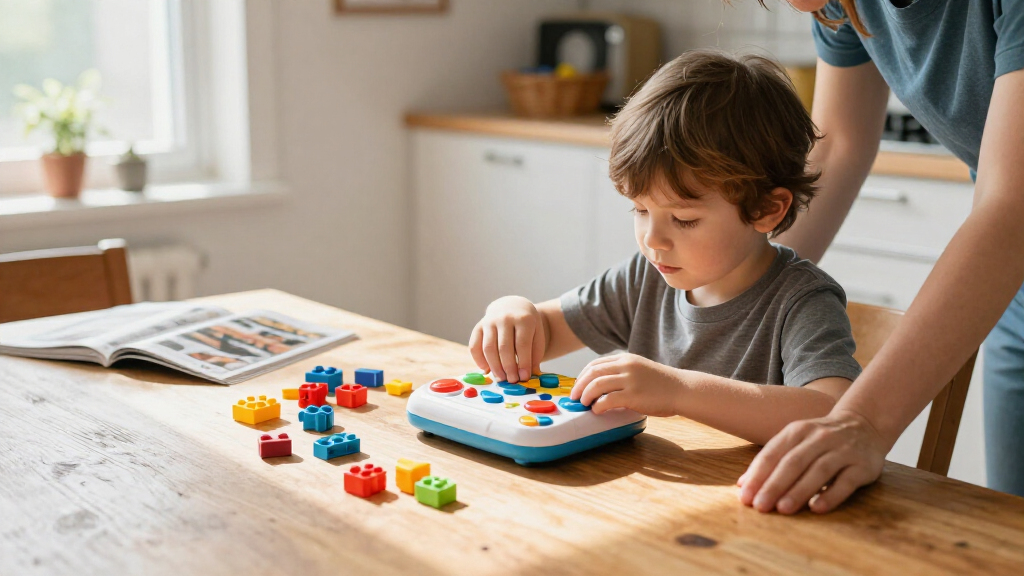
I compared each toy by the kind of coding practice it encourages: sequencing commands, solving routes, experimenting with movement, or building a programmable machine. I also weighed setup demands, age fit, the balance of guided activities and open-ended play, and whether a child can return to the toy with new challenges. A toy’s stated feature set matters less if its format does not match the child’s interests or adult help available at home.
The ranking favors toys that pair an accessible first session with a clear path to continued learning. That puts versatile, approachable options such as Botley near the top, while specialized choices rank higher for the children they serve best. Screen-based play, character themes, and construction kits are not treated as shortcomings by themselves; they rank according to how well their particular format supports coding play and where the tradeoffs are most likely to matter.
| coding toys for kid | Brand |
|---|---|
| Learning Resources Code & Go R | Learning Resources |
| Learning Resources Coding Crit | Learning Resources |
| Learning Resources Coding Crit | Learning Resources |
| Learning Resources Botley the | Learning Resources |
| Sphero Mini Green Coding Robot | Sphero |
| Learning Resources Code & Go R | Learning Resources |
| Osmo Coding Family Bundle for | — |
| Makeblock mBot STEM Coding Rob | Makeblock |
| Thames & Kosmos My Robotic Pet | Thames & Kosmos |
| Teach Tech Mech-5 STEM Coding | Teach Tech |
| Playz Coding and Computer Scie | Playz |
| Apitor Robot J 6-in-1 STEM Cod | — |
| Learning Resources Coding Crit | Learning Resources |
| Learning Resources Botley 2.0 | Learning Resources |
Factors to Consider When Choosing Coding Toys For Kids
Before choosing a coding toy, I’d match its play style to the child and the household, rather than picking by age label alone. These differences affect how quickly a toy gets used, how much help it needs, and whether it remains interesting after the first activity.
Choose the Coding Skill You Want to Practice
Some toys focus on sequencing and direction, where children arrange commands to move a robot through a route. Others add construction, sensors, or app-based control, which can introduce more layers but also ask the child to manage more steps. A common mismatch is buying a build-heavy kit when the child mainly wants to play with a moving character. Start by asking whether the goal is a gentle first encounter with logic, a project to assemble, or room to experiment with programming behavior. The right kind of challenge is the one the child will return to without every session feeling like a lesson.
Match the Toy to Attention Span and Independence
Age guidance is a useful starting point, but comfort with instructions, small components, and trial-and-error varies widely. A maze or activity card can give a younger child a clear task, while an older child may prefer open-ended building or coding challenges. Check how much setup and adult support the format implies before buying; a kit that needs sustained assembly may be a poor fit for a child who wants to start playing right away. On the other hand, an overly guided toy can lose appeal for a child who likes inventing their own challenges. Think about the child’s patience for debugging, not just their ability to follow directions.
Decide How Much Screen Time Fits Your Home
Screen-free toys make commands and movement easier to connect physically, and they may suit families who want coding play away from a tablet. App-linked options can offer visual feedback and activities, but they add device access, setup, and household screen-time preferences to the decision. Avoid assuming that screen-free automatically means easier: a physical toy can still require adult explanation, while an app can guide a beginner through a task. Check what devices or software a product needs and whether the child can use it with the equipment already available. The best choice is the one whose screen demands fit your family’s routines.
Look for a Path Beyond the First Activity
A toy can be engaging at first and still have limited replay value if every task follows the same pattern. Look for ways to change the challenge, create new routes, add a build, or try a different sequence. Extra pieces and activity prompts can help, but they matter only if the child enjoys using them and can manage the added complexity. A frequent buying mistake is paying for a large feature set that the child is not ready to use. For younger beginners, a small number of clear challenges may be a better start than a kit with many parts and modes.
Weigh Building Time Against Play Time
Construction kits can make coding feel concrete because children see how a machine is put together, but assembly becomes part of the experience. That is a benefit for a child who likes following plans and refining a project, and a drawback for one who wants an immediately interactive toy. Check whether the child is likely to build independently or needs an adult beside them for extended sessions. Also think about where pieces will be stored between playtimes; a multi-part project needs more space and organization than a compact robot or activity set. Choose a building kit for the process as well as the finished robot.
Prioritize the Child’s Play Interest
Coding is more likely to stick when it is wrapped in a theme or activity the child already enjoys. Animal characters, robots, ball-shaped devices, and hands-on puzzles can all serve as different entry points to logic. The risk is focusing on a favorite theme while overlooking whether the actual coding activity matches the child’s expectations. A child drawn to imaginative stories may prefer character-led play, while a budding maker may be more interested in assembling mechanisms. Let the theme attract them, but compare the underlying play loop before deciding.
Frequently Asked Questions
Which type of coding toy is the easiest starting point for a child who has never coded?
I’d start with a toy that makes each command visible and gives the child a clear goal, such as moving a character along a route or completing a simple activity. This keeps the first lesson focused on cause and effect instead of software setup or long instructions. An activity set can help if the child likes guided tasks, while a standalone robot may suit a child who prefers to explore at their own pace. Check whether an adult needs to explain the controls before play can begin. A good beginner choice should make mistakes easy to spot and try again.
Should I choose a screen-free coding toy or one that uses a tablet?
Choose based on the role you want the screen to play, not on a blanket preference for or against devices. Screen-free toys can make movement and sequencing tangible, while tablet-linked play may provide guided prompts or a different way to control a robot. Before buying, check the device requirements and consider whether the child will have regular access to a compatible device. Also think about whether screen use will compete with other household routines. Either format can support coding play when its setup and style suit the child.
Is a building kit a better choice for an older child than a simple coding robot?
Not automatically: age alone does not tell you whether a child will enjoy assembly, troubleshooting, or following a build plan. A construction kit can be a strong fit for a child who likes making objects and seeing how parts work together. A simpler robot may offer more direct interaction for someone who wants to focus on commands rather than assembly. Consider how much time the child is likely to spend building and whether adult help will be available. If the building process sounds like the main attraction, a kit may be worth the added complexity.
How can I tell whether a coding toy will hold a child’s interest after the first few sessions?
Look for ways to vary the play after the included first tasks: changing routes, creating new sequences, trying different builds, or exploring additional activities. Consider whether the child can set their own goals or will rely on a fixed series of prompts. A toy with many features is not automatically more replayable if those features are hard to reach or do not interest the child. Think about the child’s existing play habits, such as whether they enjoy repeating puzzles or inventing new scenarios. A strong match between play style and personality often matters more than a long feature list.
What should I check before buying a coding toy as a gift?
Check the child’s age and interests, but also ask whether the household has the devices, space, and adult time the toy may need. App-based toys can depend on compatible hardware, while building kits may need room for parts and ongoing projects. For a younger recipient, confirm that the instructions and activity style fit their independence level. If you cannot ask the family, a simpler, self-contained activity can reduce setup surprises. A gift is more likely to get used when it fits the home as well as the child.
Conclusion
I’d choose Botley the Coding Robot as the best overall option for families seeking screen-free coding activities with room to practice. For best value in a simple format, consider the standalone Code & Go Robot Mouse; choose the Activity Set instead if the maze and structured tasks matter more. Botley 2.0 is another strong beginner-oriented activity choice, while Osmo Coding Family Bundle is better for kids who welcome tablet-based guidance. For a premium, project-focused experience, look to build-and-code kits such as Apitor Robot J or mBot, depending on the child’s interest in construction. If you want character-led play, compare the Coding Critters by theme; if your child wants a more unusual robot format, consider Sphero Mini or the coding chameleon kit. The best pick is the one that matches how your child likes to play, not simply the one with the most parts or modes.
Halloween Picks
halloween
As an affiliate, we earn on qualifying purchases.