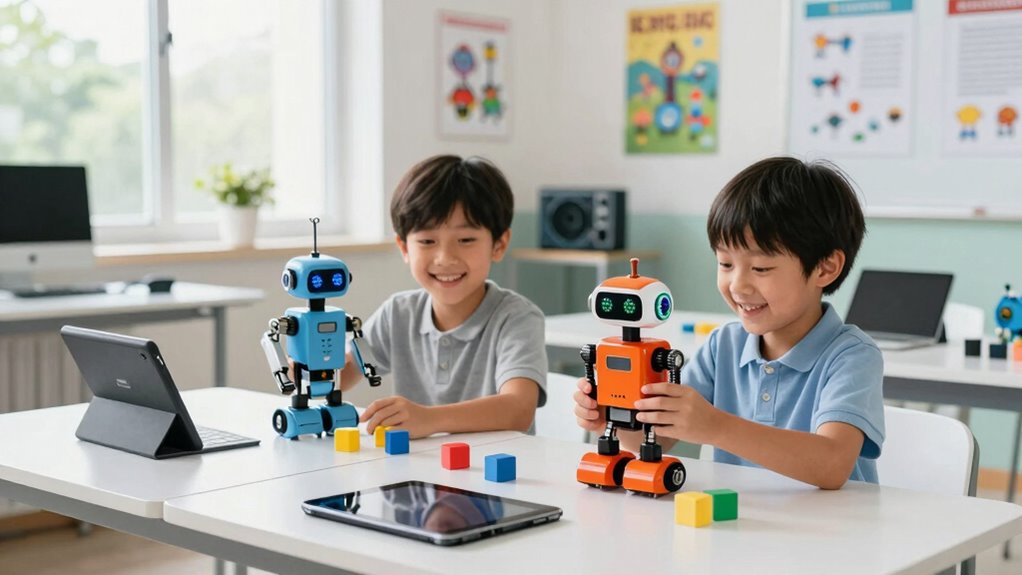

For parents and educators exploring coding robots for kids, choosing the right option can feel overwhelming. The Learning Resources Botley stands out as the best overall for its ease of use and engaging activities, while the Wonder Workshop Dash Robot makes a great choice for children aged 6 and up, thanks to its intuitive coding interface. Other standout picks include the Makeblock Codey Rocky for its versatility in coding languages and the Teach Tech Mech-5 for more advanced STEM building. The main tradeoffs often involve balancing complexity, price, and educational depth. Continue reading for a full breakdown of each product to find the best fit for your child’s learning style and age.

Get school and study supplies delivered free — and shop member deals
- Fast, free delivery on millions of items
- Access to Prime Big Deal Days deals on October 6–7
- Prime Video, Amazon Music and more included
Key Takeaways
- The best coding robots balance ease of use with enough complexity to challenge growing minds.
- Build and coding features vary significantly, with some robots focusing more on STEM projects while others prioritize simple programming.
- Price often correlates with features; more expensive models tend to offer broader coding capabilities and durability.
- Robots designed for younger kids focus on simple block coding, while those for older children support text-based programming.
- Compatibility with other devices and platforms can extend a robot’s educational value beyond initial use.
| Learning Resources Botley the Coding Robot |  | Best Overall for Screen-Free Learning | Ages: 5+ | Includes: Botley robot, remote programmer, detachable arms, 40 coding cards, tiles, obstacles | Programming Steps: up to 80 | VIEW ON AMAZON | See Our Full Breakdown |
| Teach Tech Mech-5 STEM Coding Robot Building Kit for Kids Ages 10+ |  | Best for Hands-On Mechanical and Coding Skills | Brand: Teach Tech | Age Range: 10+ | Set Name: Mech-5 | VIEW ON AMAZON | See Our Full Breakdown |
| Thames & Kosmos My Robotic Pet: Coding Chameleon STEM Building & Experiment Kit |  | Best for Interactive, Unplugged Exploration | Length: 15 inches | Sensors: Color sensor, infrared sensor, RGB LEDs | Play Modes: Coding, Wild, Pet | VIEW ON AMAZON | See Our Full Breakdown |
| Wonder Workshop Dash Robot – Coding Robot for Kids 6 and Older |  | Best for App-Enabled Interactive Coding | Brand: Wonder Workshop | Age Range: 6 years and up | Item Count: 1 | VIEW ON AMAZON | See Our Full Breakdown |
| Learning Resources Botley 2.0 The Coding Robot Activity Set |  | Best for Progressive, Screen-Free Coding Challenges | Number of Pieces: 78 | Includes: robot, remote programmer, 40 coding cards, 6 double-sided boards, obstacle pieces | Recommended Age: 5+ | VIEW ON AMAZON | See Our Full Breakdown |
| Makeblock Codey Rocky Interactive Coding Robot for Kids 6-12 |  | Best Overall for Versatile Coding and Emotional Expression | Brand: Makeblock | Age Range: 6 years and up | Model Number: P1030024 | VIEW ON AMAZON | See Our Full Breakdown |
| Makeblock mBot STEM Coding Robot for Kids Ages 8-12 |  | Best for Hands-On STEM Learning and Customization | Brand: Makeblock | Age Range: 8+ years | Included Components: Robot Kit | VIEW ON AMAZON | See Our Full Breakdown |
| Ozobot Evo Coding Robot Kit for Kids & Teachers |  | Best for Screen-Free, Progressive Coding Skills | Includes: 1 Evo robot, 5 dual-tip Color Code Markers | Skill Levels: 5 levels from beginner to master | Age Range: Ages 5-11 | VIEW ON AMAZON | See Our Full Breakdown |
| Learning Resources Botley The Coding Robot Activity Set – 77 Pieces, Ages 5+ | 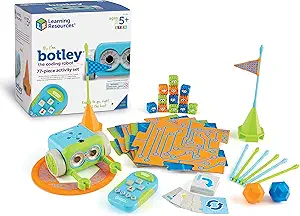 | Best Screen-Free, Active Coding Play | Pieces: 77 | Ages: 5+ | Batteries: 3 AAA for Botley, 2 AAA for remote (not included) | VIEW ON AMAZON | See Our Full Breakdown |
| coding robots for kid | Age Range |
|---|---|
| Learning Resources Botley the | — |
| Teach Tech Mech-5 STEM Coding | 10+ |
| Thames & Kosmos My Robotic Pet | — |
| Wonder Workshop Dash Robot | 6 years and up |
| Learning Resources Botley 2.0 | — |
| Makeblock Codey Rocky Interact | 6 years and up |
| Makeblock mBot STEM Coding Rob | 8+ years |
| Ozobot Evo Coding Robot Kit fo | Ages 5-11 |
| Learning Resources Botley The | — |
More Details on Our Top Picks
Learning Resources Botley the Coding Robot
Botley the Coding Robot stands out for its emphasis on screen-free STEM education, making it an excellent choice for parents who want to introduce coding without screens. Compared to Botley 2.0, this model offers a more straightforward set of features but still covers essential concepts like sequencing, loops, and if/then logic. Its inclusive kit with obstacle courses and coding cards facilitates immediate hands-on engagement, especially for younger children aged 5-8. However, the remote programming interface may challenge some young users, and it relies on adult supervision for the youngest kids. This pick makes the most sense for families prioritizing tactile, unplugged coding activities that foster foundational skills.
Pros:- Encourages screen-free coding and STEM skills
- Suitable for a wide age range (5-12)
- Includes comprehensive kit for immediate play
Cons:- Requires adult supervision for younger children
- Limited to basic coding concepts
- Remote programming interface can be less intuitive
Best for: Parents seeking a versatile, screen-free introduction to coding for children aged 5-12
Not ideal for: Families looking for advanced programming features or digital interactions over physical play
- Ages:5+
- Includes:Botley robot, remote programmer, detachable arms, 40 coding cards, tiles, obstacles
- Programming Steps:up to 80
- Features:loops, if/then logic
Our verdict“This is an ideal choice for parents who want a tactile, beginner-friendly coding experience without screens.”
Teach Tech Mech-5 STEM Coding Robot Building Kit for Kids Ages 10+
The Mech-5 kit appeals to slightly older children, especially those interested in engineering and mechanics, offering a tangible building experience that culminates in a versatile robot capable of actions like throwing, lifting, and drawing. Unlike the more straightforward Botley, the Mech-5 involves a detailed assembly process that rewards patience and technical curiosity. Its manual coding wheel provides a tactile control method, which might be less intuitive than app-based coding but enhances understanding of mechanical actions. This kit is best suited for kids aged 10 and older who enjoy hands-on projects and don’t mind a longer setup time. It’s a good choice for those who want to combine building with programming but may be less ideal for impatient or younger children.
Pros:- Encourages STEM learning through hands-on building and coding
- Versatile actions like throwing, lifting, and drawing
- Suitable for detailed, engaging assembly for older children
Cons:- Requires multiple hours for assembly
- Manual coding wheel may be less intuitive
Best for: Parents of mechanically inclined children aged 10+ who enjoy detailed assembly and coding
Not ideal for: Younger kids or families seeking quick, digital programming experiences
- Brand:Teach Tech
- Age Range:10+
- Set Name:Mech-5
- Number of Packs:1
- Included Components:Assembly Parts, Instruct
Our verdict“Best suited for older children eager to combine mechanical building with coding in a more involved project.”
Thames & Kosmos My Robotic Pet: Coding Chameleon STEM Building & Experiment Kit
The Coding Chameleon offers a unique blend of robotics and exploration, allowing children to build a color-sensing pet that reacts to gestures and changes colors. Its hands-on assembly and multi-play modes foster engineering and coding skills without relying on digital screens, setting it apart from app-dependent options like Dash. Its sensors and interactive features make it engaging for kids aged 8-12, especially those drawn to tactile experimentation. However, the delicate parts and need for adult help during assembly may pose challenges for younger or less experienced builders. This kit aligns well with kids who enjoy exploring physical mechanisms and prefer unplugged, creative play over digital interfaces.
Pros:- Encourages STEM learning and coding skills without screens
- Realistic movements and interactive features
- Multiple play modes for varied engagement
Cons:- Requires adult assistance for younger children
- Parts may be delicate during assembly
Best for: Parents wanting an interactive, screen-free robot that promotes tactile engineering skills
Not ideal for: Very young children or those primarily interested in digital coding apps
- Length:15 inches
- Sensors:Color sensor, infrared sensor, RGB LEDs
- Play Modes:Coding, Wild, Pet
- Recommended Age:8+ (with help), 12+ (independent)
Our verdict“A strong pick for kids who love hands-on building and exploring robotic behaviors offline.”
Wonder Workshop Dash Robot – Coding Robot for Kids 6 and Older
Dash by Wonder Workshop is a versatile robot that excels in engaging children with app-based coding activities, including dancing, obstacle navigation, and voice responses. Compared to Botley, Dash offers more dynamic interactions and is compatible with multiple platforms, making it ideal for kids aged 6-11 who enjoy digital play. Its 5-hour battery life supports extended activities, but the reliance on a compatible device and absence of a camera limits some creative possibilities. Dash is perfect for families seeking a robot that combines physical and digital coding, though it’s less suitable for those who prefer screen-free or unplugged experiences. Its engaging features make it a favorite in classroom settings and at home alike.
Pros:- Educational and engaging STEM activities
- App-enabled with multiple platforms
- Long battery life of up to 5 hours
Cons:- No camera included
- Requires compatible device for full functionality
Best for: Parents wanting an interactive, app-enabled robot for children aged 6-11
Not ideal for: Families prioritizing screen-free, tactile, or unplugged coding activities
- Brand:Wonder Workshop
- Age Range:6 years and up
- Item Count:1
- Included Components:Dash Robot, Two Building Brick Connectors, USB Charging Cable
- Model Number:DA03
- Warranty:1 year
Our verdict“Ideal for tech-savvy kids who enjoy interactive, app-driven coding and physical play.”
Learning Resources Botley 2.0 The Coding Robot Activity Set
Botley 2.0 expands on its predecessor by offering a larger set of challenges and activities, making it ideal for children who have already grasped basic coding concepts and are ready for more complex problem-solving. The inclusion of 78 pieces, including maze builders and challenge cards, allows for varied, self-directed play. Unlike Dash, Botley 2.0 emphasizes unplugged, hands-on learning, appealing to parents who prefer screen-free educational tools. However, its setup can be complex for very young children, and it only covers basic coding principles, which might limit growth for more advanced users. This activity set suits children aged 5 and up who enjoy progressive challenges and tactile learning.
Pros:- Encourages hands-on learning and problem-solving skills
- Includes a variety of challenges that grow with the child
- Multisensory features like lights, sounds, and music
Cons:- Requires batteries (not included)
- Setup may be complicated for very young children
Best for: Parents seeking a comprehensive, screen-free coding activity set for early learners ready for more complex challenges
Not ideal for: Children who prefer digital or app-based coding experiences or very young kids who need simpler setups
- Number of Pieces:78
- Includes:robot, remote programmer, 40 coding cards, 6 double-sided boards, obstacle pieces
- Recommended Age:5+
Our verdict“Best for early learners who are ready to advance their tactile coding skills in a structured, screen-free way.”
Makeblock Codey Rocky Interactive Coding Robot for Kids 6-12
The Makeblock Codey Rocky stands out for its ability to support both beginner-friendly Scratch and more advanced Python programming, making it suitable across a wide age range. Its adorable panda design with expressive emotions not only engages younger children but also promotes emotional development alongside STEM skills. Compared to the Ozobot Evo, which emphasizes screen-free activities, Codey Rocky offers a more interactive coding experience with sound effects and emotional expressions, though it requires some initial setup that might challenge absolute beginners. The durability and impact-resistant material make it ideal for classroom use or active homes, but its programming challenges can become basic after initial exploration. This pick makes the most sense for parents or educators seeking a flexible, emotionally engaging robot that grows with the child’s coding abilities.
Pros:- Supports beginner to advanced coding with Scratch and Python
- Engaging expressive emotions and sound effects
- Durable, impact-resistant construction suitable for classrooms
- Promotes emotional and problem-solving skills
Cons:- Requires some setup and familiarity with coding concepts
- Limited to ages 6 and up, may not challenge older children
Best for: Families or educators wanting a versatile robot that supports a wide age range and both block-based and text-based coding.
Not ideal for: Parents seeking a simple, plug-and-play robot with minimal setup or for children over 12 looking for more complex coding challenges.
- Brand:Makeblock
- Age Range:6 years and up
- Model Number:P1030024
- Warranty:1 Year
- Supports:Scratch & Python
- Material:Impact-resistant
Our verdict“A highly adaptable robot perfect for children starting with basic coding and advancing to more complex projects.”
Makeblock mBot STEM Coding Robot for Kids Ages 8-12
The Makeblock mBot offers a comprehensive introduction to electronics, robotics, and coding, making it ideal for kids who enjoy building and tinkering. Its quick assembly—taking around 15 minutes—sets it apart from the more playful Ozobot Evo, which focuses on screen-free activities. The mBot supports both Scratch and Arduino, enabling more advanced coding once the basics are mastered, but this flexibility can overwhelm beginners who might find the advanced configurations intimidating. Its compatibility with over 100 modules and LEGO pieces broadens creative possibilities, yet the need for additional batteries (not included) and the complexity of some setups mean it’s better suited for motivated learners. This is best for children aged 8 and up who are eager to explore electronics and enjoy DIY projects.
Pros:- Supports extensive customization with many modules and LEGO compatibility
- Easy to assemble with clear instructions
- Integrates with Scratch and Arduino for advanced programming
- Encourages creativity through building and coding
Cons:- Batteries for remote and robot are not included
- Advanced configurations can be complex for beginners
Best for: Parents and teachers seeking a highly customizable, project-based coding robot that fosters hands-on STEM skills.
Not ideal for: Younger children or beginners who prefer simple, ready-to-run robots without extensive assembly or complexity.
- Brand:Makeblock
- Age Range:8+ years
- Included Components:Robot Kit
- Model Number:90053
- Number of Items:1
- Best Sellers Rank:#15,405 in Toys & Games
Our verdict“A flexible kit that excels for kids interested in building, electronics, and progressing into more complex programming.”
Ozobot Evo Coding Robot Kit for Kids & Teachers
The Ozobot Evo is designed for young learners (ages 5-11) who benefit from screen-free, tactile coding activities. Its included color markers and over 700 lessons make it accessible for beginners and suitable for classroom environments, contrasting with Botley’s activity set, which emphasizes active, physical challenges. Ozobot’s durability and simple color-based coding make it ideal for early learners, but the need for online access to unlock the full range of lessons can be limiting, especially in settings with inconsistent internet. Its five skill levels allow steady progression, yet older children might outgrow its basic programming scope quickly. This robot is best for educators or parents who want an easy, engaging introduction to coding that emphasizes hands-on activity.
Pros:- Suitable for a wide age range with multiple skill levels
- Includes extensive lessons and educational resources
- Durable, classroom-ready design
- Easy to use with color-coded commands
Cons:- Requires online platform for full experience
- Initial setup can be complex for some users
- Limited to basic programming features
Best for: Early learners and educators seeking a durable, age-appropriate robot with a focus on tactile, screen-free skills development.
Not ideal for: Older children or those looking for complex programming or robotics features beyond color coding and basic lessons.
- Includes:1 Evo robot, 5 dual-tip Color Code Markers
- Skill Levels:5 levels from beginner to master
- Age Range:Ages 5-11
- Educational Content:Over 700 lessons
- Durability:Classroom-ready
- Accessories:Hard shell zip case
Our verdict“An excellent choice for introducing young children to coding through tactile, screen-free activities with steady skill progression.”
Learning Resources Botley The Coding Robot Activity Set – 77 Pieces, Ages 5+
Botley offers a screen-free approach to coding that emphasizes active play and critical thinking. Its remote programmer and obstacle course accessories foster creative problem-solving at home or in the classroom, making it a great choice for younger children who benefit from tactile, physical engagement. Compared with Ozobot Evo, Botley’s activity set involves more hands-on challenges and fewer digital dependencies, but it requires 5 AAA batteries (not included), which can be inconvenient. Its basic coding functions are suitable for beginners, yet lack the depth that more advanced kits like Makeblock mBot provide. This activity set is ideal for parents or teachers who want active, screen-free coding fun that promotes critical thinking over complex programming.
Pros:- Screen-free coding promotes active learning
- Includes diverse accessories for creative obstacle courses
- Suitable for both home and classroom activities
- Encourages problem-solving and critical thinking
Cons:- Requires 5 AAA batteries (not included)
- Setup and instructions can be complex for very young children
- Limited to basic coding functions without advanced features
Best for: Young children and educators seeking active, screen-free coding challenges with a variety of physical accessories.
Not ideal for: Older kids or those interested in advanced programming features or digital coding environments.
- Pieces:77
- Ages:5+
- Batteries:3 AAA for Botley, 2 AAA for remote (not included)
Our verdict“A practical choice for fostering active, screen-free coding and problem-solving skills in young learners.”

How We Picked
These products were selected based on criteria that matter most to buyers: performance, usability, durability, educational value, and price. We prioritized robots that offer intuitive interfaces for children, as well as those with expandable features for different skill levels. The ranking reflects a combination of versatility, build quality, and how well each robot supports progressive learning. We also considered user feedback and the variety of age ranges each robot can serve, ensuring options are suitable for a broad spectrum of kids and learning goals.Factors to Consider When Choosing Coding Robots For Kids
Choosing the right coding robot involves several key considerations. First, think about the child’s age and experience level; younger kids need simple, block-based coding, while older children may enjoy text-based programming. Durability matters if the robot will be used frequently or around younger siblings. Budget can influence features—more affordable options often have limited programming complexity, but some budget models still provide excellent value. Compatibility with tablets, computers, and additional accessories can extend the robot’s educational lifespan. Finally, consider whether the robot supports future learning stages, such as transitioning from basic coding to more advanced STEM projects.Age and Skill Level
Select a robot designed for your child’s age to ensure it’s engaging without being frustrating. Many robots for ages 5-8 focus on block coding and simple commands, while those for 10+ introduce more complex programming languages. Overestimating or underestimating skill level can lead to boredom or frustration, so choose a product aligned with current abilities and potential growth. For beginners, simple, colorful interfaces make the learning curve smoother. For more advanced kids, look for robots that support multiple coding languages to keep them challenged.
Ease of Use and Learning Curve
A robot’s interface should match the child’s familiarity with technology. Intuitive apps and visual programming environments lower the barrier to entry, encouraging independent exploration. Complex setups or poorly designed apps can deter engagement, especially for younger kids. Look for products that offer guided tutorials or built-in activities to facilitate initial learning. Remember, a steep learning curve might be worth it for advanced features, but only if your child is ready and eager to tackle it.
Durability and Build Quality
Children’s robots need to withstand rough handling, especially for active kids or classroom use. Robust construction with impact-resistant casings and secure wiring enhances longevity. Cheaper models may have fragile parts, leading to frequent repairs or replacements. Consider whether the robot is water-resistant or easy to clean, which can be important for classroom environments. Investing in a durable robot often means higher upfront costs but reduces long-term frustrations and expenses.
Educational Features and Expandability
Some robots are designed solely for basic coding, while others offer extensive STEM features like sensor integration, building modules, or additional coding challenges. Think about the child’s current interests and future learning goals—whether they want to focus on programming, robotics, or engineering. Expandable kits and accessories can extend the robot’s usefulness over years, providing new challenges and projects. This flexibility often justifies a higher price point, especially for dedicated learners.
Price and Value
While budget options can be appealing, they often come with limitations in functionality or durability. Conversely, premium robots offer advanced features and longer lifespan but at a higher cost. Evaluate whether the extra investment aligns with your child’s interest level and your educational goals. Sometimes, a mid-range robot offers the best balance between features and affordability, especially if it supports multiple programming languages and future upgrades. Remember, investing in a quality product can save money over time by reducing the need for replacement or repairs.
Frequently Asked Questions
Are coding robots suitable for very young children?
Yes, many coding robots designed for ages 5-8 use simple block-based programming, making them accessible for young children. These robots emphasize basic commands and interactive play, helping kids develop foundational coding concepts without overwhelming them. However, parents should supervise initial setup and ensure the interface is age-appropriate to foster confidence and curiosity. As children grow, they can transition to more advanced robots that support complex coding languages.
Can these robots be used for STEM learning beyond coding?
Absolutely. Many coding robots incorporate STEM elements like sensors, motor controls, and building components, allowing children to explore engineering and physics concepts. Robots such as the Makeblock mBot or Teach Tech Mech-5 offer more than just programming—they enable building, experimentation, and problem-solving. This cross-disciplinary approach enriches learning and keeps kids engaged as they apply coding in real-world scenarios.
Is it better to buy a robot with app-based coding or physical controls?
App-based coding provides a visual, intuitive interface suitable for most kids, especially beginners, and often offers more programming options. Physical controls, like remote controls or switches, can be useful for younger children or those just starting out, providing immediate tactile feedback. However, most educational robots today lean toward app-based interfaces because they support a wider range of coding activities and future learning stages. Consider your child’s preferences and learning goals when choosing between these options.
Are there compatibility issues I should watch for?
Compatibility with devices like tablets, smartphones, or computers is important, especially if you want the robot to grow with your child. Some robots work only with specific operating systems or require proprietary apps, which could limit flexibility. Always check device requirements and ensure your existing gadgets support the robot’s software. Choosing a robot with broad compatibility can prevent frustration and ensure seamless updates and expansions.
How much should I expect to spend on a good coding robot?
Pricing varies widely, from budget models around $50 to premium kits over $200. Basic robots suitable for beginners or younger kids tend to be more affordable, while advanced robots with sensors, building kits, and multi-language coding support come at higher prices. Consider your child’s current skill level and how much you want them to grow into the robot’s features. Investing in a slightly pricier, durable, and versatile robot can often provide better long-term value and educational depth.
Conclusion
For parents seeking a reliable, all-around option, the Learning Resources Botley offers a user-friendly experience for beginners and younger children. If your child is interested in STEM projects and building, the Teach Tech Mech-5 provides expansive creative opportunities. Those looking for a versatile, tech-savvy robot that supports multiple coding languages should consider the Makeblock Codey Rocky. Budget-conscious buyers will find great value in the Ozobot Evo, while educators or serious learners might prioritize more advanced kits like the Wonder Workshop Dash Robot. Your choice depends on your child’s age, experience, and your educational goals, but these options cover a broad spectrum of needs and budgets.
As an affiliate, we earn on qualifying purchases.Fall Picks
fall essentials