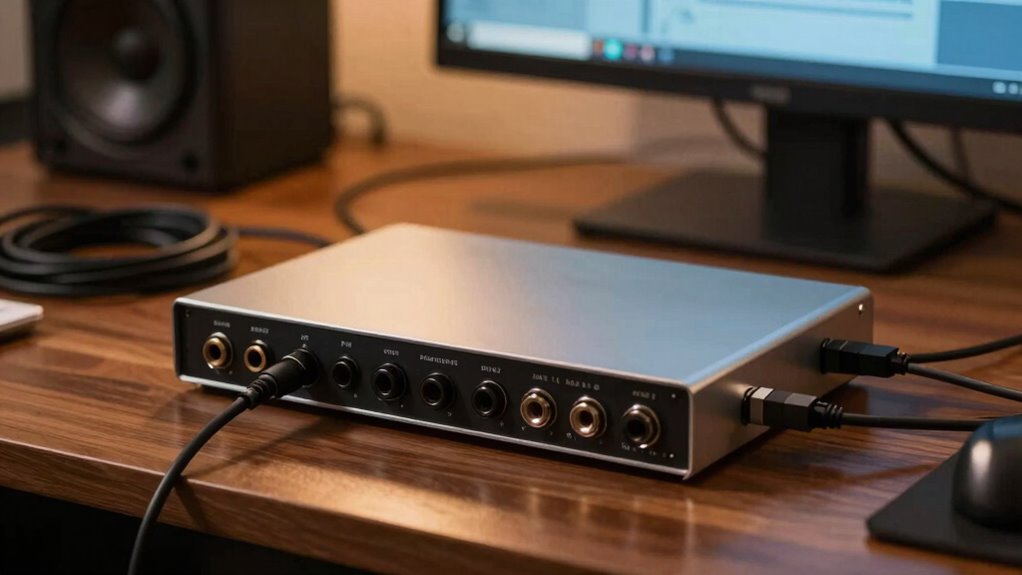

When selecting an audio interface, the primary goal is to find a device that balances sound quality, ease of use, and connectivity. The Focusrite Scarlett 2i2 4th Gen stands out as the best overall choice thanks to its reliable performance and user-friendly design. For those on a tighter budget, the Focusrite Scarlett Solo 3rd Gen offers solid sound at a lower price, though with fewer inputs. Meanwhile, streamers and podcasters may prefer the BEACN Studio for its integrated DSP features and enhanced microphone processing. The main tradeoffs involve balancing features against cost and complexity. Keep reading for a detailed breakdown of these options to find the best fit for your needs.
| USB C Audio Interface for Recording Music, Streaming, Podcasting, Silver |  | Best for Portability and Basic Recording | Sampling Rate: 48kHz | Bit Depth: 24-bit | Inputs: XLR, 6.35mm | VIEW ON AMAZON | See Our Full Breakdown |
| Focusrite Scarlett 2i2 4th Gen USB-C Audio Interface |  | Best for Professional-Grade Simplicity | Generation: 4th | Connectivity: USB-C | Number of Inputs: 2 | VIEW ON AMAZON | See Our Full Breakdown |
| Focusrite Scarlett 4i4 4th Gen USB-C Audio Interface |  | Best for Versatile Recording and Production | Inputs: 2 Scarlett preamps, 2 Hi-Z, 4 line | Outputs: 4 line, MIDI I/O | Dynamic Range: 120dB | VIEW ON AMAZON | See Our Full Breakdown |
| Focusrite Scarlett Solo 3rd Gen USB-C Audio Interface |  | Best for Compact, High-Quality Solo Recording | Connectivity: USB-C | Bit Depth: 24-bit | Sample Rate: 192kHz | VIEW ON AMAZON | See Our Full Breakdown |
| RM06 6-Channel Audio Mixer Sound Board with Bluetooth and USB Interface |  | Best for Live Streaming and Multi-Source Mixing | Number of Channels: 6 | Connectivity Technology: Interfac, XLR, USB, Bluetooth | Power Source: Corded Electric | VIEW ON AMAZON | See Our Full Breakdown |
| MAONO P2 Hybrid USB Audio Interface Dual XLR for PC, Phone, iPad, Guitar |  | Best for Multi-Device Connectivity | Connectivity: Dual USB ports with MFi certification | Inputs: 2 XLR | Sampling Rate: 24-bit/192kHz | VIEW ON AMAZON | See Our Full Breakdown |
| FIFINE Gaming Audio Mixer with RGB Lighting, XLR Microphone Interface, and Voice Effects |  | Best for Streaming with Visual Flair | Microphone Input: XLR with 48V phantom power | Channels: 4 (Microphone, Line In, Headphone, Line Out) | Controls: Volume fader, mute button, sound effects, RGB lighting | VIEW ON AMAZON | See Our Full Breakdown |
| BEACN Studio (White) – USB XLR Audio Interface with DSP Mic Chain |  | Best for Professional Audio Processing | Connection: XLR to USB-C | DSP Features: EQ, Compression, Noise Suppression | App Compatibility: BEACN App, BEACN Link App | VIEW ON AMAZON | See Our Full Breakdown |
| Audio Interface, 2×2 24-bit/192kHz Studio Quality USB C Recording Interface for PC/Mac/iOS |  | Best for Portable, High-Resolution Recording | Resolution: 24-bit/192kHz | Inputs: 2 XLR/TRS combo jacks | Phantom Power: 48V | VIEW ON AMAZON | See Our Full Breakdown |
| Focusrite Scarlett Solo 4th Gen USB-C Audio Interface |  | Best for Entry-Level Musicians | Compatible Devices: Microphone, Instrument, PC, Mac, Headphones, Monitors | Supported Software: All audio recording software | Connectivity Technology: USB | VIEW ON AMAZON | See Our Full Breakdown |
| audio interface | Connectivity | Inputs |
|---|---|---|
| USB C Audio Interface for Reco | USB-C, USB-A | XLR, 6.35mm |
| Focusrite Scarlett 2i2 4th Gen | USB-C | — |
| Focusrite Scarlett 4i4 4th Gen | USB-C | 2 Scarlett preamps, 2 Hi-Z, 4 line |
| Focusrite Scarlett Solo 3rd Ge | USB-C | 2 high-headroom instrument |
| RM06 6-Channel Audio Mixer Sou | — | — |
| MAONO P2 Hybrid USB Audio Inte | Dual USB ports with MFi certification | 2 XLR |
| FIFINE Gaming Audio Mixer with | — | — |
| BEACN Studio | — | — |
| Audio Interface | USB C | 2 XLR/TRS combo jacks |
| Focusrite Scarlett Solo 4th Ge | — | — |
More Details on Our Top Picks
USB C Audio Interface for Recording Music, Streaming, Podcasting, Silver
The Synido 2×2 USB C audio interface stands out for its lightweight and portable design, making it ideal for creators who need reliable sound quality on the go. While it offers 24-bit depth and 48kHz sampling comparable to entry-level interfaces, it lacks the higher sampling rates that some professionals might prefer. Compared with the Focusrite Solo 3rd Gen, it doesn’t include high-resolution support up to 192kHz, which could be a limiting factor for those needing ultra-high fidelity. Its three monitoring modes add versatility, but the absence of built-in microphone or instrument inputs means users must connect external gear. The main tradeoff is that it requires a third-party driver for optimal compatibility, which could complicate setup for some users.
Pros:- Lightweight and highly portable for mobile recording
- Multiple monitoring modes for versatile use
- Supports professional microphone connections with phantom power
- Low latency and accurate sampling
Cons:- Requires third-party driver for full compatibility
- Limited to 2 inputs and outputs, restricting multi-source recording
- No built-in microphone or instrument inputs
Best for: Musicians, streamers, or podcasters who prioritize portability and basic recording needs
Not ideal for: Producers or engineers needing multi-channel recording and high sample rates, due to its limited inputs and lower max sampling rate
- Sampling Rate:48kHz
- Bit Depth:24-bit
- Inputs:XLR, 6.35mm
- Outputs:Headphone, Line Out
- Phantom Power:48V
- Weight:300g
- Dimensions:14 x 11.5 x 4.5 cm
- Connectivity:USB-C, USB-A
Our verdict“This interface is perfect for creators who need reliable, portable audio quality without complex features.”
Focusrite Scarlett 2i2 4th Gen USB-C Audio Interface
The Focusrite Scarlett 2i2 4th Gen shines as a straightforward, professional-level interface with excellent converters and ultra-low-noise mic pres. Its combination of high-quality audio output and ease of use makes it a better choice than the Synido for those who want studio-quality sound without complexity. The inclusion of software like Pro Tools Intro+ and Ableton Live Lite adds value, but it’s limited to two inputs, which might restrict larger multi-instrument setups. Unlike the Focusrite Scarlett Solo 3rd Gen, the 2i2 provides two inputs, making it more suitable for small bands or dual-mic recordings, but it still lacks built-in instruments or microphones, requiring external gear.
Pros:- Studio-quality converters and ultra-low-noise mic pres
- Includes comprehensive recording software bundle
- Auto Gain and Clip Safe features simplify setup
- Adds professional ‘Air Mode’ for enhanced tone
Cons:- Limited to two inputs, not suited for complex setups
- Requires USB-C port, might need adapters for older devices
- No built-in instruments or microphone inputs
Best for: Home studio owners and musicians wanting professional sound with simple setup
Not ideal for: Multi-instrument recording or live band sessions requiring more inputs or built-in instruments, due to its 2-input limit
- Generation:4th
- Connectivity:USB-C
- Number of Inputs:2
- Number of Outputs:2
- Dynamic Range:120dB
- Included Software:Pro Tools Intro+, Ableton Live Lite
Our verdict“Ideal for musicians and producers seeking reliable, high-quality audio with minimal fuss.”
Focusrite Scarlett 4i4 4th Gen USB-C Audio Interface
The Focusrite Scarlett 4i4 4th Gen is designed for users who need multiple input/output options, making it more flexible than the 2i2. It offers four line outputs, MIDI I/O, and two mic preamps with Hi-Z instrument inputs, positioning it as a go-to for small project studios. Compared to the 2i2, this model accommodates more complex setups, but its complex array of features can be daunting for beginners. It’s primarily built for users who already understand studio workflows but may require adapters for some USB-C connections. Its 120dB dynamic range rivals high-end interfaces, but its setup complexity might be a hurdle for first-time buyers.
Pros:- Multiple input/output options including MIDI and line outputs
- High-quality 120dB dynamic range for professional sound
- Includes a broad software bundle for production
- Versatile for various recording scenarios
Cons:- Setup may be complex for newcomers
- Limited USB-C connectivity, may need adapters
- More expensive than simpler models
Best for: Intermediate to advanced musicians and producers needing multiple inputs and outputs for recording and mixing
Not ideal for: Complete beginners or those with limited space, due to its more complex setup and multiple connection options
- Inputs:2 Scarlett preamps, 2 Hi-Z, 4 line
- Outputs:4 line, MIDI I/O
- Dynamic Range:120dB
- Connectivity:USB-C
- Included Software:Pro Tools Intro+, Ableton Live Lite, Cubase LE
- Additional Features:Auto Gain, Air mode
Our verdict“Best suited for users who need expanded connectivity for multi-instrument recording and mixing.”
Focusrite Scarlett Solo 3rd Gen USB-C Audio Interface
The Focusrite Scarlett Solo 3rd Gen excels as a compact yet powerful interface ideal for solo artists and podcasters who value high-resolution sound. Its high-quality pre-amps with Air mode provide clarity similar to larger interfaces, but its single pair of inputs limits multi-instrument recording. Compared with the 2i2, it offers the same 24-bit/192kHz performance in a smaller package, but the Solo lacks additional outputs or MIDI I/O, which could restrict expansion. Designed for portability, it’s perfect for mobile recording but less suited for multi-mic or multi-instrument setups.
Pros:- High-quality pre-amps with Air mode for added clarity
- Supports professional recording up to 24-bit/192kHz
- Compact and portable for mobile use
- Includes essential production software
Cons:- Limited to two inputs, not for multi-source recording
- Requires USB-C port, may need adapters
- No MIDI or additional outputs
Best for: Solo musicians, podcasters, and live streamers wanting portable, high-quality recording from a compact device
Not ideal for: Multi-instrument recording or small band setups, due to its limited inputs and outputs
- Connectivity:USB-C
- Bit Depth:24-bit
- Sample Rate:192kHz
- Inputs:2 high-headroom instrument
- Outputs:2 low-noise balanced
- Included Software:Pro Tools Intro+, Ableton Live Lite
Our verdict“Ideal for solo artists and content creators needing portable high-quality audio in a small form factor.”
RM06 6-Channel Audio Mixer Sound Board with Bluetooth and USB Interface
The RM06 6-channel audio mixer combines multiple input options, including Bluetooth and USB, making it a versatile choice for live streaming, podcasting, and small performances. Its built-in EQ and effects provide creative control, and its multiple outputs support complex setups. Compared with the focus on recording interfaces, the RM06 emphasizes live mixing and real-time control, but it lacks detailed information about build quality and durability, which might impact long-term reliability. Its compact design offers portability, yet the inclusion of Bluetooth streaming makes it especially appealing for content creators who need quick connectivity with various devices.
Pros:- Versatile input options including Bluetooth and USB
- Built-in EQ, effects, and multiple outputs
- Compact and portable for mobile setups
- Supports both live and recorded audio sources
Cons:- Limited information on durability and build quality
- No mention of expansion or battery power
- Primarily designed for live use, not detailed studio recording
Best for: Streamers, podcasters, and small-band performers who need flexible, multi-source mixing in a portable format
Not ideal for: Studio-focused recording environments that require multi-channel recording or studio-grade sound, due to its primary design for live and streaming use
- Number of Channels:6
- Connectivity Technology:Interfac, XLR, USB, Bluetooth
- Power Source:Corded Electric
- Frequency:192 KHz
- Output Connector Type:XLR
- Audio Input:XLR
- Item Weight:3.9 pounds
Our verdict“Best suited for content creators and performers who need flexible, real-time mixing with portable convenience.”
MAONO P2 Hybrid USB Audio Interface Dual XLR for PC, Phone, iPad, Guitar
The MAONO P2 stands out for creators needing seamless integration across multiple devices, thanks to dual USB ports with MFi certification. Compared to the Focusrite Scarlett Solo, it offers the advantage of supporting both PC and mobile platforms simultaneously, ideal for mobile musicians and streamers. Its high-quality 24-bit/192kHz recording ensures clear sound, but it’s limited to XLR microphones and lacks built-in monitoring or speakers, which could impact workflow. This makes it a strong choice for users who prioritize versatile device connection over extensive onboard features.Pros:- Supports simultaneous connection to multiple devices
- High-quality 24-bit/192kHz audio recording
- Low-latency direct monitoring
- Compact and durable design
Cons:- Requires software setup for advanced features
- Limited to XLR microphones, no instrument inputs
- No built-in microphone or speakers
Best for: Musicians, podcasters, or streamers who work across computers and mobile devices and need reliable, portable audio quality.
Not ideal for: Studio professionals or users requiring multiple instrument inputs or onboard monitoring, as it focuses solely on XLR microphone inputs.
- Connectivity:Dual USB ports with MFi certification
- Inputs:2 XLR
- Sampling Rate:24-bit/192kHz
- Build Material:Aluminum alloy
- Included Accessories:USB-C to USB-A/C cable, user manual
Our verdict“This pick is best for creators needing versatile device compatibility with portable, high-quality audio recording.”
FIFINE Gaming Audio Mixer with RGB Lighting, XLR Microphone Interface, and Voice Effects
The FIFINE Gaming Audio Mixer excels in enhancing live streams with its vibrant RGB lighting and customizable sound effects, making it ideal for streamers wanting a visually engaging setup. Its high-quality XLR microphone input with 48V phantom power guarantees professional vocal quality, outperforming basic interfaces like the Focusrite Scarlett Solo in live control and effects. However, it only supports one XLR microphone and lacks USB microphone compatibility, limiting flexibility for casual or multi-mic setups. This device is perfect for streamers who want integrated sound control and visual appeal in their broadcasts.Pros:- High-quality XLR microphone input with phantom power
- Customizable sound effects and voice changing modes
- Vibrant RGB lighting enhances streaming visuals
- Easy plug-and-play setup for multiple platforms
Cons:- XLR cable not included, additional purchase needed
- Limited to one XLR microphone
- No support for USB microphones
Best for: Streamers and gamers looking to add vocal effects and lighting to their live broadcasts without complex setup.
Not ideal for: Audio engineers or musicians requiring multiple microphone inputs or multi-channel recording, due to its single XLR input and limited connectivity.
- Microphone Input:XLR with 48V phantom power
- Channels:4 (Microphone, Line In, Headphone, Line Out)
- Controls:Volume fader, mute button, sound effects, RGB lighting
- Compatibility:Mac OS, Windows
- Input Interfaces:Mic, Line In, Headset
- Lighting:RGB with flowing or frozen color rotation
Our verdict“This device is ideal for streamers seeking integrated voice effects and visual effects to elevate their broadcasts.”
BEACN Studio (White) – USB XLR Audio Interface with DSP Mic Chain
The BEACN Studio is designed for users needing advanced sound shaping, thanks to its on-board DSP that offers EQ, compression, noise suppression, and more—features that surpass the basic functionality of options like the Focusrite Scarlett Solo. Its proprietary dual USB technology allows multi-channel digital audio transfer, making it suitable for multi-mic setups or complex projects. The BEACN App provides extensive control, but the setup process may challenge less technical users, and the premium features come with a higher price tag. It’s best suited for professionals or serious hobbyists seeking detailed, customizable audio processing.Pros:- High-quality on-board DSP for professional sound shaping
- Supports multiple channels with proprietary dual USB technology
- Customizable control via BEACN App
- Supports remote management and advanced workflows
Cons:- Complex setup may require technical knowledge
- Premium features can be costly for casual users
- Higher price point compared to entry-level interfaces
Best for: Audio professionals or dedicated content creators who require multi-channel, customizable digital audio processing.
Not ideal for: Casual users or beginners who prefer plug-and-play simplicity without the need for complex setup or high investment.
- Connection:XLR to USB-C
- DSP Features:EQ, Compression, Noise Suppression
- App Compatibility:BEACN App, BEACN Link App
- Channels:Up to 8
- Color:White
Our verdict“This pick makes the most sense for audio professionals demanding multi-channel, customizable processing with remote control options.”
Audio Interface, 2×2 24-bit/192kHz Studio Quality USB C Recording Interface for PC/Mac/iOS
This USB C interface delivers professional-grade 24-bit/192kHz sound in a compact form, making it a great choice for mobile recording. Its sleek red illuminated design adds visual style, while its two combo inputs with phantom power support both microphones and instruments. Compared to the Focusrite Scarlett Solo, it offers similar high-resolution recording but is limited to two channels, which may restrict multi-instrument recording. Its reliance on bus power means no external power supply, which could impact performance in some setups. It suits users who prioritize portability and high-quality recording over multi-channel flexibility.Pros:- High-resolution 24-bit/192kHz audio quality
- Plug-and-play USB C connectivity, no drivers needed
- Versatile inputs for microphones and instruments
- Elegant illuminated design for easy use in dim environments
Cons:- Limited to 2 channels, not suitable for multi-track projects
- No external power supply, relies on bus power
- Requires USB C port, may need adapters for older devices
Best for: Musicians and podcasters who record on the go and value high-resolution sound quality in a portable package.
Not ideal for: Studio professionals needing multi-channel, multi-instrument recording, or those with older devices lacking USB C ports.
- Resolution:24-bit/192kHz
- Inputs:2 XLR/TRS combo jacks
- Phantom Power:48V
- Connectivity:USB C
- Compatibility:PC, Mac, iOS
- Features:Monitor mix, loopback, zero-latency monitoring
Our verdict“This interface is perfect for portable, high-quality recording when you need a compact form factor and USB C compatibility.”
Focusrite Scarlett Solo 4th Gen USB-C Audio Interface
The Focusrite Scarlett Solo 4th Gen makes a compelling case for solo musicians and hobbyists with its renowned high-quality preamp and intuitive design. Its studio-grade converters and Air mode deliver bright, detailed vocals and guitar sounds, similar to the more advanced Scarlett 2i2 but with a simplified setup. While it only offers two channels, this keeps the cost and complexity down, making it accessible for beginners or those recording single instruments. Compared to the MAONO P2, it provides more focus on studio-quality sound with less concern for multi-device connectivity, which may be a limitation for mobile creators.Pros:- High-quality, studio-grade sound with 120dB dynamic range
- Includes software bundle like Pro Tools Intro+ and Ableton Live Lite
- Air mode enhances vocals and guitar recordings
- Compact, portable design for mobile recording
Cons:- Limited to 2 channels, restricting multi-instrument recording
- Requires compatible software for full functionality
- Basic feature set may be too simple for advanced users
Best for: Beginner musicians and solo performers seeking straightforward, high-quality recording with minimal setup.
Not ideal for: Producers working with multi-instrument setups or needing extensive inputs and routing options, as it offers only two channels.
- Compatible Devices:Microphone, Instrument, PC, Mac, Headphones, Monitors
- Supported Software:All audio recording software
- Connectivity Technology:USB
- Number of Channels:2
- Frequency Response:20 KHz
Our verdict“This interface is best suited for beginners and solo performers who want premium sound quality without complexity.”
How We Picked
In evaluating these audio interfaces, I focused on key factors that matter most to both casual users and professionals. Performance metrics like audio fidelity, latency, and preamp quality were prioritized, along with build quality and durability. Usability was also important; interfaces needed to be straightforward to set up and operate, especially for beginners. Compatibility with common recording software and devices was a must. The ranking reflects a combination of value, feature set, and overall versatility, with top picks excelling across these areas while considering price points and user needs.| audio interface | Connectivity |
|---|---|
| USB C Audio Interface for Reco | USB-C, USB-A |
| Focusrite Scarlett 2i2 4th Gen | USB-C |
| Focusrite Scarlett 4i4 4th Gen | USB-C |
| Focusrite Scarlett Solo 3rd Ge | USB-C |
| RM06 6-Channel Audio Mixer Sou | — |
| MAONO P2 Hybrid USB Audio Inte | Dual USB ports with MFi certification |
| FIFINE Gaming Audio Mixer with | — |
| BEACN Studio | — |
| Audio Interface | USB C |
| Focusrite Scarlett Solo 4th Ge | — |
Factors to Consider When Choosing Audio Interfaces
Choosing the right audio interface requires understanding your specific recording or streaming needs. Not all interfaces are created equal, and selecting one that matches your setup can save time and improve your audio quality. Here are some key factors to consider beyond just the features listed in reviews.Number of Inputs and Outputs
The number of inputs and outputs determines how many microphones, instruments, or external devices you can connect simultaneously. If you plan to record a band or multiple instruments, opt for an interface with at least four inputs. For solo creators or podcasters, a two-input model might suffice, reducing complexity and cost. Consider future expansion, too—buying slightly more inputs than you currently need can save money later.
Connectivity and Compatibility
Most interfaces connect via USB, but the type varies—USB-C, USB-A, Thunderbolt, or even Lightning for iOS devices. Ensure your device supports the interface’s connection type. Compatibility with your operating system (Windows, Mac, iOS, Android) is essential to avoid driver issues. Some higher-end models include additional connectivity options like ADAT or S/PDIF, which are helpful for expanding your setup later.
Audio Quality and Latency
Look for interfaces that offer at least 24-bit/96kHz recording quality for professional-sounding audio. Latency, or the delay between input and output, can hinder real-time monitoring; interfaces with low-latency drivers or built-in DSP features can help. For critical recording work, invest in models known for stable, high-quality audio performance to prevent unwanted noise or distortion.
Ease of Use and Build Quality
A user-friendly interface with straightforward controls and clear indicators can make a big difference, especially for beginners. Consider build quality; metal enclosures tend to be more durable than plastic, especially if you transport your setup frequently. Features like direct monitoring and simple gain controls add convenience and help reduce setup frustration.
Price and Value
While higher-priced interfaces often offer better preamps, more features, and enhanced build quality, there are excellent budget options that deliver solid performance for less. Avoid overspending on features you don’t need, but also be wary of very cheap interfaces that sacrifice audio fidelity or reliability. Balance your budget with your intended use to find the best value.
Frequently Asked Questions
Is it better to buy a USB-C or USB-A audio interface?
Choosing between USB-C and USB-A depends on your computer or device’s ports. USB-C interfaces generally offer faster data transfer and might support newer features like higher sampling rates or power delivery. If your device has USB-C ports, opting for a USB-C interface can provide a more streamlined, future-proof connection. However, most systems still support USB-A via adapters or cables, so compatibility isn’t usually an issue unless you prioritize the latest connection standards.
Do I need a dedicated audio interface if I already have a mixer?
It depends on your setup and goals. A mixer can handle multiple inputs and outputs but may lack the high-quality AD/DA conversion needed for professional recordings. An audio interface often provides superior sound fidelity, lower latency, and better preamps, making it essential for production quality. If your mixer has integrated audio interface features, you might not need an additional device, but for optimal sound, a dedicated interface usually offers a noticeable upgrade.
Can I use an audio interface for live streaming and gaming?
Absolutely. Many interfaces are suitable for streaming and gaming, especially those with zero-latency direct monitoring and easy setup. Look for models with simple controls, good build quality, and compatibility with streaming software like OBS or Streamlabs. While professional-grade interfaces provide the best audio, even budget-friendly options can significantly improve your mic and system sound quality for live broadcasts.
How important are preamp quality and phantom power?
Preamp quality directly affects the clarity and warmth of your recordings, especially for microphones and instruments. Good preamps reduce noise and distortion, ensuring cleaner sound. Phantom power is necessary for condenser microphones, which are common in studio setups. If you plan to record vocals or use condenser mics, choose an interface with reliable phantom power and high-quality preamps to maximize your audio fidelity.
Is it worth paying extra for a premium audio interface?
Investing in a premium interface can be worthwhile if you require the highest audio quality, durability, and advanced features like DSP effects or multiple high-end preamps. For casual or beginner use, more affordable models often suffice and provide excellent value. Consider your current needs and future plans—spending more can be justified if you aim for professional-grade recordings or extensive multi-mic setups.
Conclusion
For most users, the Focusrite Scarlett 2i2 4th Gen offers the best balance of features, quality, and affordability—making it ideal for project studios and serious hobbyists. Beginners or those on a tight budget will appreciate the Focusrite Scarlett Solo 3rd Gen for its simplicity and solid performance. The BEACN Studio shines for streamers and podcasters needing integrated DSP and microphone processing. For professionals seeking premium features, the Focusrite Scarlett 4i4 or other high-end models deliver expanded connectivity and top-tier sound. Choose based on your specific recording environment, budget, and future expansion plans to get the best value for your investment.